
Sukrara for Android
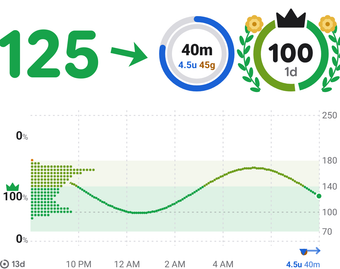
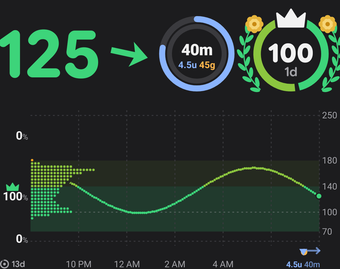
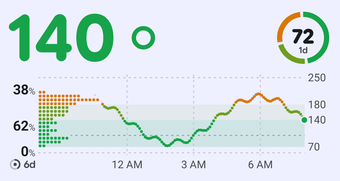
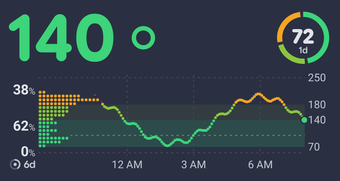
Sukrara reads your sensor, shows your glucose all over the phone, alerts you and shares it with the people you choose. Or follow someone else’s.
Get it
Section titled “Get it”
Check it’s the real Sukrara
Every Sukrara APK, from here and from Google Play, is signed with this certificate, and Android installs an update over Sukrara only when it has the same one:
app.mauri.sukrara27:EC:21:B2:54:4C:E5:EB:7F:D9:48:49:AD:16:DB:86:51:B3:4C:F8:98:CD:B5:0A:DE:21:59:23:1A:1A:8D:96AppVerifier shows the certificate of the downloaded APK, or of the Sukrara on your phone: paste the text above into it to compare. On a computer:
apksigner verify --print-certs Sukrara-0.16.0.apkThe file’s SHA-256, as GitHub recorded it when the file was uploaded:
8a9486b883795e7864e5681cbf3289e029a75d9f281e61db8df844c65e0453e7What your computer computes for the downloaded file must be the same:
shasum -a 256 Sukrara-0.16.0.apk# Windows: certutil -hashfile Sukrara-0.16.0.apk SHA256Or let GitHub check the file against its signed record of the release, which can’t be changed:
gh release verify-asset v0.16.0 Sukrara-0.16.0.apk -R mauriciabad/sukrara- On your phone, tap Download for Android.
- Open the file and tap Install. If Android asks, allow installs from your browser first.
- Open Sukrara. Setup asks only what alerts need; the rest can wait.
What it does
Section titled “What it does”If you wear the sensor
Section titled “If you wear the sensor”- Reads a FreeStyle Libre 3 directly; other sensors directly or through Juggluco.
- Your glucose in widgets, the notification, the status bar and the lock screen.
- Alerts with your thresholds and sounds, quiet once you’ve acted.
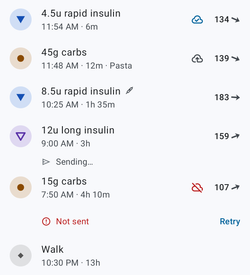
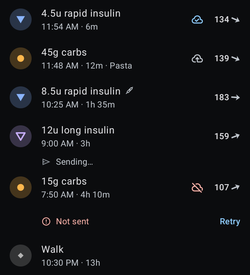
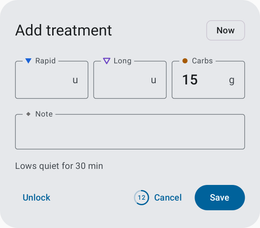
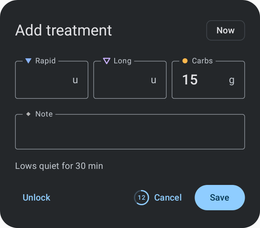
- Insulin, carbs and notes in seconds. A NovoPen Echo® Plus logs its own doses.
- Uploads to LibreView, Tidepool, Nightscout and Health Connect, if you want.
- A report for your doctor, and a CSV export.
If you follow someone
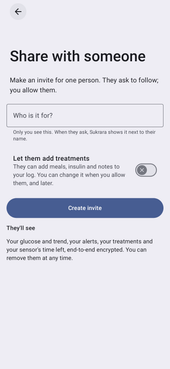
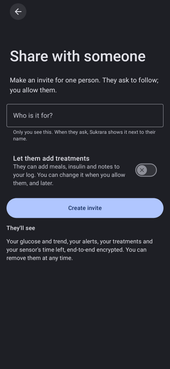
Section titled “If you follow someone”- Open their invite link or scan their QR code.
- Their glucose, widgets and alerts, with your own alert settings if you want.
- You see when their phone stops sending.
Requirements
Section titled “Requirements”- Android 16 or newer, 64-bit.
- To read a sensor: NFC and Bluetooth. Starting a Libre 3 needs a LibreView account.
- Lock screen card and status bar text: root with LSPosed.
Versions
Section titled “Versions”The GitHub and the Google Play version are the same app, signed with the same key: either one installs over the other and keeps your data. F-Droid and Obtainium install the GitHub version. Settings › About shows which one you have.
| GitHub version | Google Play version | |
|---|---|---|
| Updates | Sukrara updates itself once you turn it on, or F-Droid or Obtainium does | Google Play |
| Leaves out | Nothing | Only Sukrara’s own updater |
Questions
Section titled “Questions”Will the alerts wake me, even in Do Not Disturb?
Very low and extremely high ring like an alarm clock. To ring through Do Not Disturb, choose Let Sukrara through in Settings › Alert reliability; that page also checks everything else alerts need and sends a test alert.
Why does Android warn me about the download?
It warns about every app from outside a store. Each release is built from the public source code and signed with Sukrara’s key; Check it’s the real Sukrara, under the download button, shows how to verify it.
How do I move from the GitHub version to Google Play?
Open Sukrara on Google Play on the phone. If it offers Update from Play, tap it: Play installs its version over yours, keeps your data and updates it from then on. If it only says Open, you already have the newest version: switch with the next one (with Install updates automatically on, turn it off first in Settings › About › Updates). Don’t uninstall the GitHub version first: that deletes your data.
Can I keep using Abbott’s Libre app?
A Libre 3 talks to one app at a time. Sukrara starts sensors with your LibreView account, so Abbott’s app can take the sensor back, and Sukrara can take it over again with one tap.
How fast do followers see my glucose?
About a second over the internet, at once over Bluetooth. If your phone stops sending, they see when the last reading came and get a no-data alert.
Which sensors does it read?
Directly: FreeStyle Libre 3 and 3 Plus. Directly, not yet tested on a real one: Dexcom G6, G7 / ONE+ and G7 15 Day / Stelo, Accu-Chek SmartGuide, Aidex X / LinX. Through Juggluco, whatever it reads: FreeStyle Libre 2 and 2 Plus, Sibionics GS1, CareSens Air, and Dexcom G7 / ONE+, Accu-Chek SmartGuide and Aidex X.
Is there an iPhone version?
No. Followers can use an Android phone or a Mac.
Is it a medical device?
No, and no regulator has cleared or approved it. Check your sensor’s app or a meter before you decide on a treatment.