
Sukrara for Mac
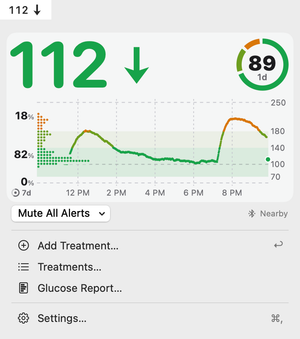
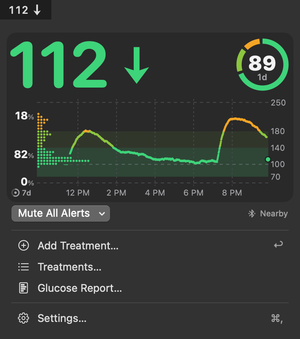
Your glucose in the menu bar, about a second behind the phone, with the same alarms. It follows a phone with Sukrara for Android: yours, or the person you look after.
Get it
Section titled “Get it”
Paste this into Terminal and press Return:
brew install --cask mauriciabad/tap/sukraraCheck it’s the real Sukrara
Sukrara for Mac is signed with its Developer ID and notarized by Apple, and macOS checks both before it opens it. To see them:
spctl -a -vv /Applications/Sukrara.appIt answers:
source=Notarized Developer IDorigin=Developer ID Application: Maurici Abad Gutierrez (QWUV9H4A3G)Its updates are signed with Sukrara’s own key, and checked before they install.
The file’s SHA-256, as GitHub recorded it when the file was uploaded:
47ad8ec8593da9dc0dde3b6992a1bd79815bd90210617139448aba49d973af0bWhat your computer computes for the downloaded file must be the same:
shasum -a 256 Sukrara-0.16.0.dmg# Windows: certutil -hashfile Sukrara-0.16.0.dmg SHA256Homebrew checks the same SHA-256 before it installs.
Or let GitHub check the file against its signed record of the release, which can’t be changed:
gh release verify-asset v0.16.0 Sukrara-0.16.0.dmg -R mauriciabad/sukrara- Open the downloaded file and drag Sukrara onto Applications.
- Open Sukrara. It lives in the menu bar and updates itself.
- Follow someone: paste their invite link, scan their QR code, or pair over Bluetooth nearby.
What it does
Section titled “What it does”- The value and trend in the menu bar; out of range in colour, old readings struck through.
- The same card, alarms and sounds as the phone.
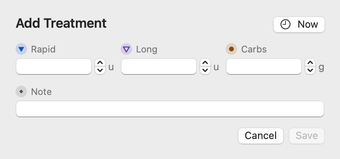
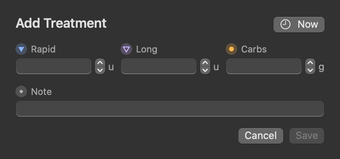
- Add insulin, carbs and notes to the wearer’s log, if they allow it.
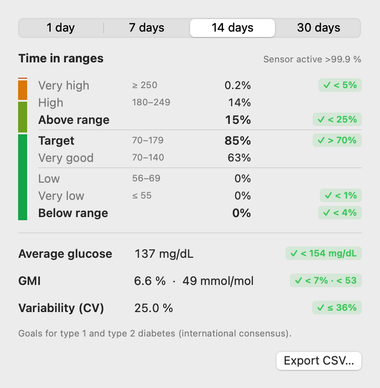
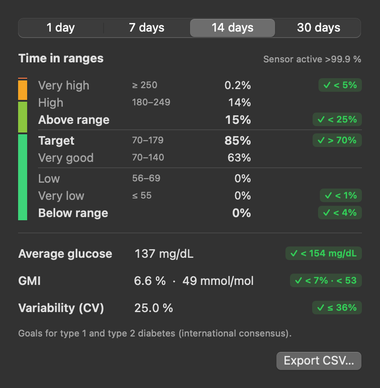
- A glucose report over 1 to 30 days, with a CSV export.
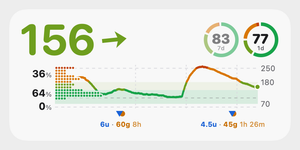
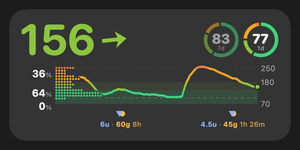
- Widgets on the desktop and in Notification Center.
- Or read Juggluco on your home network instead.
Requirements
Section titled “Requirements”- Apple silicon (M1 or newer), macOS 15 or newer.
- A phone with Sukrara for Android to follow, or Juggluco on the same network.
Versions
Section titled “Versions”The GitHub version (the download and Homebrew) updates itself. The Mac App Store version is the same app, updated by the App Store. About Sukrara says which one you have.
Questions
Section titled “Questions”Do I need an iPhone, an account or a cloud service?
No. It follows a phone with Sukrara for Android directly: over Bluetooth nearby, or over Nostr relays from anywhere, end-to-end encrypted.
Does it work on an Intel Mac?
No, it needs Apple silicon (M1 or newer).
Do alerts ring during a Focus?
Only if you let Sukrara through: Settings › Alerts › Let Sukrara Through. The panel tells you when notifications or sounds are off.