
10 — Sukrara: the showcase app
Esta página aún no está disponible en tu idioma.
2026-10-16 · investigation report · Pixel 10 Pro (Android 17), Juggluco + Libre 3 Plus, Sukrara for Mac (was GlucoseBar)
Put every feature proven in investigations 01–09 into one Android app that the user runs for a few days, to judge whether it’s useful, what’s buggy and how it feels day to day. It’s still a throwaway alpha. The final app gets rebuilt from scratch.
Result
Section titled “Result”Sukrara 0.1-inv10 (release, R8, signed with the debug key) is installed and running on the phone as the
wearer, with Juggluco as the source. Checked on the phone at 09:05–09:17:
| Feature | Default | Verified on the phone |
|---|---|---|
Glucose from Juggluco (127.0.0.1:17580, history + /x/live SSE) |
ON | live (Juggluco SSE), 1600-entry backfill at start |
| Status bar: Live Update chip + number as the notification icon | ON | notification flags PROMOTED_ONGOING, MetricStyle, bitmap icon 96×96 (dump) |
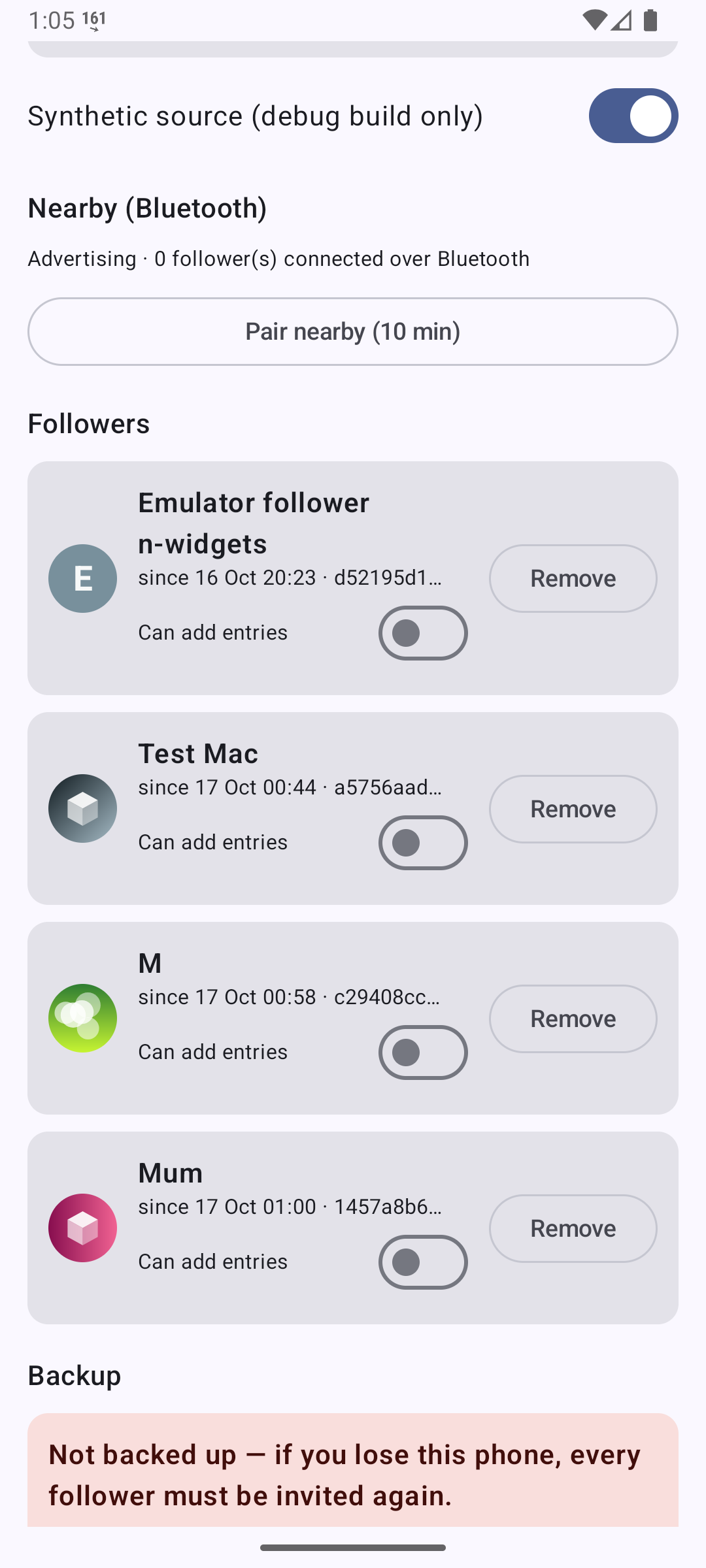
| Sharing over Nostr (v2: live + hourly chunks, roster, owner backup) | ON, every reading | 25 chunks + live events published. GlucoseBar paired over Nostr (match code 4096 on both sides, approved) and shows live values ~1 s after the phone |
Bluetooth followers (v2 GATT 7c6a0001-…) |
ON | GlucoseBar (v2) connected over BLE, got INFO, the backlog chunk and live readings via ble:Tartaruga |
Garmin watch server (xDrip+-compatible, 127.0.0.1:17580) |
ON | Port taken by Juggluco, as expected: Juggluco keeps serving the watch. On the emulator (no Juggluco) it listens. In the follower role it serves the followed person (emulator: /sgv.json returned the phone’s values) |
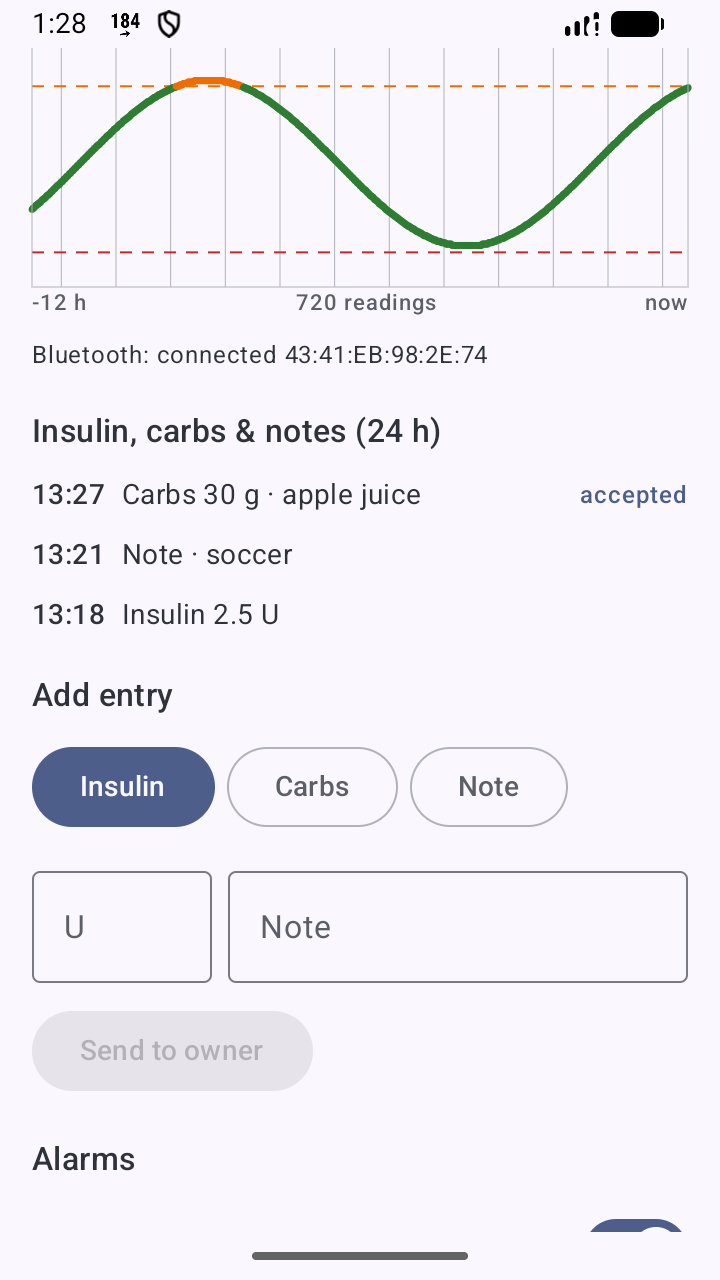
| Treatments (insulin / carbs / notes) | available | emulator: logged “2.5 U rapid · breakfast” |
| LibreView upload | OFF (setup screen) | never enabled, nothing posted |
| Direct Libre 3 source (inv. 02) | OFF, opt-in with a warning | compiled (libsukrara_libre3.so in the APK); not run: it would take the sensor from Juggluco |
| Follower role + alarms (CGM Share) | available at onboarding | gap audit, 10:10–10:42: an emulator running the release build followed the phone’s wearer over Nostr (headless invite → cmd follow → match code 3308 on both sides → cmd approve). Live readings + 24 h of chunks, 0 rejected events |
App Link invites https://sukrara.mauri.app/join#… |
ON | pm get-app-links: sukrara.mauri.app: verified (evidence) |
| Home-screen widgets (inv. 12: value, graph, graph + value) | in the widget picker | the 3 providers are registered on the phone (dumpsys). The user has since pinned a Glucose + graph widget on the phone. Follower role too (gap audit): the emulator follower’s value and graph + value widgets show the phone’s real readings |
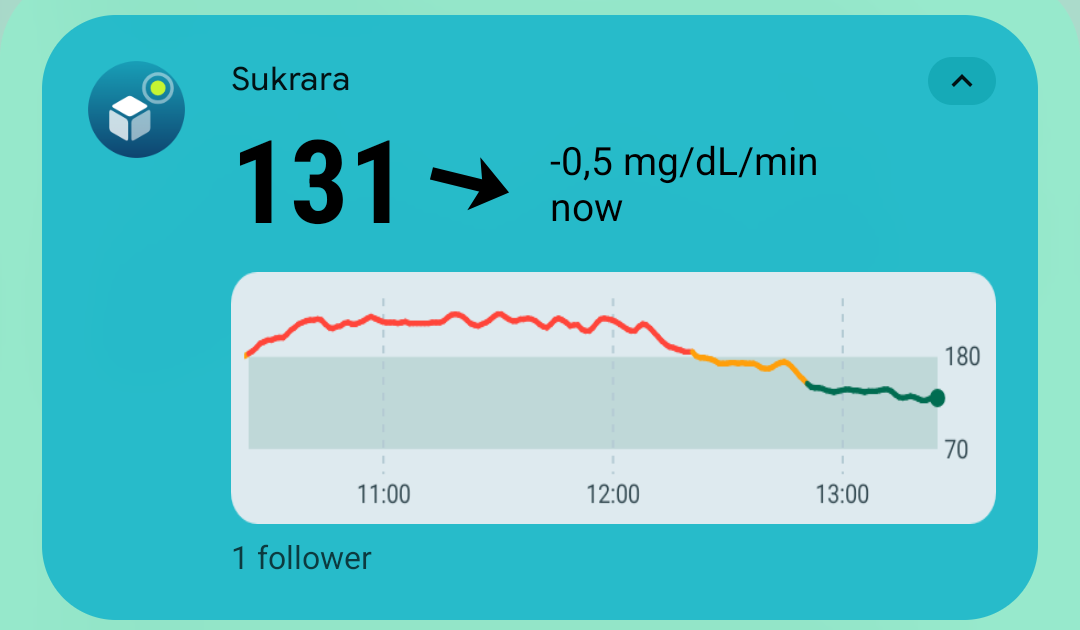
| Status bar for followers (gap audit) | follows the chip/icon switches | the follower service’s only notification is now the wearer’s chip + number icon, showing the followed person’s value (emulator: number icon in the status bar, colored card in the shade) |
| Nightscout read API (inv. 03 tier 1, gap audit) | ON, 127.0.0.1:17581; LAN OFF |
phone (wearer, next to Juggluco): api_check.py 17/17 (log); emulator follower: 17/17 (log); LAN mode: 401 without / with a wrong secret, 200 with ?token= or api-secret (log) |
| Restart after reboot / app update | ON | the phone update at 09:29 restarted the wearer service on its own (MY_PACKAGE_REPLACED), with the identity, follower and settings kept. Updated in place again at 10:25 and 10:33 (gap-audit build): wearer back at once. Followers now restart too: emulator log Background started FGS: Allowed … MY_PACKAGE_REPLACED for FollowerService |
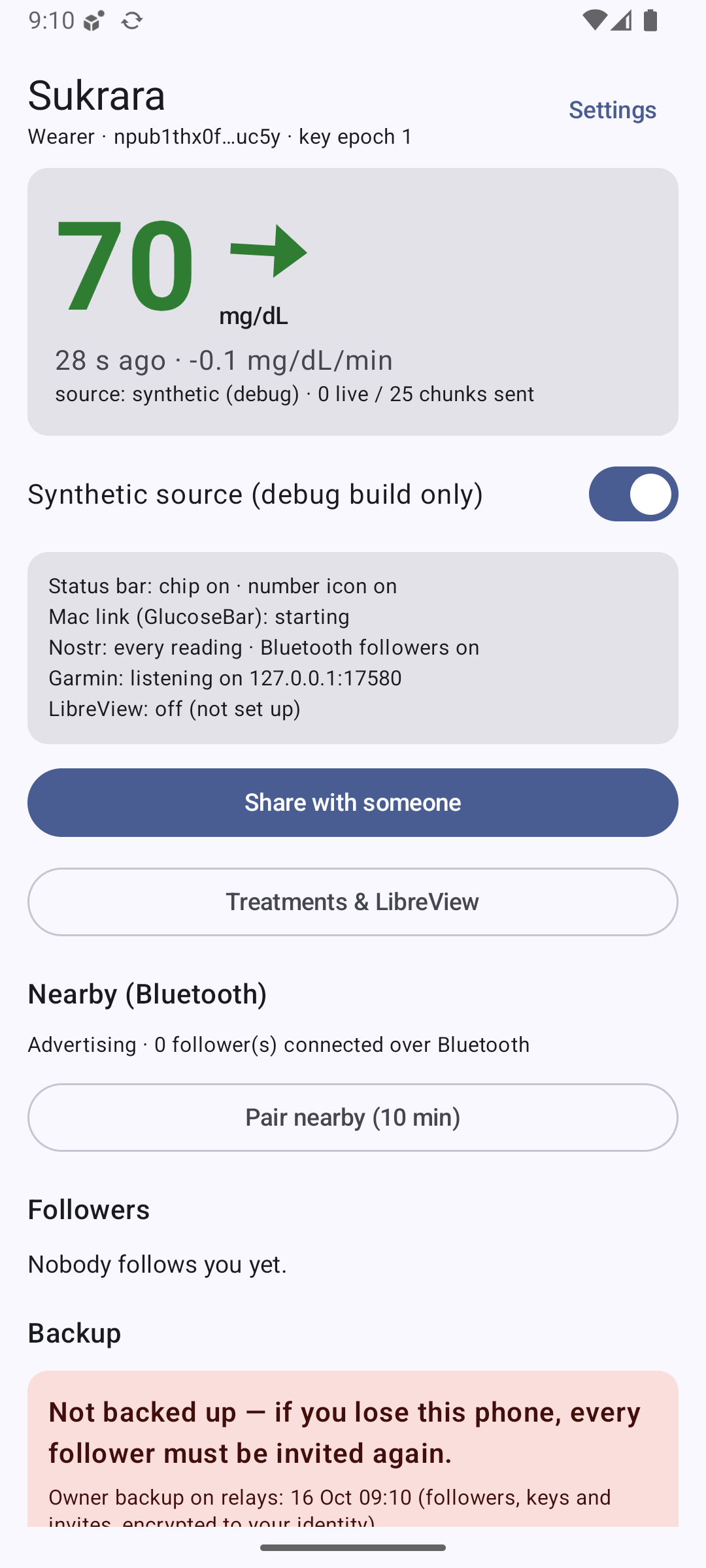
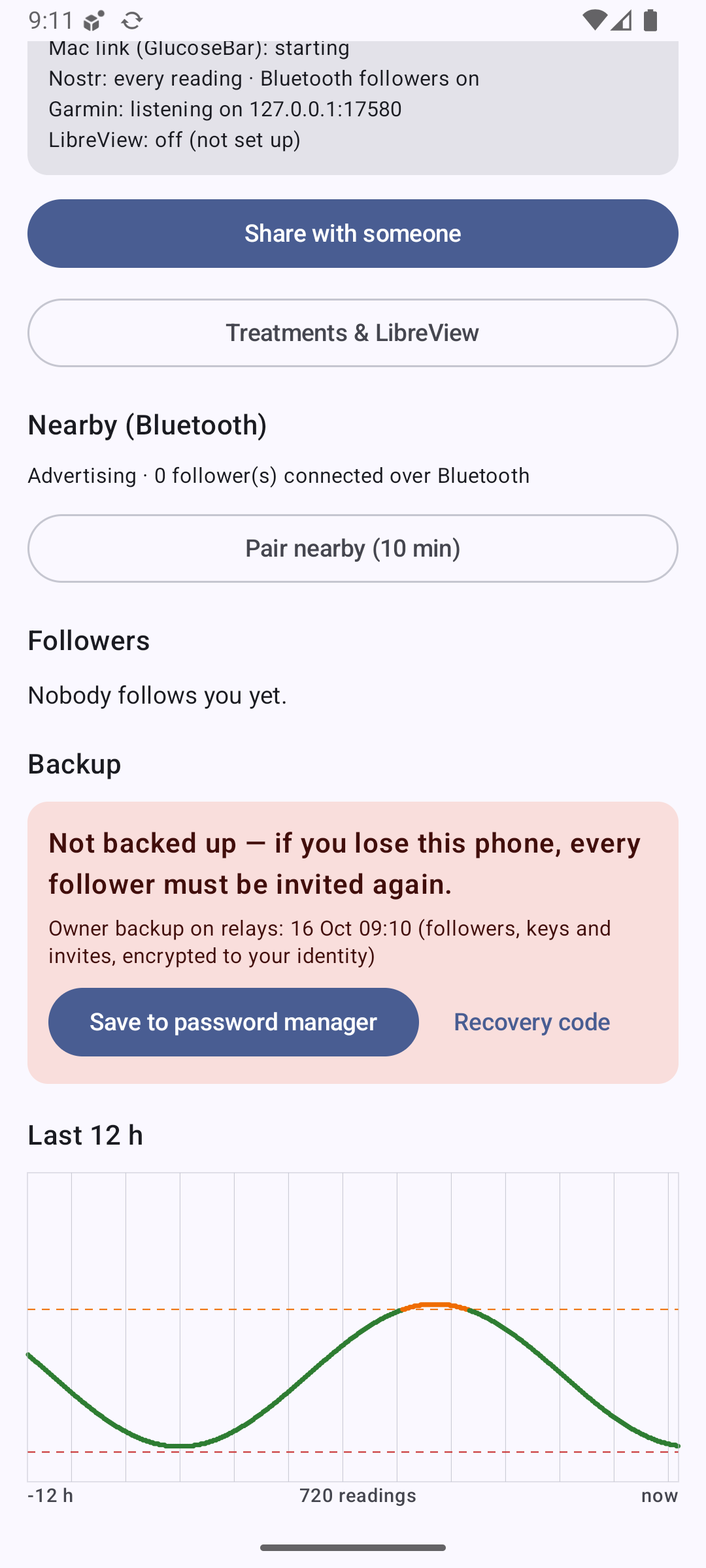
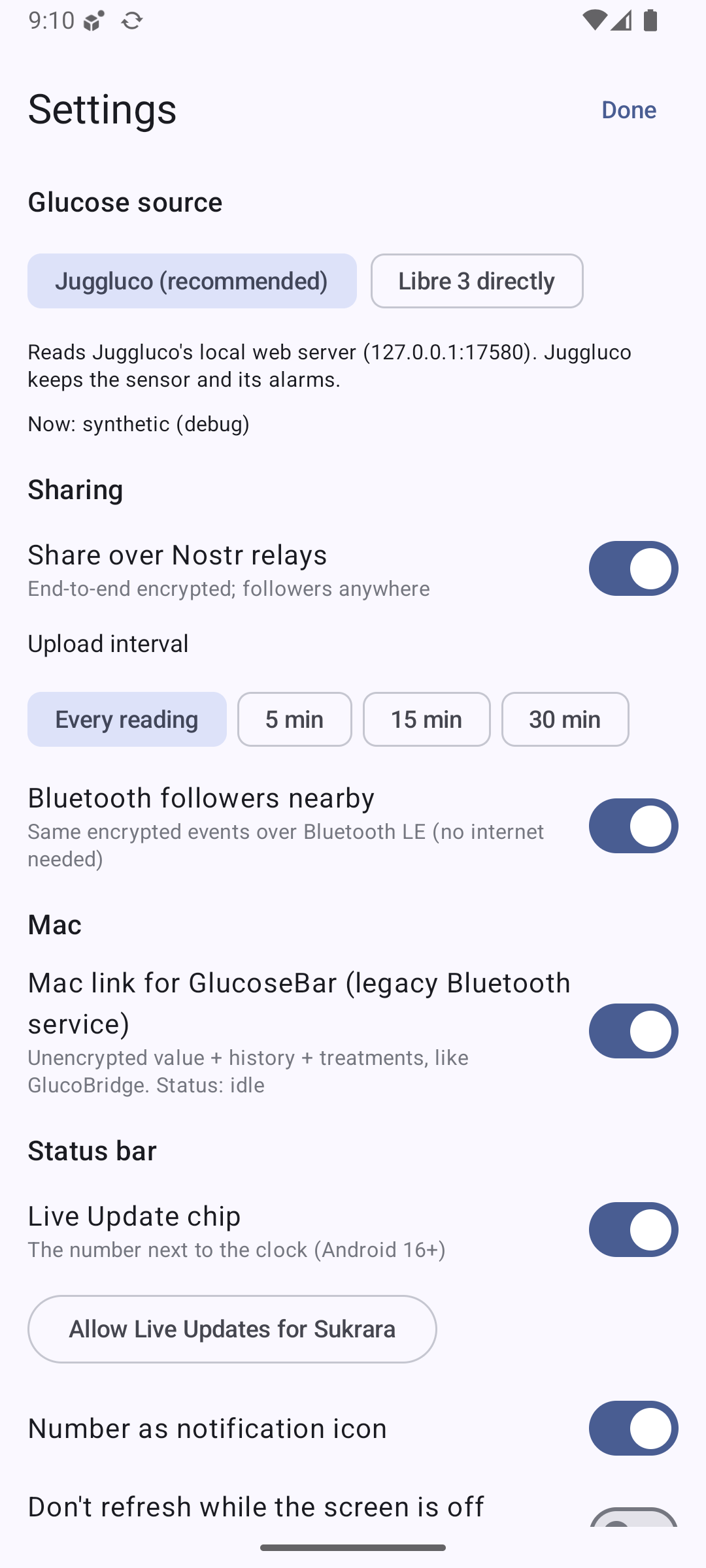
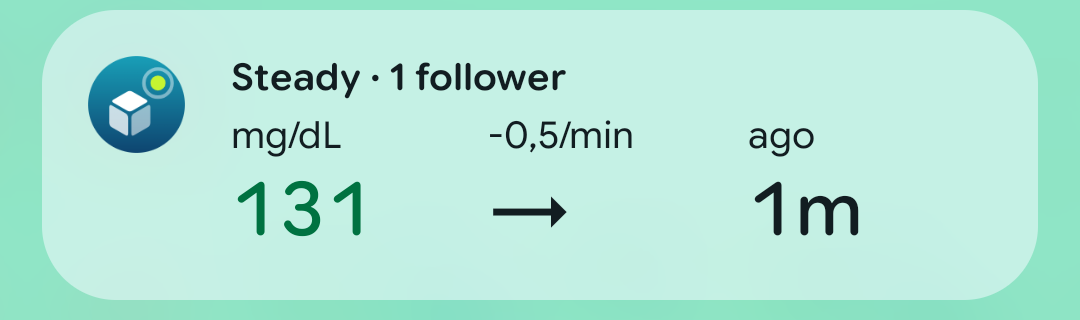
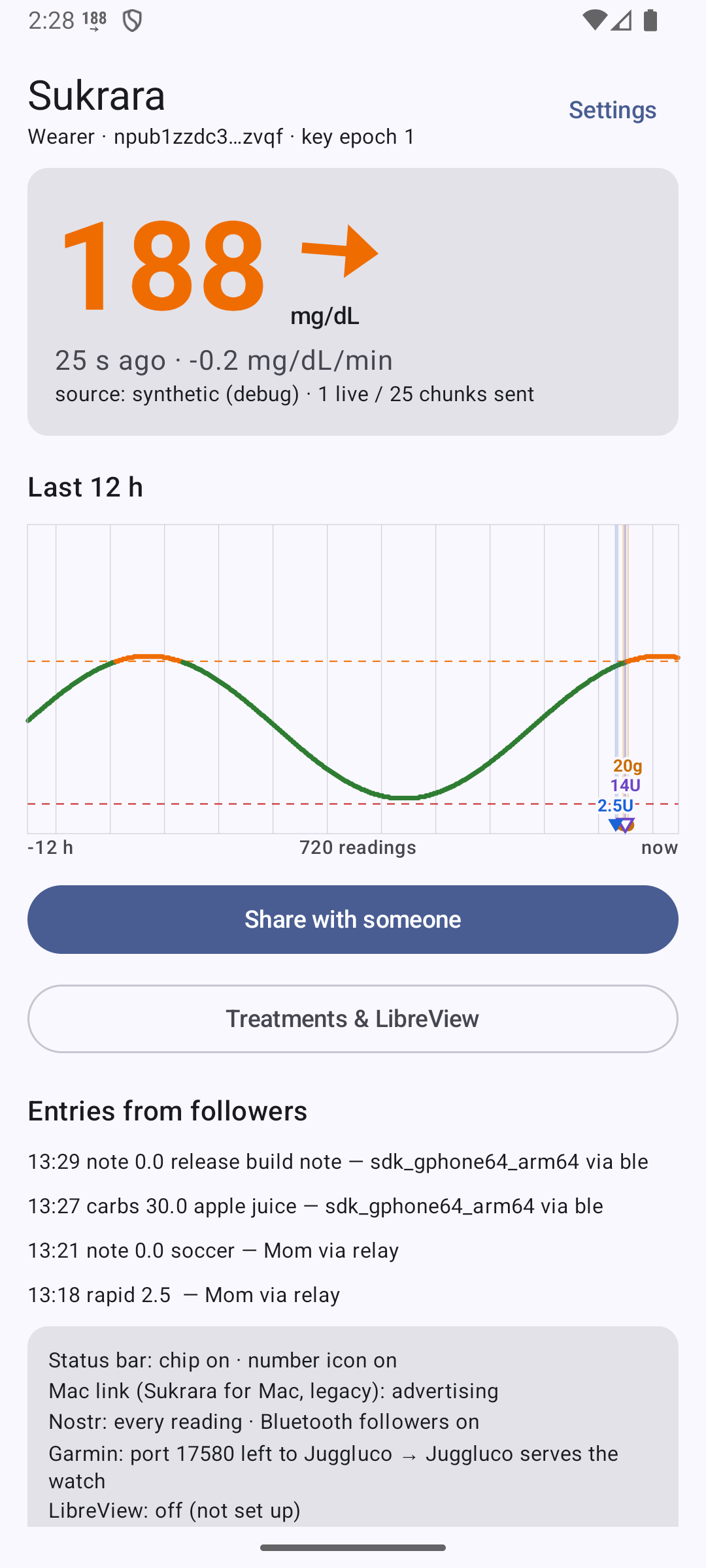
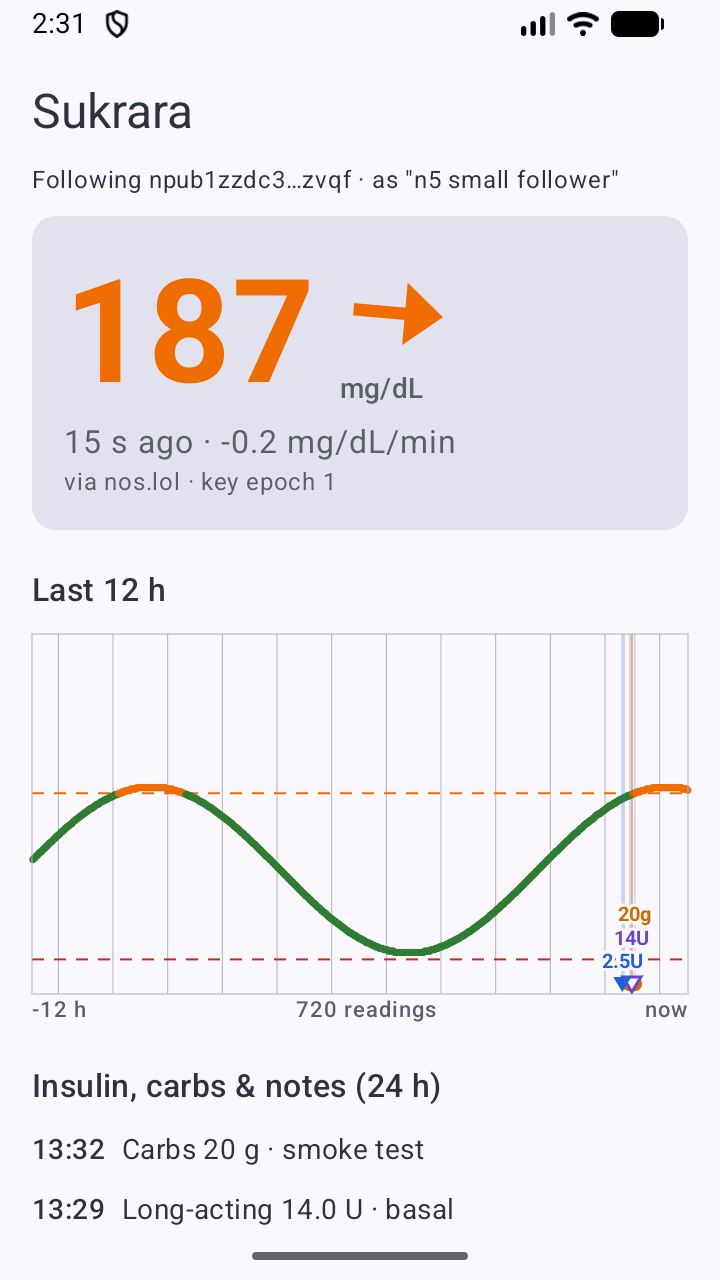
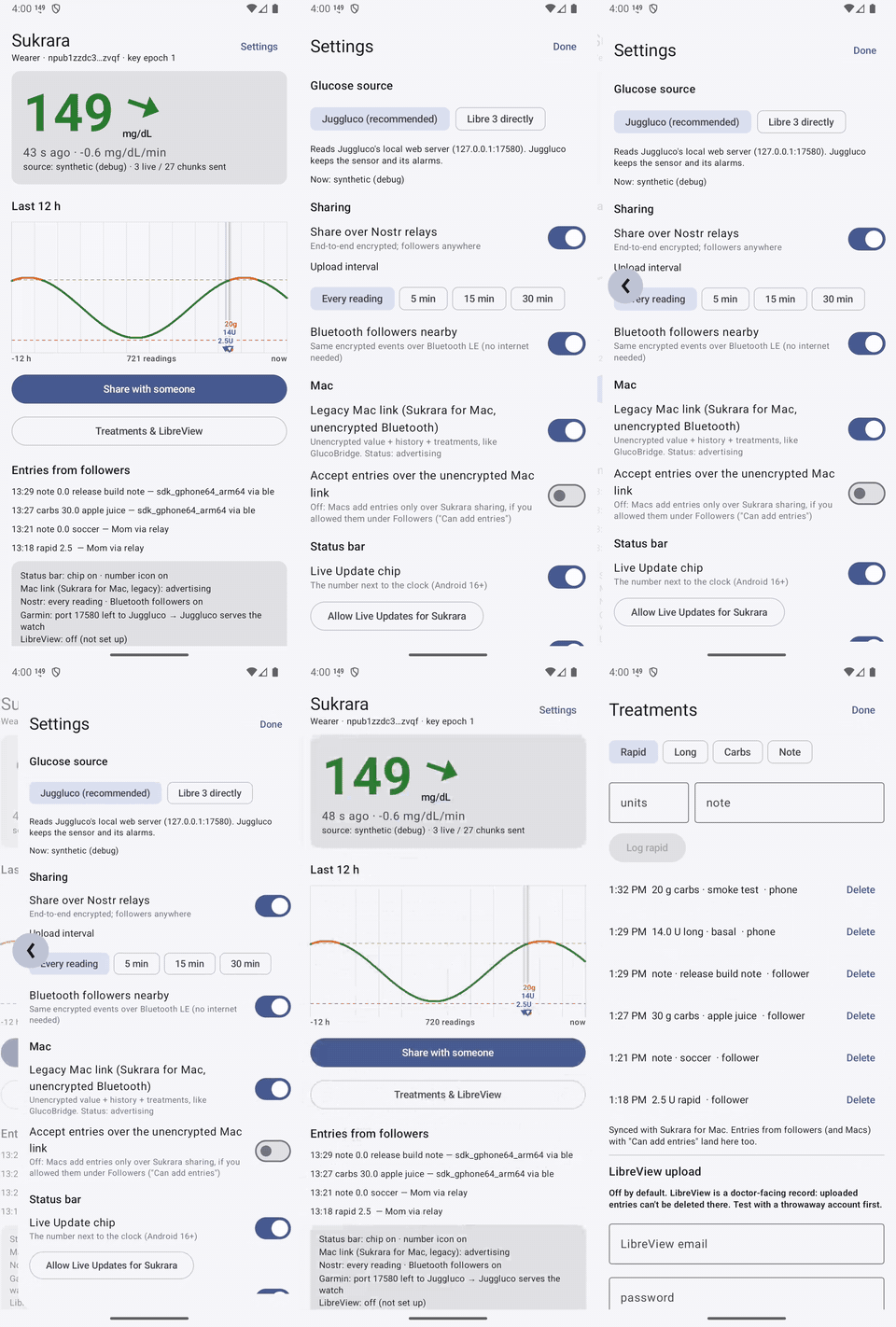
Screenshots come from the emulator, because the phone’s screen is locked with a PIN. The source there is the debug build’s synthetic one:
 |
 |
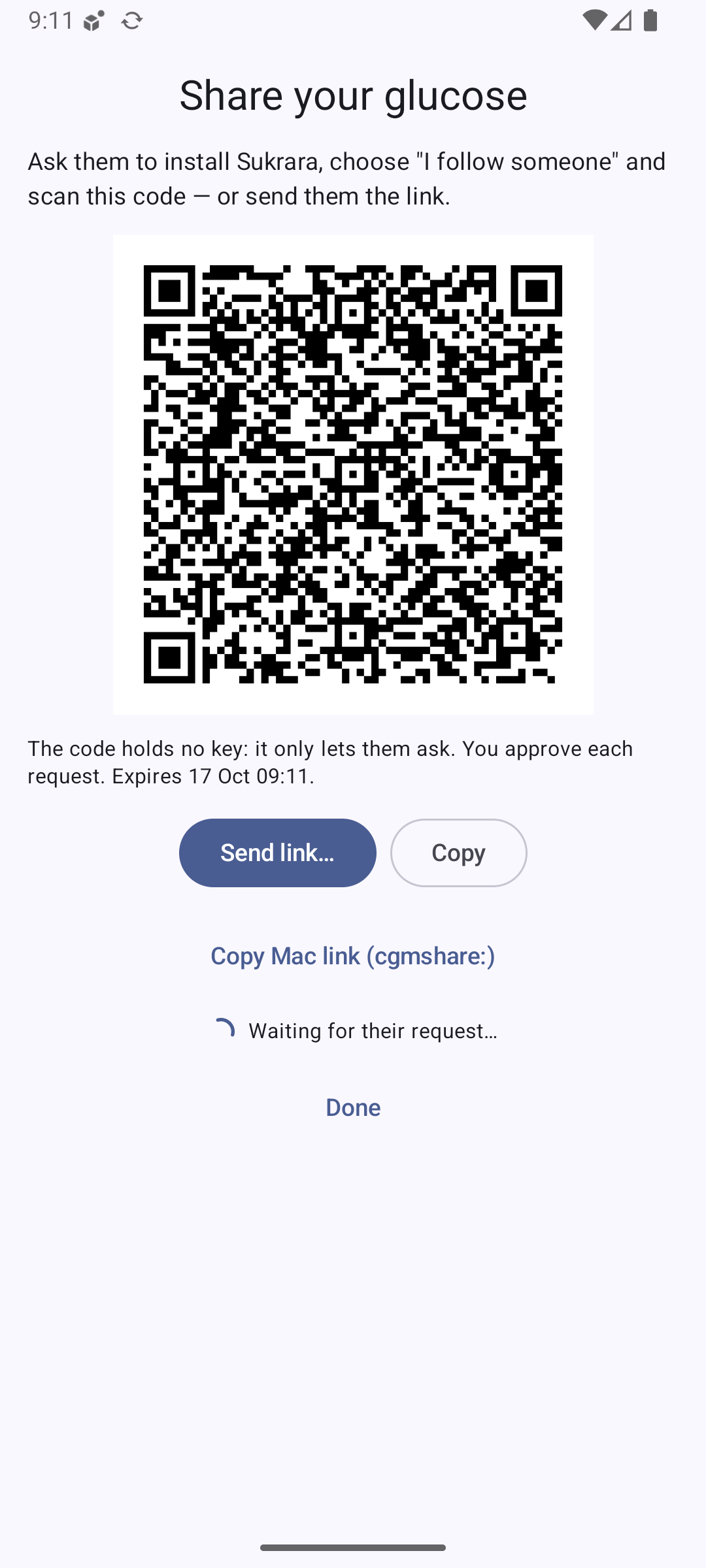 |
| Home (wearer): value, feature summary | Home, scrolled: backup, 12 h chart | Share: QR with the https App Link, “Copy Mac link” |
 |
 |
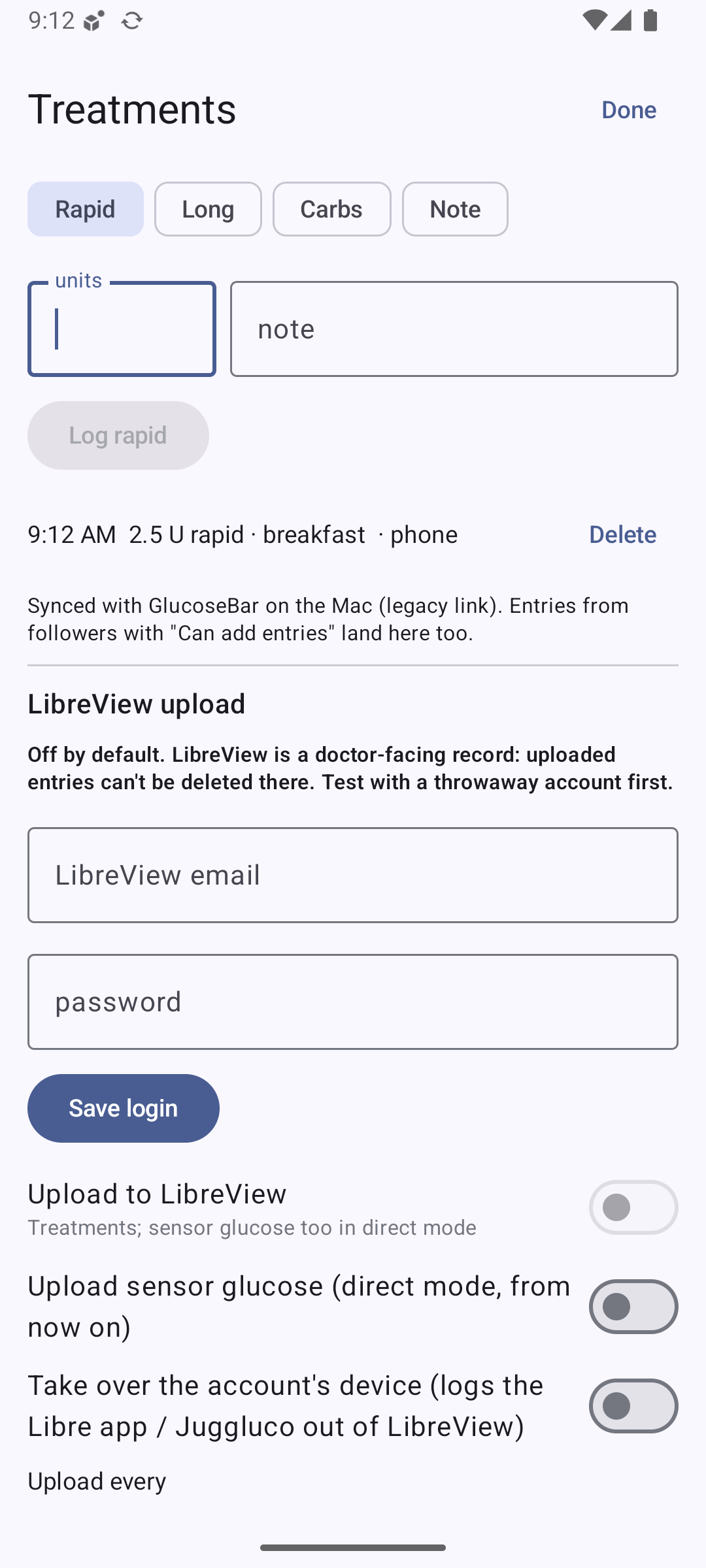 |
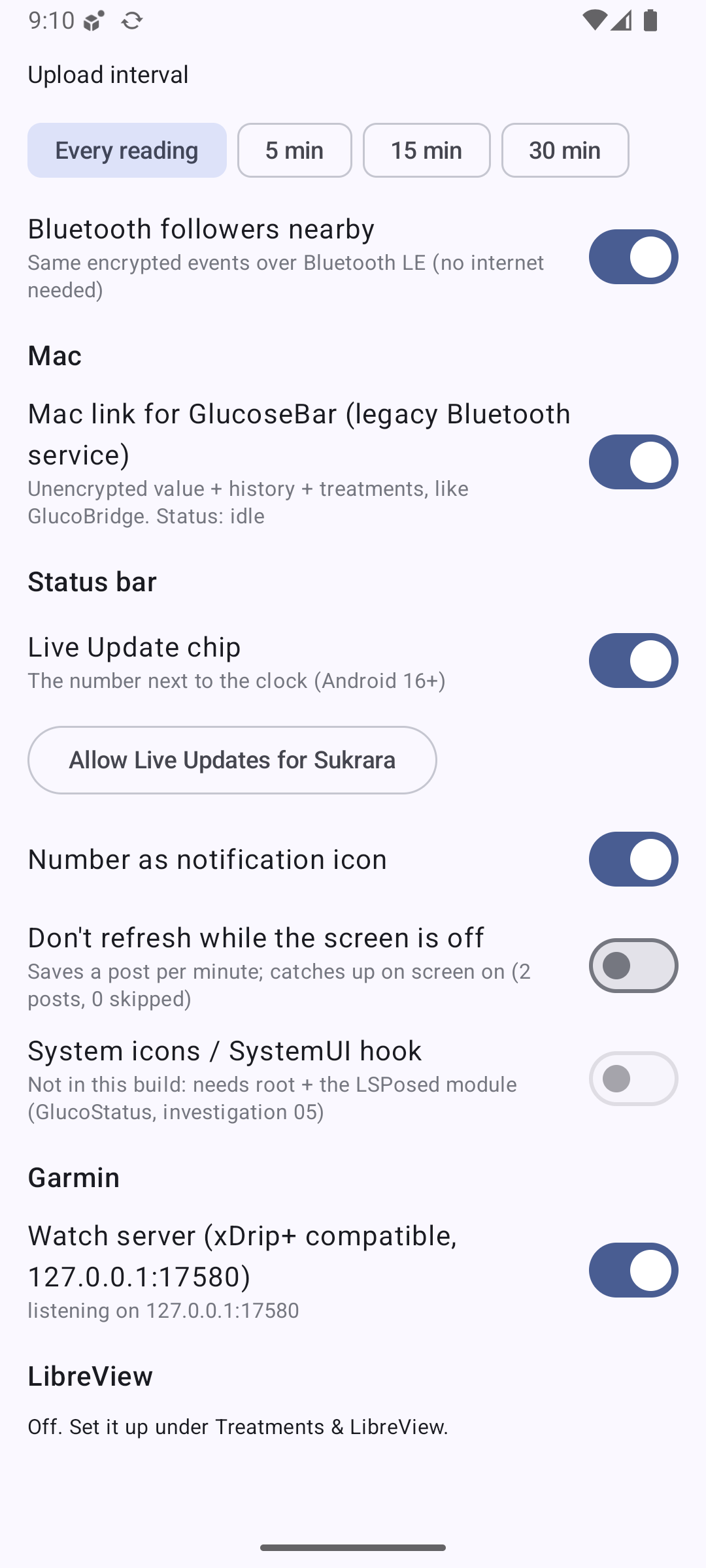
| Settings: source, sharing, Mac, status bar | Settings: status bar, Garmin, LibreView | Treatments + LibreView setup (off) |
 |
 |
|
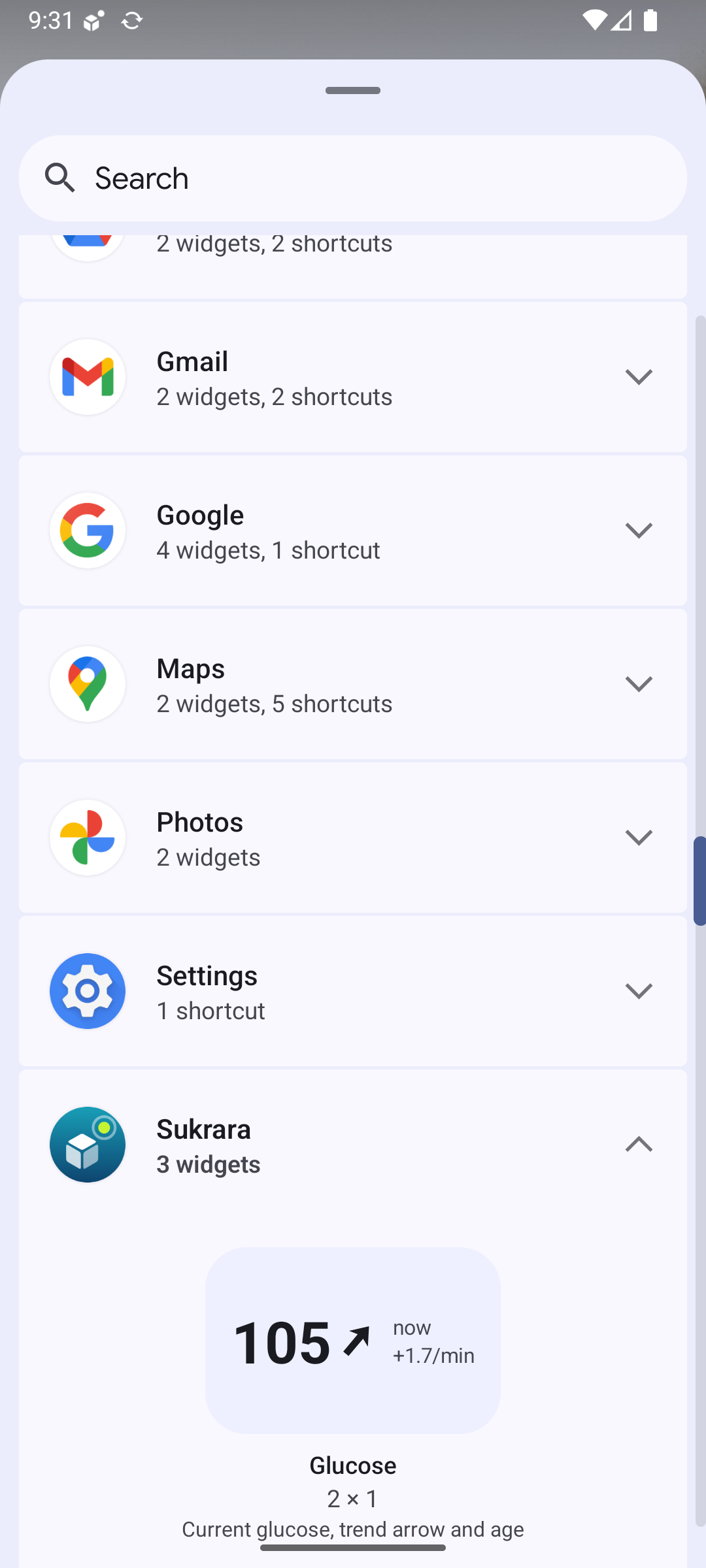
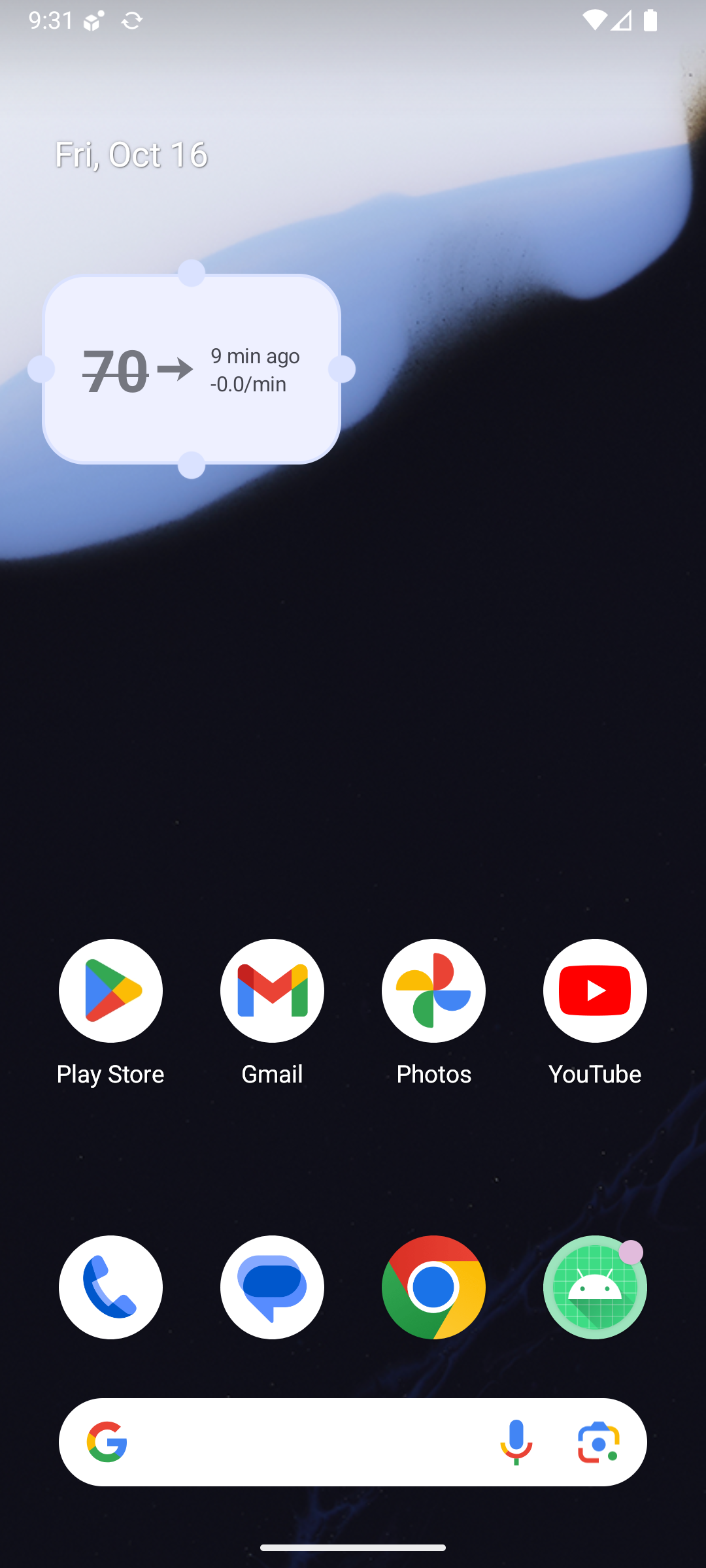
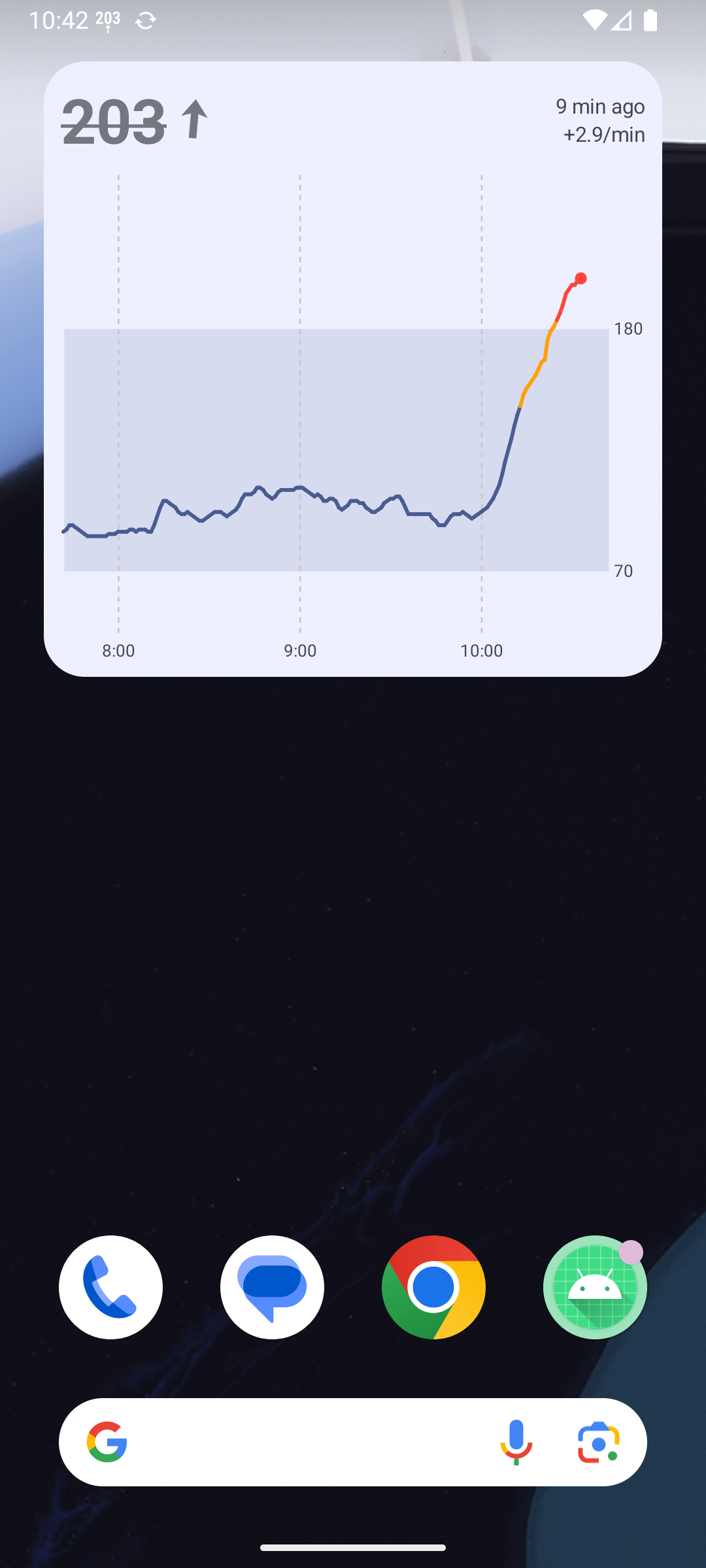
| Widget picker: Sukrara, 3 widgets (generated preview) | Value widget on the emulator. It shows the stale style (struck through, “9 min ago”) because the release build has no synthetic source and the emulator has no Juggluco |
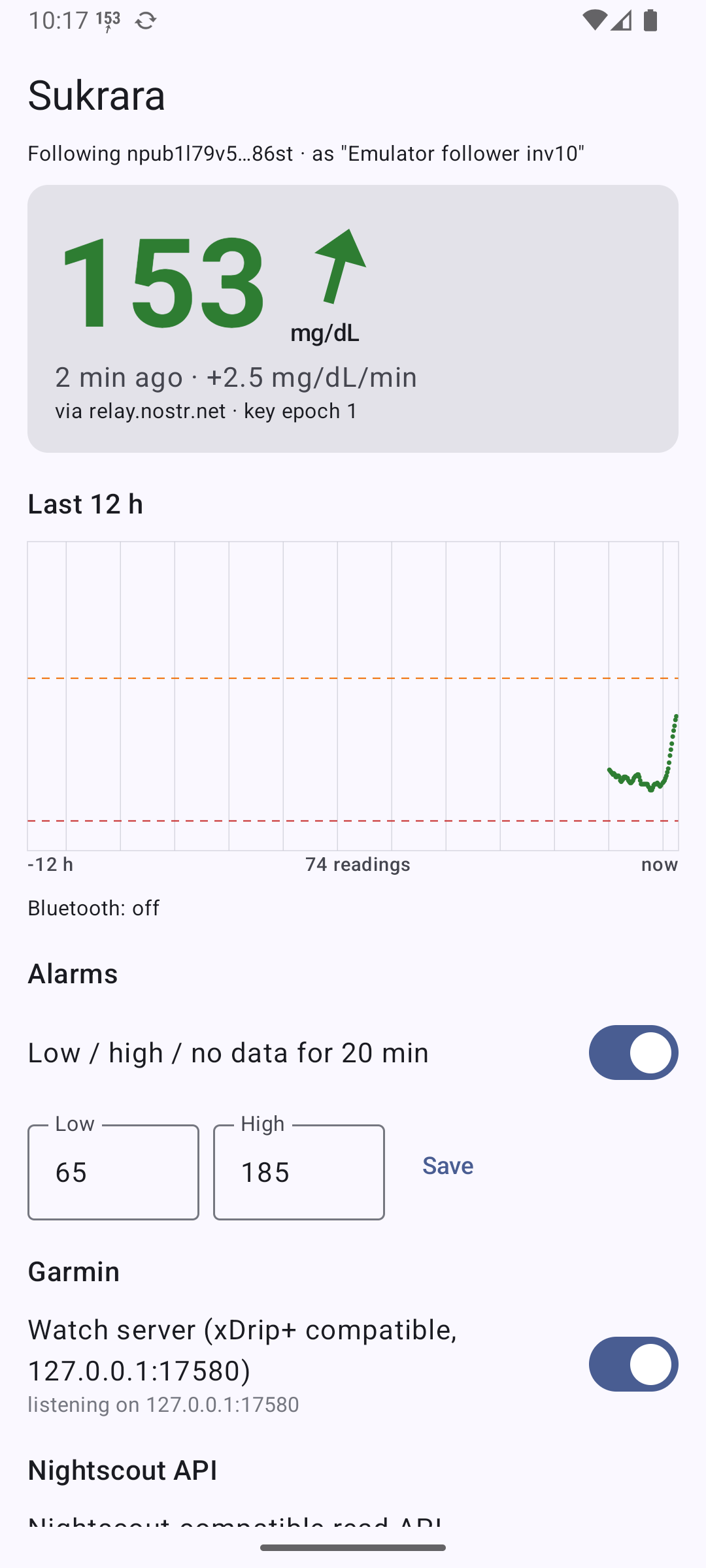
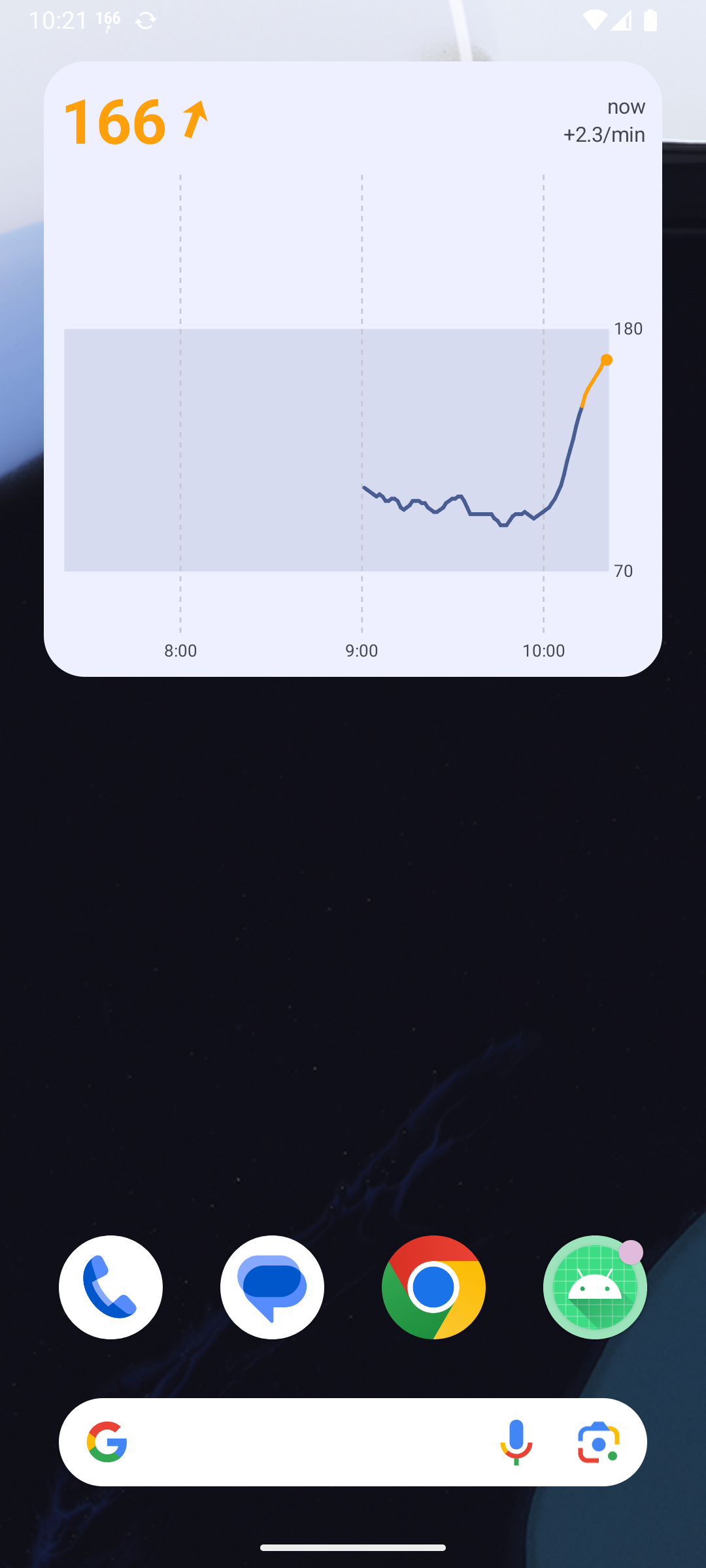
Follower view with real data (gap audit, 10:17–10:42). The emulator runs the release build as a follower of the phone’s wearer, over Nostr, so these are the user’s real readings:
 |
 |
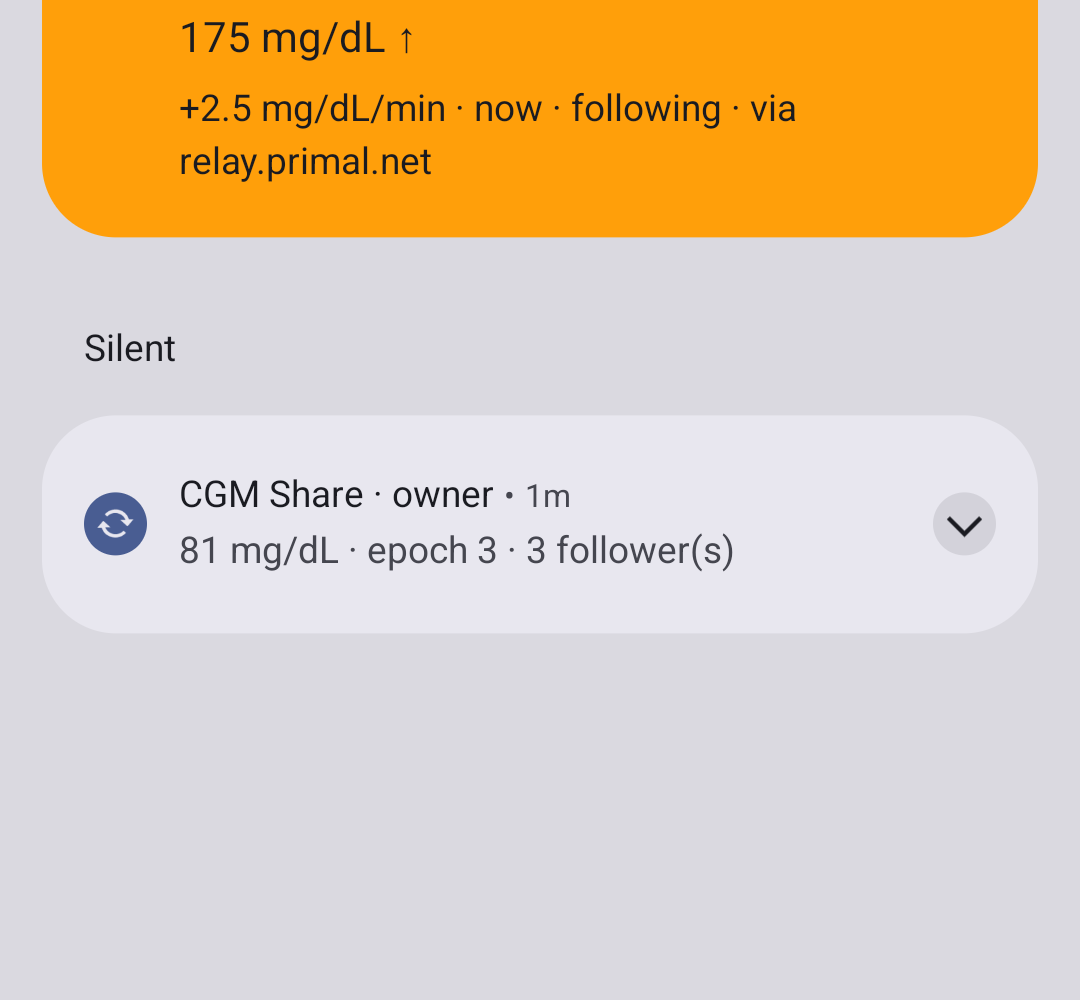 |
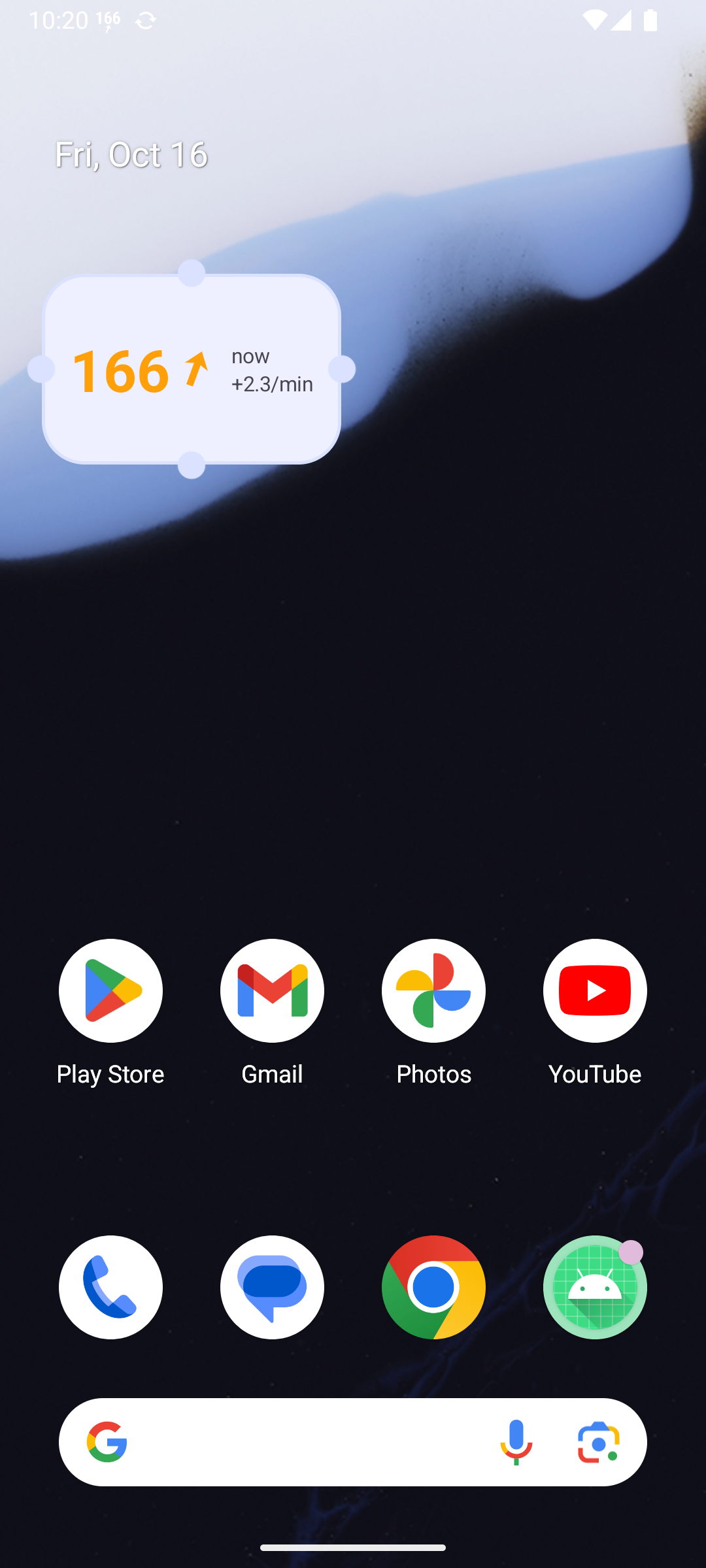
| Follower home: value, 12 h chart, alarms, local servers. The history starts at 09:00 here (see Known issues) | Glucose + graph widget in the follower role | The follower’s notification: number icon + colored card (“following · via relay.primal.net”) |
 |
 |
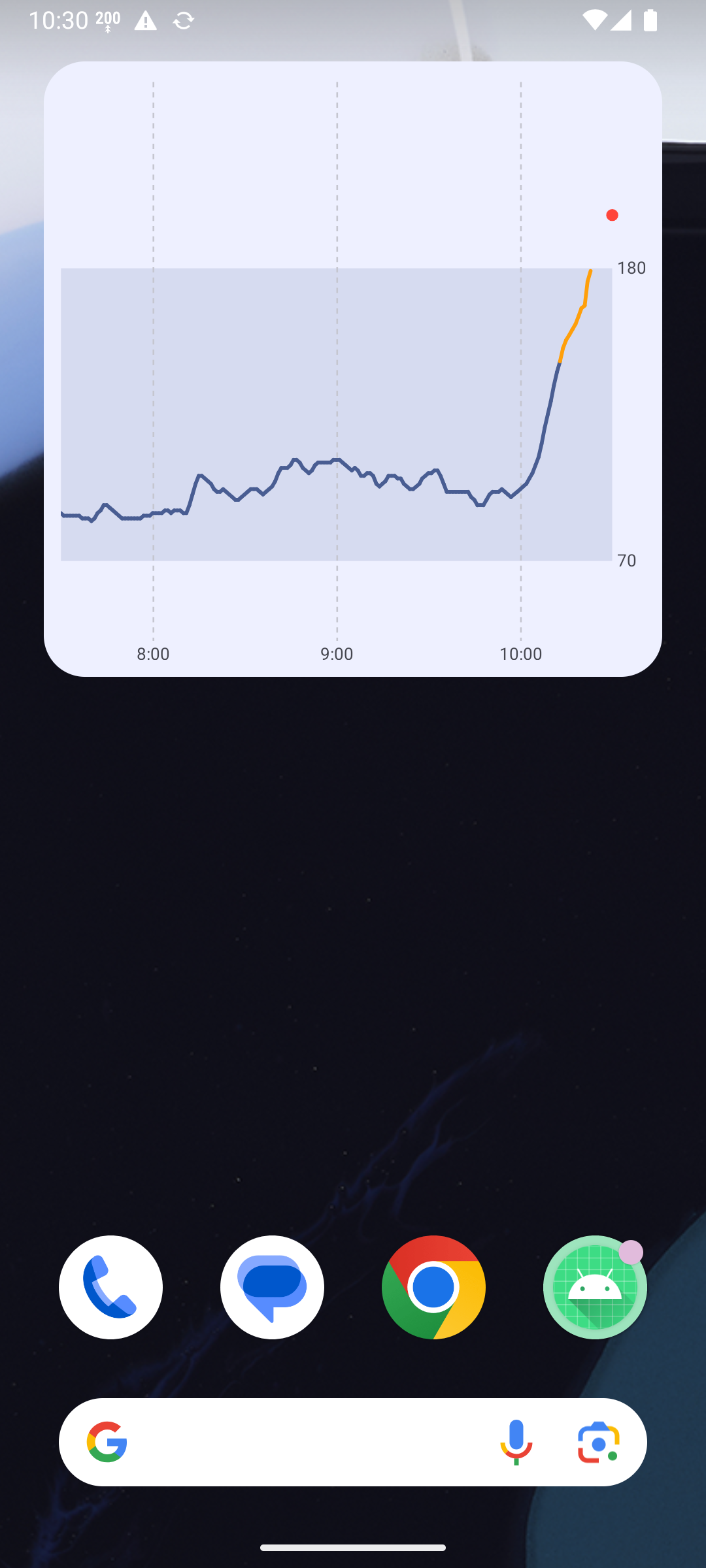 |
| Glucose widget (follower) | Graph + value after a restart, with the R8 fix. Struck through: the overloaded emulator had lost DNS for 9 min | The bug the audit found: after a process restart, Glucose + graph lost its value header (R8 merged two widget classes) |
What’s in it (code)
Section titled “What’s in it (code)”poc/spikes/showcase-android/, Kotlin only, GPL header on every file. It’s built on CGM Share
(poc/spikes/nostr/android-app) and renamed to app.mauri.sukrara (applicationId app.mauri.sukrara.poc),
with brand icons from poc/spikes/brand/assets/sukrara/. compileSdk/targetSdk 37, minSdk 36.
| Package | From | What |
|---|---|---|
owner/, follower/, core/ |
CGM Share (06, 07) | v2 engines, relays, BLE transport, password-manager backup, QR, alarms. OwnerEngine now follows the feature switches (Nostr on/off + interval, BLE on/off, source) |
wearer/ |
new | Live: the one glucose fan-out. WearerExtras: status bar, Mac link, Garmin + Nightscout API, LibreView, follower treatments → shared log. follower/FollowerExtras (gap audit): the same widgets, status bar and local servers fed by the follower DB |
status/ |
statusbar-android (05) | GlucoseNotification: chip + number icon on the service’s only notification |
bridge/ |
glucobridge (01, 04, 08), nostr (03) | XdripServer (Garmin, plus a second listener), NightscoutApi (inv. 03 tier 1, ported from follower.py), LocalServers (both listeners per role, live switches) |
treatments/, libreview/ |
glucobridge (04) | treatment store (SPEC §1; followers and Macs over v2, §5), LibreView uploader, gated by Features.libreview |
direct/ + src/main/cpp |
glucobridge direct (02), sensors-android (23) |
SensorDriver / BleLink / SensorEvents, the Drivers registry and the GattLink transport, with the Libre 3 protocol as Libre3Driver over the JNI core (see “Sensor drivers” below), plus the NFC scan (Libre3Nfc), the receiver ID (ReceiverId) and the first-time Bluetooth pairing (see “Sensor scan” below). Per-family facts (core/SensorProfile). Libre 1 / 2 / 2 Plus: detected by the chip and refused without sending anything (Juggluco is the way for those); Libre 2 decoding was investigated and discarded — open crypto, but official mg/dL needs Abbott’s guarded library (docs/02 “Libre 2 / 2 Plus”). Built from third_party/Juggluco (this checkout’s or the main checkout’s) when it’s present |
features/ |
new | Features (all switches, prefs + StateFlow) and the adb DebugReceiver |
widgets/ |
widgets-android (12) | Glance widgets, graph renderer, WidgetUpdater (dedupe + skip while the screen is off). RecentHistory: the last 8 h in memory, read from the role’s own store (owner.db + treatments.json, or follower.db) — no copy on disk. SukraraHooks feeds it from WearerExtras or FollowerExtras (each reading, history, screen on, minute tick). Trend arrow, range colours, staleness and age text come from core/Glucose.kt, shared with the status bar, system icons and the SystemUI hook; the widgets use the status bar’s sb_t* arrows. StartReceiver restarts the role’s service (wearer or follower) after a boot or an update. R8 keep rule for the Glance classes (see Known issues). Glance 1.2.0 + WorkManager 2.12.0 (pinned, see Known issues) |
Changes from the source spikes:
- CGM Share’s debug-exported
CMD/DUMPreceivers are deleted. The headless commands now go through theDUMP-protectedDebugReceiver, in debug and release. - One process and one foreground service (
OwnerService, typeconnectedDevice). The status-bar notification is that service’s notification, so the chip costs no extra post. - Invites are App Links: since 0.11 the v3 short link
https://sukrara.mauri.app/join#<32 chars>, with anautoVerifyfilter on https/sukrara.mauri.app//join. The web page’s Open in Sukrara button uses the app’s ownsukrara:join#<32 chars>scheme (Mac, and phones without verified App Links). The old#i=…&t=…andcgmshare:forms are gone (see “Short invites and private profiles” below). - Follower treatments (v2 writers) are merged into the shared treatment log, so they reach the Mac (v2) and LibreView (if enabled).
Daily use
Section titled “Daily use”- Install the release APK. Grant notifications and Nearby devices. Choose “I wear the sensor” → Start fresh (or Restore from password manager on a new phone).
- Backup: Settings → Backup → Save to password manager (home shows a reminder until it’s done) (Proton Pass / Bitwarden / KeePassDX via Credential Manager). Both builds are signed with the same key, so the saved entry works for both.
- Status bar: the chip needs “Live Updates” allowed. If Settings shows Allow Live Updates for Sukrara, tap it.
On the phone,
adb shell appops set app.mauri.sukrara.poc POST_PROMOTED_NOTIFICATIONS allowdid it. System icons (root) and the SystemUI hook (LSPosed) are bundled since 2026-10-16 (see “Root status bar” below): Sukrara needs root in KernelSU and its own LSPosed module enabled (scope System UI), then one System UI restart. - Share: Share with someone shows the QR / link and “They’ll see [picture] name”. The follower installs
Sukrara and chooses I follow someone. The link opens the app directly (verified App Link), or
https://sukrara.mauri.app/join/if the app isn’t installed. The app shows who is inviting; the follower types their name (Shuffle / Customize the picture) and asks. The wearer checks the 4-digit code and taps Allow. Change your own name or picture by tapping it at the top of the home screen (wearer) or Settings → your name (follower). Nearby: Settings → Share with people → Pair nearby (10 min), and the follower picks the phone from the list. - Mac (Sukrara for Mac,
poc/spikes/menubar/build/Sukrara.app, was GlucoseBar): follows end-to-end encrypted over Nostr + BLE like any follower: Share → Copy (thehttps://sukrara.mauri.app/join#…link) → Sukrara for Mac (0.11 or later) → Follow someone… → paste → Allow on the phone. Low / high / no-data alarms on the Mac too. The old GlucoseBar follow state is migrated once. Details:poc/spikes/menubar/FOLLOWER.md. - Garmin: nothing to do while Juggluco is the source, because Juggluco keeps port 17580 and serves the watch. Sukrara’s server takes over only when the port is free (direct mode, Juggluco stopped) and Settings → Share with apps → xDrip+ server is on (off by default); its summary shows which one is serving. On a follower’s phone Sukrara’s server takes the port and serves the followed person.
- Widgets: long-press the home screen → Widgets → Sukrara → Glucose, Glucose graph or Glucose + graph (resizable). They show the wearer’s readings, or on a follower’s phone the followed person’s, and don’t refresh while the screen is off.
- LibreView (off; home and Settings remind you until it’s set up): Settings → Share with apps → LibreView → Account (email + password) → Upload to LibreView. Glucose, insulin/carbs/notes and Use this phone as the account’s device are on by default, so everything uploads. Edits and deletes reach LibreView too (a new record number + a delete of the old one, 04); still, try a throwaway account first. Using this phone as the account’s device logs the Libre app / Juggluco out of LibreView.
- Direct sensor (the default source): home → Scan your sensor, or Settings → Glucose source → Sensor, then hold the phone against the sensor. A new sensor starts (60 min warm-up); a running one moves over from LibreLink or Juggluco (stop Juggluco first: Pause app and Force stop, see “Sensor scan”). Sukrara then pairs over Bluetooth by itself. Juggluco’s alarms stop; scanning with Juggluco gives the sensor back.
- Nightscout API (Settings → Share with apps → Nightscout, both roles):
http://127.0.0.1:17581on the phone, off by default, works next to Juggluco. Apps on the same phone (xDrip+ follower, a Garmin app in Nightscout mode) point at it. Also on this network binds it to Wi-Fi so Home Assistant’s built-in Nightscout integration, Nightguard or an ESP32 clock can read it athttp://<phone IP>:17581. They need the API secret shown there (HA: “API key”; Nightguard/Garmin:?token=). Plain HTTP, so only on trusted networks. Treatments come from the shared log (rapid → Correction Bolus, carbs → Carb Correction, long/note → Note).
DebugReceiver (for investigation 11’s battery lab)
Section titled “DebugReceiver (for investigation 11’s battery lab)”The receiver is protected by android.permission.DUMP (only shell/root can send to it). Each switch applies at
once, without restarting the process. Settings and the receiver share the same prefs. The reply (resultData) is
JSON: features (every switch), runtime (last reading, source state, Mac link
advertising/subscribed, Garmin state, LibreView state, notificationPosts / notificationSkipped, screenOn) and
owner (epoch, followers, liveSent, chunksSent, BLE centrals).
adb -s 62240DLCH0005W shell am broadcast -n app.mauri.sukrara.poc/app.mauri.sukrara.features.DebugReceiver [extras…]| Extra | Type / values | Default | Effect |
|---|---|---|---|
| (none) | read the state only | ||
nostr |
--ez true/false |
true | relays on/off. Off closes all relay sockets: no publishes, no inbox checks |
nostrInterval |
--ei minutes 0–240 |
0 | 0 = a live event per reading + a chunk every 5 min. N = no live events to relays, one chunk batch every N min (BLE followers still get live) |
libreview |
--ez |
false | arms the LibreView uploader. It still needs a saved login. Don’t use it on the real account |
libreviewInterval |
--ei minutes 1–240 |
5 | LibreView cycle |
bleFollowers |
--ez |
true | v2 GATT server + advertising (BALANCED) |
chip |
--ez |
true | Live Update chip (promoted notification). Off = colorized ongoing notification |
icon |
--ez |
true | number as the small icon (off = Sukrara glyph) |
hook |
--ez |
false | root status bar on (Settings: “Value in the status bar”) |
hookColor |
--ez |
true | colour by range (module only); off = like the clock / System UI’s tint |
hideNotifIcon |
--ez |
true | while the root status bar shows the value, the module drops Sukrara’s notification icon from the status bar (shade, lock screen and AOD unchanged) |
hookPosition |
--es after_clock|before_clock|icons:0|slot:|slot:vpn|slot:bluetooth|slot:<mobile|slot:mobile|slot:wifi |
slot:<mobile | after/before_clock, icons:0: drawn by the LSPosed module. slot:…: as Android system icons (root daemon) — every slot: placement shows with root alone (first among the system icons); with the module they’re coloured by range, slot:wifi etc. moves them right after that icon and slot:<mobile right before it |
systemIcons |
read-only | derived: hook and a slot: placement; the daemon’s state is in the reply’s top-level systemIcons |
|
previewSgv, previewRate (debug builds only) |
--ei, --ef |
screenshots: show a made-up value in the root status bar only, until the next real reading. A release build refuses it (see the debug-only row below) | |
restartSystemUi |
--ez true |
root: kill System UI to (re)load the module. Follow poc/spikes/statusbar-android/HANDOFF.md (safety) |
|
screenOffSkip |
--ez |
false | don’t re-post the notification while the screen is off (catches up on screen on) |
garmin |
--ez |
true | xDrip/Garmin server on 127.0.0.1:17580 (binds only if the port is free) |
nightscout |
--ez |
true | Nightscout read API on 127.0.0.1:17581 (inv. 03 tier 1; both roles) |
nightscoutLan |
--ez |
false | the same API on all interfaces; non-loopback callers need the API secret |
connPriority |
--es default|low|balanced|high |
default | sensor-link priority, direct mode only, applied on the next sensor connection |
source |
--es juggluco|direct |
juggluco | direct also needs --ez confirmDirect true. Takes the sensor from Juggluco |
cmd |
--es owner|invite|pair|approve|writer|follow |
headless setup: owner = create the wearer identity + start the service, invite = new invite link in the reply, pair = nearby pairing 10 min, approve = allow the first pending request, writer --es f <hex> --ez on true, untreat --es id <id> (wearer; adding with treat is debug-only, row below), widgetprobe = measure every graph widget’s real size again (logcat Sukrara.widgets; the reply’s widgets lists each widget’s reported sizes). Follower side (e.g. an emulator following the phone): follow --es link <https link> [--es name <n>] looks the invite up on the relays, sets the follower role and sends the request; the reply then has a follower object (status, code, epoch, readings, rejects, last). Start the follower service by opening the app once (a broadcast can’t start a foreground service). profile --es name <one word> [--ez shuffle true] (both roles) sets your name / a new random picture; the reply shows owner.profile + owner.followerNames, or follower.me + follower.wearer |
|
cmd |
--es hookLog [--ei lines N] |
80 | read-only, any build: the last N (1–500) lines tagged Sukrara of LSPosed’s newest module log (/data/adb/lspd/log/modules_*.log), read through Sukrara’s root (adb shell’s su is refused on the phone), then the file’s name; in the reply’s cmd. The SystemUI module logs its hooks there, and the icon row’s decisions (fit fit: / fit skip:: the row’s Constraints in and passed, widths, SystemUI’s and our decision, the final width) and the end-side container’s widths (end side:), only when they change |
cmd |
--es sensorEnd|sensorEndState |
sensor reminders / countdowns (sensorend/SensorEnd). Without extras it only reads the state; nothing changes. Settings: --ei countdownHours H, --ez countdown B, --es reminders 'D@MIN,…' (days before @ minute of day), --ez unlock B (first-unlock reminders), --ez evening B, --es night 'MIN-MIN' (night window, e.g. 1380-420). Debug builds only: --ei inMin N = a made-up sensor ending in N min (only when given). Reply sensorEnd = settings, sensor, memory, canPostPromoted |
|
cmd (debug builds only) |
--es fakeSensor|sensor|backfill|sensorStart|sensorUnlock|locktest|treat, newSensor --es stage, sensorEnd --ei inMin; extras --es alertTest, --es alertFeed, --ei previewSgv |
Replace the sensor, or show / write made-up data, so a release build refuses them: the release app never shows a glucose value, an alert, a treatment or a sensor state that isn’t real, because the user acts on what Sukrara shows. Run them on the emulator debug build (features/DebugFakes; on release the reply’s debugOnly says <cmd>: debug builds only, nothing changed; guarded by DebugFakesTest and the tools/check rule debug). alertTest KIND = one test alert, shared with followers; locktest [--ez on B] = the lock screen widget’s test pattern; newSensor --es stage S = the New sensor screen forced to a step; treat --es k rapid|long|carbs|note [--ef a] [--es n] = an entry in the log (wearer) or a writer entry (follower; untreat --es id stays on release: it only deletes). fakeSensor = a made-up sensor (--es serial, --el start/end, --ez clear true); sensor = one --el left <s> before its end; backfill = a reconnect burst into Live; sensorStart = a made-up sensor started --ei agoMin N (50) ago, readings ignored until --ez firstReading true; sensorUnlock = an unlock, as ACTION_USER_PRESENT; alertFeed '204,-0.5' = a made-up reading through the alert rules. The next real sensor info replaces a made-up one |
Example: … --ez nostr true --ei nostrInterval 15 --ez chip false --ez screenOffSkip true. The process is
app.mauri.sukrara.poc (one process). Partial wakelocks are held only for the work itself: 10 s per reading, 90 s
for a history backfill, 20 s for an inbox check.
Phone state (handed over to the user at 09:30)
Section titled “Phone state (handed over to the user at 09:30)”- Sukrara (
app.mauri.sukrara.poc, release; installed 09:05, updated in place at 09:29 to add the widgets) is installed and running: role wearer, new identitynpub1l79v5…86st(epoch 1), source Juggluco, every feature at its default (above). The permissions (notifications, nearby devices, camera) were granted withpm grant, and promoted notifications withappops. The identity is not yet saved to a password manager: do it from the home screen. - Follower: “Mac (GlucoseBar)” (approved, code 4096). No other followers. CGM Share’s old followers aren’t carried over (new identity).
- Uninstalled (user request):
dev.spike.glucobridge,dev.spike.cgmnostr,dev.spike.cgmshare(its identity is gone with it),dev.spike.glucostatus(the LSPosed module: see Daily use step 3). No brand-preview ordev.spike.glucowidgetspackage was installed. - Kept:
dev.spike.powerlab(investigation 11), Jugglucotk.glucodata(untouched, still reads the sensor and serves 17580), GlucoDataHandler. - No widgets pinned (the user adds them). Bluetooth/Wi-Fi not toggled. No reboot. Nothing posted to LibreView.
Gap audit update (10:10–10:45): the phone was updated in place twice (10:25 and 10:33, data kept, wearer back at
once, no crash). New: Nightscout API listening on 127.0.0.1:17581 (LAN off), followers’ widgets and status bar,
the Glance R8 fix. The user had pinned a Glucose + graph widget by then. A second follower was approved headlessly:
“Emulator follower inv10” (code 3308), a test leftover. Removing it in Sukrara rotates the key; Sukrara for Mac
and any other follower pick up the new key by themselves. The previous APK is kept at
/tmp/sukrara-backup/phone-before-audit.apk (Mac, temporary) in case a rollback is needed. The repo build differs from the phone’s 10:33 build only in UI labels (“GlucoseBar” → “Sukrara for Mac”); the user unplugged the phone before it could be installed.
Known issues
Section titled “Known issues”- On a fresh install the wearer has to allow Live Updates once (the button in Settings). The emulator (API 36) doesn’t show the chip.
- Settings writes and the receiver’s reply are asynchronous: the
runtimepart of the reply can be one step behind a switch it just flipped. Read again to see the applied state. - Turning BLE followers off and on quickly can leave the “connected followers” count stale (cosmetic).
relay.nostr.netrejects NIP-42 AUTH (“needs serviceUrl”)- LibreView’s payload still names the device “GlucoBridge” (unchanged from inv. 04, kept on purpose because that format was tested).
- Direct mode was not run end to end inside Sukrara: compiled only.
- The first widget build crashed at start in release (
Failed to create an instance of androidx.work.impl.WorkDatabase: Glance’s transitive WorkManager under R8). Fixed by pinningwork-runtime-ktx2.12.0 (as in the widgets spike) and a keep rule forRoomDatabasesubclasses. Caught on the emulator before the phone update. Widgets show the wearer’s readings only.Fixed in the gap audit:FollowerExtrasseeds them from the follower DB and feeds every stored batch.- Fixed (gap audit): after a process restart the release build drew Glucose + graph as the plain graph. R8
had horizontally merged
GraphWidgetintoCombinedWidget(mapping.txt: both →g8.d), and Glance keys its widget bookkeeping by that class name, soGraphWidget().updateAll()also rendered into the combined widget. A keep rule forGlanceAppWidget/GlanceAppWidgetReceiversubclasses keeps them apart; verified on the emulator after a restart + update. The Glucose + graph widget the user pinned on the phone could show this until the 10:33 update. - Thin history for a new follower: the emulator follower first got only the last ~1.5 h of chunks (plus one
24-h-old hour), although the wearer has 12 h+. When the phone was updated at 10:25 the wearer republished its
last 24 h and the follower filled in. Likely the 25-chunk burst at 09:05 didn’t all stick on the relays (pacing /
rate limits). Polish round 2: all four relays keep every chunk (29 hours measured), so retention wasn’t the
cause. Fix: the wearer republishes the last 24 h on every approval and rotation, and a follower that sees missing
hours asks for them (
historygift wrap, PROTOCOL-v2). Not yet seen end to end with a fresh follower. - On some Android 16 (API 36) images
Notification.Builder.setRequestPromotedOngoingdoesn’t exist (NoSuchMethodError, the emulator follower crashed on it). The chip now falls back to the colorized notification. - Widget battery cost was measured on the emulator only (docs/12: ≈ 0.4 s CPU per minute-update with 3 widgets).
Root status bar (investigation 05, added 2026-10-16)
Section titled “Root status bar (investigation 05, added 2026-10-16)”Ported from poc/spikes/statusbar-android (GlucoStatus): status/RootStatusBar.kt (driven from
WearerExtras.render()), status/SlotDaemon.kt (root helper via app_process), hook/SystemUiHook.kt (libxposed
API 102 module, resources/META-INF/xposed/), the 403 sb_* drawables (kept from resource shrinking by
res/raw/keep_status_icons.xml), R8 keep rules for the daemon and the module entry. Settings → status bar follows the Android settings guidelines
(pattern,
AOSP): the switch “Value in the status bar”
(disabled with “Unavailable: needs root…” until su works), then its dependents, which stay visible and disabled
with a reason while it’s off: “Colour by range” and “Placement” (current value as summary; radio buttons in a
dialog, like a ListPreference). A footer below a divider explains the root/LSPosed requirements.
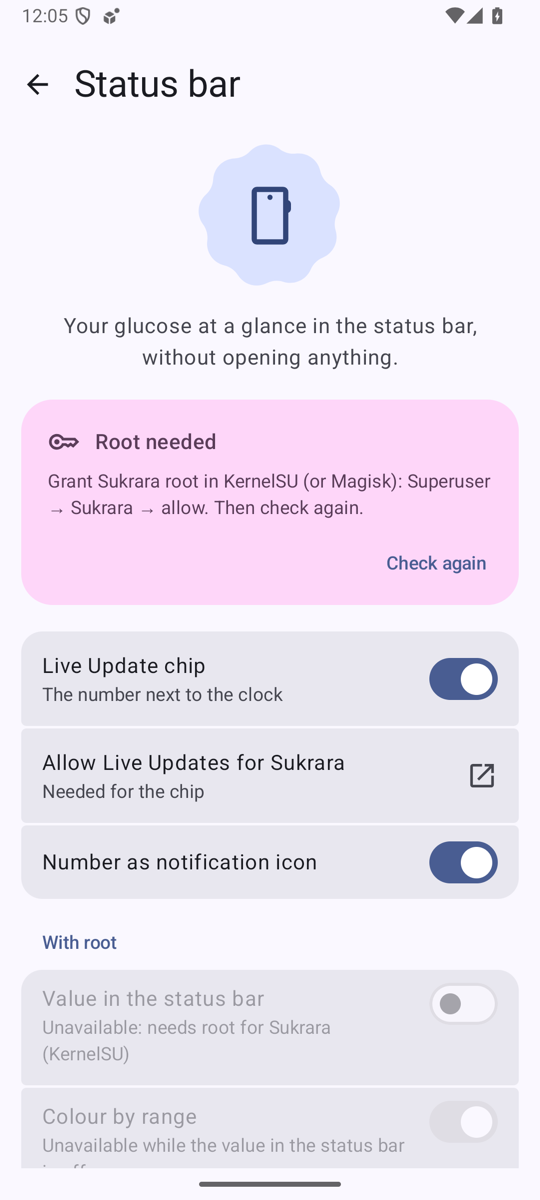
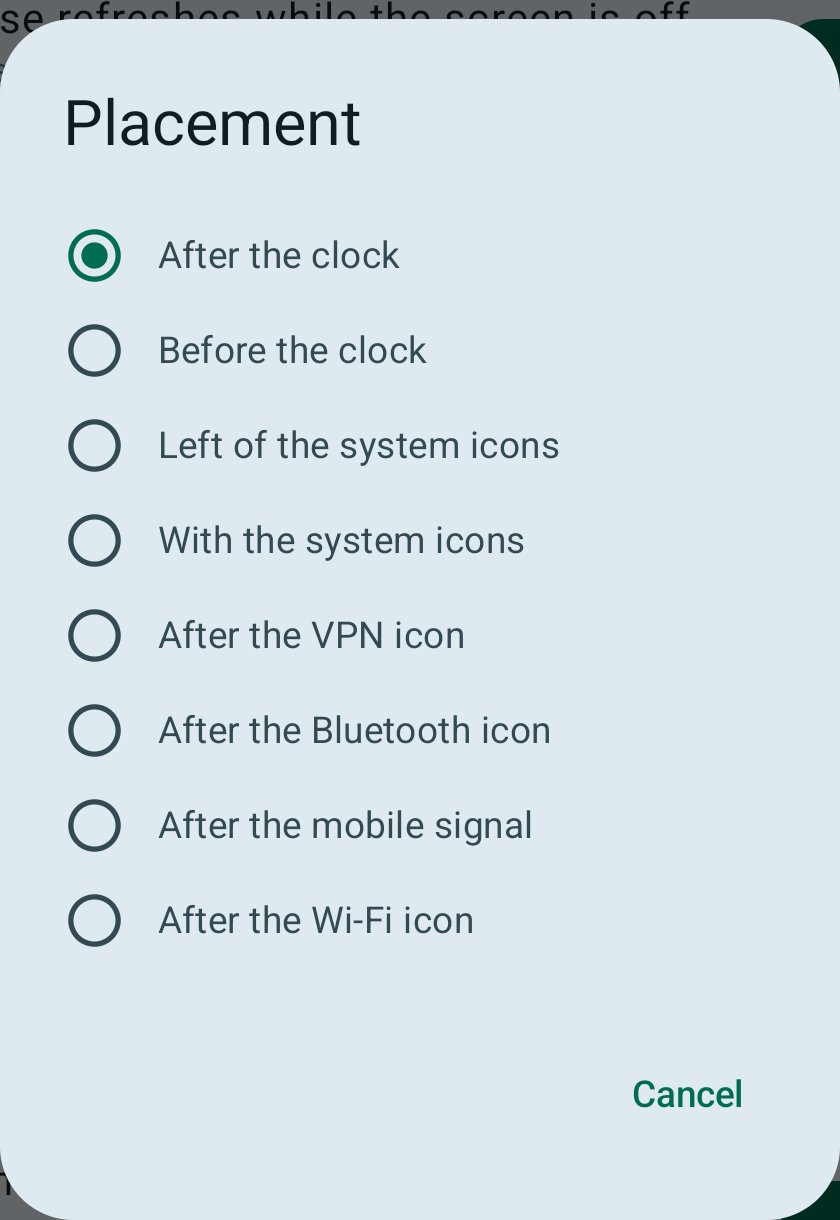
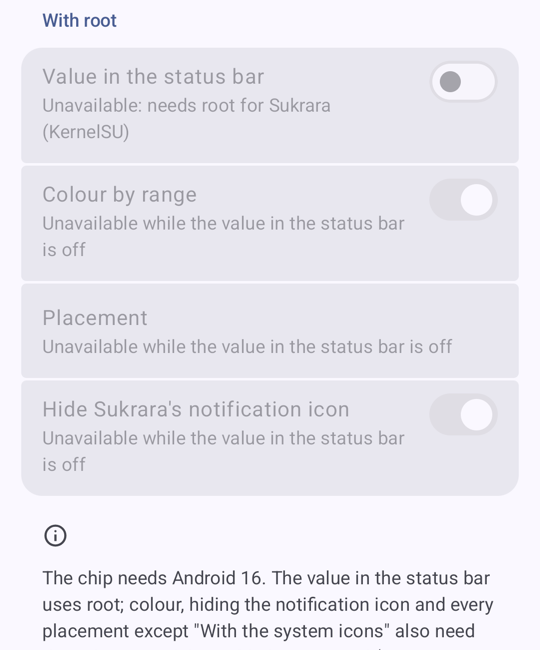
(Screenshots from 0.11.13 on the emulator, which has no root: Settings says what’s missing; see “Settings” below.)
Sukrara. System-icon placements are coloured by range through a hook on System UI’s Compose Image (our icons are
recognised by their content description); the digits match the clock’s height (27 px) and the arrow drawables are
trimmed to their width. Verified on the phone (release, updated in place): system icons on (ok), module
“attached to MAIN/KEYGUARD”, “icon order hooks: 1”, after clock / before clock / icons after Wi-Fi.
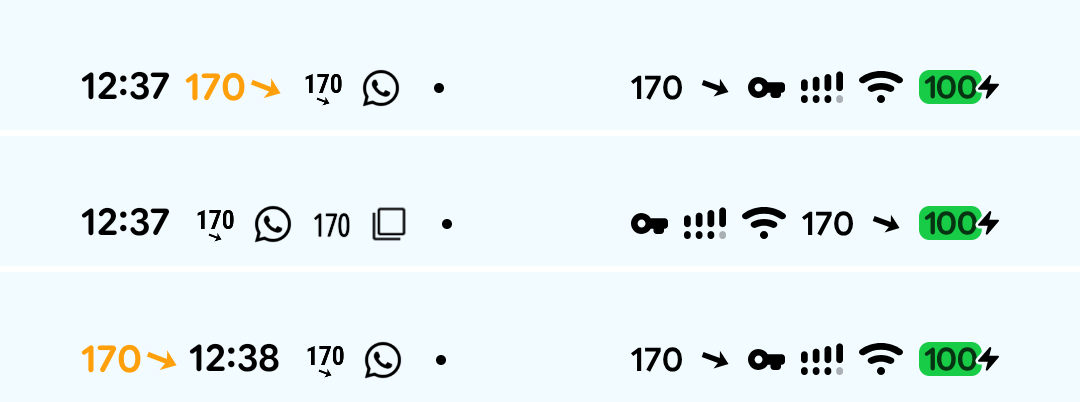
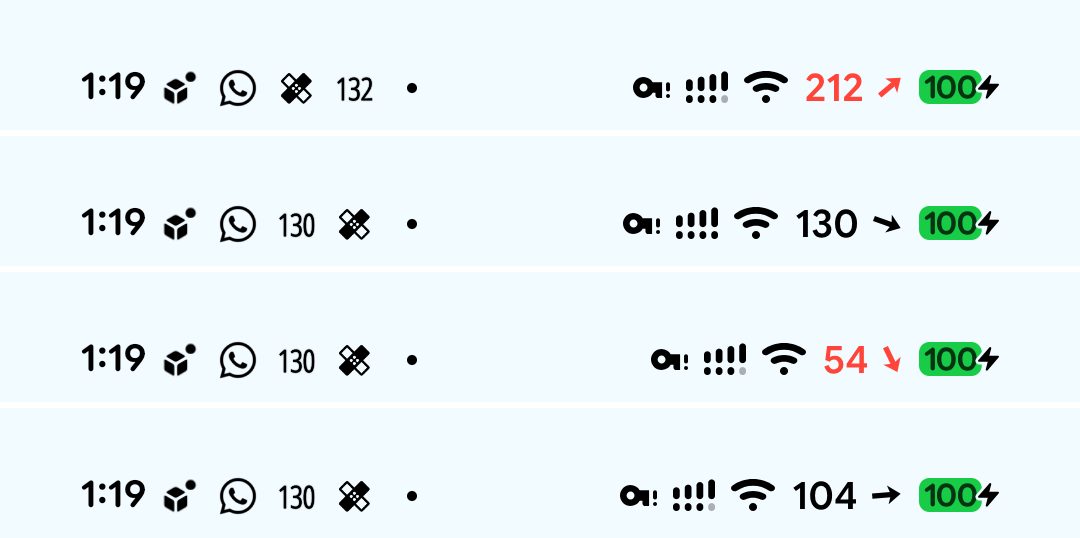
A full status bar (round f34, 2026-10-22; 05 › In Sukrara): with the
module, the system-icon pair has priority over other icons in SystemUI’s row (they fold into Android’s overflow dot
first) and number + arrow stay one unit (both, or both in the dot); “after X” with X hidden lands where X would be.
Added: hook/IconFit + the EllipsizingRow measure hook (IconFitTest). Discarded: one combined icon per reading
for root alone (14,883 resources, +6.4 MB measured), and hiding LTE / 5G or the signal bars (drops real information;
the dot is the platform’s own signal). Root without the module keeps SystemUI’s own fit.
Hide Sukrara’s notification icon (polish round 2, on by default, under “Value in the status bar”): the module
removes Sukrara’s entries from the status bar’s notification-icon row (NotificationIconContainerStatusBarViewModel,
status bar only; shelf/AOD untouched), so the always-present logo disappears while the value is shown. There is no
rootless way on Android 17: a foreground-service notification on a MIN channel is raised to LOW (and the channel
rewritten), and “silent” icons hide only with a global user setting and without the coloured card. Wearer role only
(the follower doesn’t feed the module yet). (shown,
hidden)


Safety, kill switch (settings put global sukrara_hook_disabled 1) and what not to do (never adb uninstall
Sukrara to recover — it holds the identity): poc/spikes/statusbar-android/HANDOFF.md.
Polish round 2 (2026-10-16 afternoon, NEXT.md §1)
Section titled “Polish round 2 (2026-10-16 afternoon, NEXT.md §1)”Five agents in parallel worktrees, merged into one build line, installed on the phone in place (data kept) and on the Mac. Checked end to end on the phone + Mac at 14:25: a note logged on the phone reached Sukrara for Mac over v2 Bluetooth within seconds, its marker showed in the phone’s Live Update graph, the delete propagated (card, Mac log).
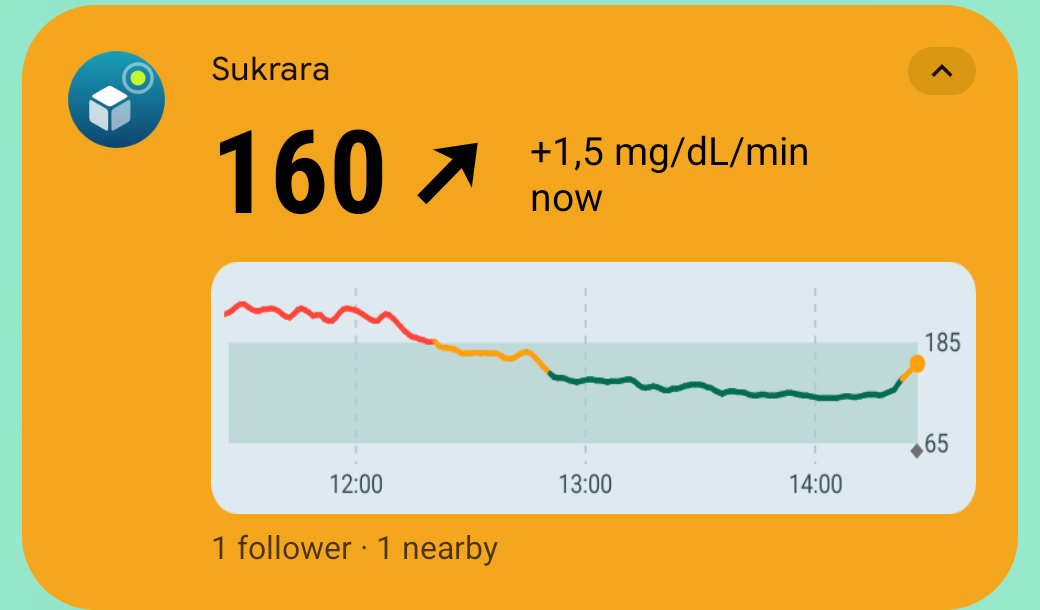
- Live Update chip = value + arrow. On Android 17 the chip’s icon is always the notification’s small icon (no public API removes it), and SystemUI hides a notification’s status-bar icon while its chip shows. So with the chip on, the small icon is just the trend arrow and the short critical text the value: the chip reads “→ 134”. With the chip off the small icon is the number (or the logo), as before. (chip)
- Expanded card. A promoted (Live Update) notification can’t have custom views, a colour or a large picture
(
hasPromotableCharacteristics), so: chip on → a MetricStyle card (value coloured by range, arrow + rate, live “ago”), minimal header, no graph (card); chip off → a colorized custom card with the big value, arrow, rate, age and a 3 h graph with treatments (card). The system header (icon + “Sukrara”) above a custom card can’t be removed. The graph is cached per reading/theme/5 min and not redrawn while the screen is off. - Treatments for followers. The wearer publishes its whole merged log (own, Mac, accepted writer entries, deletes) as SPEC §5 events signed by its device key, over relays and v2 BLE, and republishes the last 30 days on approval, rotation and weekly. Followers (Android and Mac) accept authors = roster devices ∪ writers, merge LWW, show them, and the follower’s Nightscout API serves them. Spec: PROTOCOL-v2 “Treatments”; SPEC §5 is built.
- Writer gating. “Add entry” only when the follower’s key is in the roster
writers; otherwise “The wearer hasn’t allowed you to add entries”. Own entries show sending → sent → accepted (the wearer’s device key echoes the same id) or not accepted yet after 2 min (follower screens). Macs too: a Mac adds entries only over v2, as a roster writer, and disables “Log treatment…” with the reason when it isn’t one. Mac debug commands-debugsend '{"cmd":"log"|"remove"|"paths"}'. - Treatments in every chart: home chart (both roles), the 3 widgets (read from the role’s treatment store, so they survive a restart), the Live Update graph, the Mac menu chart and the macOS widget views. Rapid = filled blue triangle “4.5U”, long = outlined violet, carbs = amber dot “30g”, notes = grey diamond (text in the app chart only). The range band is now 65–185, the same thresholds as the line colours.
- Home screen: value card → 12 h chart directly below, above the fold down to 360×640 dp, the rest below (wearer, follower).
- Thin history, Home Assistant and the Garmin state label: see Known issues and the gap audit.
- Hide Sukrara’s notification icon (root): see “Root status bar”.
- Animations (
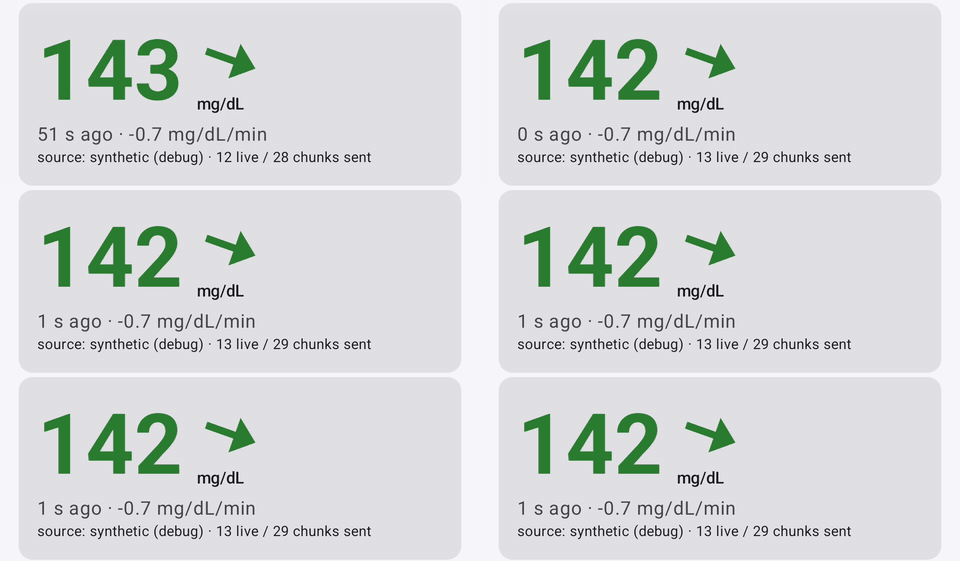
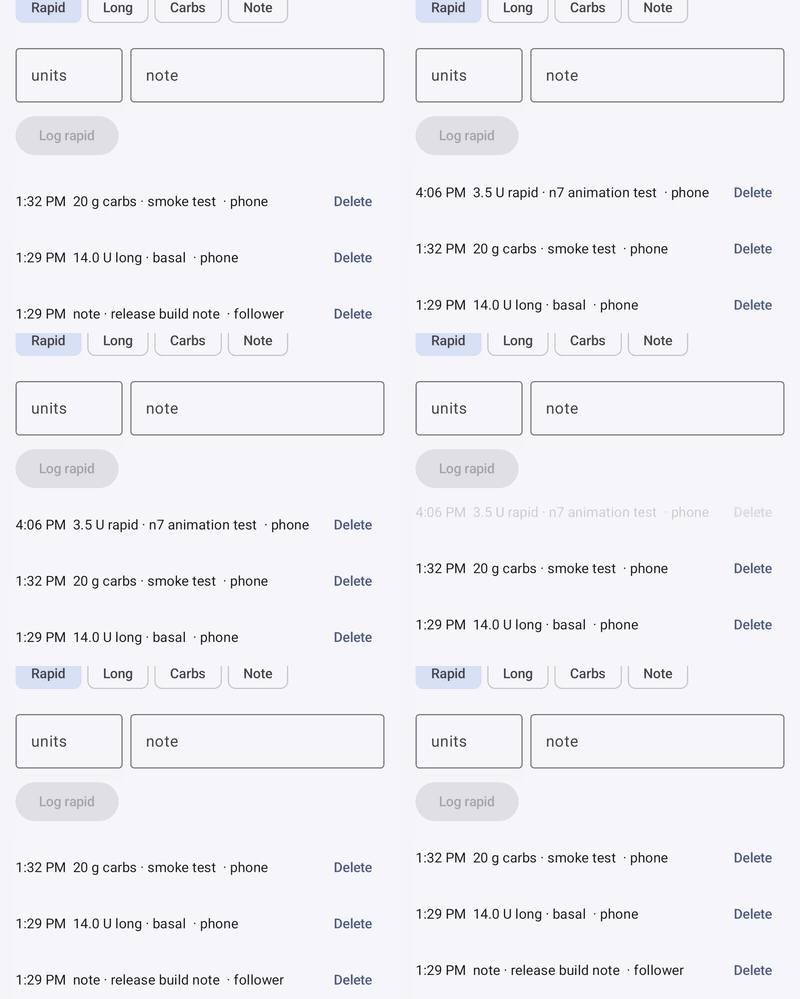
ui/Motion.kt): M3 shared-axis screen transitions with predictive back (NavigationEvent +SeekableTransitionState, the leaving screen shrinks under the finger), fade-through for role/onboarding changes, rolling digits for the value, colour cross-fade, the trend arrow turning with a spring, new chart points growing in, list rows expanding in/out, status labels cross-fading. Everything runs on Compose’s frame clock: it respects Remove animations and stops in the background (idle home: 14 frames in 20 s) (navigation, value, rows). - Released as v0.10.2 (
versionName0.10.2 / Mac 0.10.2), with the Juggluco-port fix from the morning. - v0.10.3: the legacy Mac link is read-only for entries; the Accept entries over the unencrypted Mac link switch and the Mac’s legacy entry path are gone (Mac entries go over v2 only). Also ships the macOS widgets (docs/13).
- v0.10.4 (Android only): widget cleanup after the docs/12 review (see “Widgets: one model, no second store”).
- v0.10.5 (Android only): direct mode scans the sensor with NFC and pairs over Bluetooth by itself, with no pairing file (see “Sensor scan (NFC)”).
- v0.10.6 (Android only): graph widgets are drawn at the size the launcher really gives them (see “Widgets: the launcher’s reported size is wrong”).
- v0.10.7 (Android only): the graphs’ y-axis fits the readings (see the end of that section).
- v0.10.8 (Android only): the graph widgets are no longer squashed vertically (the launcher’s near-duplicate sizes; confirmed by the user from the test-square screenshots).
- v0.10.9: the legacy Mac link (GATT
6c1f0001-…, Settings → Mac → Legacy Mac link) is gone from both apps. Sukrara for Mac gets readings and treatments only over v2 (Nostr + BLE) and no longer uploads to LibreView: its entries reach the phone over v2 and the phone uploads the merged log. No backwards compatibility in this repo.

Widgets: the launcher’s reported size is wrong (v0.10.6)
Section titled “Widgets: the launcher’s reported size is wrong (v0.10.6)”User report: the 4×2 Glucose + graph on the phone lost the bottom and right of its graph (no time labels, no
65/185). Glance’s Exact mode composes for the size the launcher reports (OPTION_APPWIDGET_SIZES), and the Glance
docs warn that “the available size might differ depending on the launcher’s implementation”. On the user’s Pixel
10 Pro (Pixel Launcher, 6-column grid) it reports 296×202 dp and lays the widget out at 244×149 dp: 82 % of
the width, 74 % of the height (sizes). The emulator’s
launcher lays widgets out at the reported size and scales them down evenly, so nothing was ever clipped there.
- First fix (graph image fills the remaining space, bitmap scaled into it): no longer clipped, but the bitmap, drawn for 296×202, was squeezed into a box of another shape — wide text, oval dots. The user found it looked bad.
- Fix: measure the real size. The launcher sends no other option, but its
AppWidgetHostViewknows the size: from a size → RemoteViews map it applies the layout that fits its real laid-out size most closely (RemoteViews.findBestFitLayout, re-picked inonLayout; at most 16 layouts).widgets/WidgetProbe.ktsends 16 tiny layouts whose image is acontent://URI naming its size, andProbeProvidersees which one the launcher loads. Round 1 brackets 100…55 % of the reported size, round 2 narrows it to ≈ 4 % (measured: 240.5×148.9 dp for the real 244.2×148.6). The graph widgets then lay out and draw for that size; the image still fills its space, so being a few dp off doesn’t clip. - It runs only when a graph widget is placed or resized (
onAppWidgetOptionsChanged), or has no measurement yet (e.g. the first refresh after this update), and only while the screen is on; a launcher that doesn’t answer is asked again after 2 min. About 1.5 s, the widget is blank meanwhile. Results are kept per widget and reported size (shared_prefs/widget-sizes.xml), so updates and restarts don’t measure again. The value widget doesn’t need it.
| Before (0.10.5): clipped | First fix: stretched | Measured (0.10.6) |
|---|---|---|
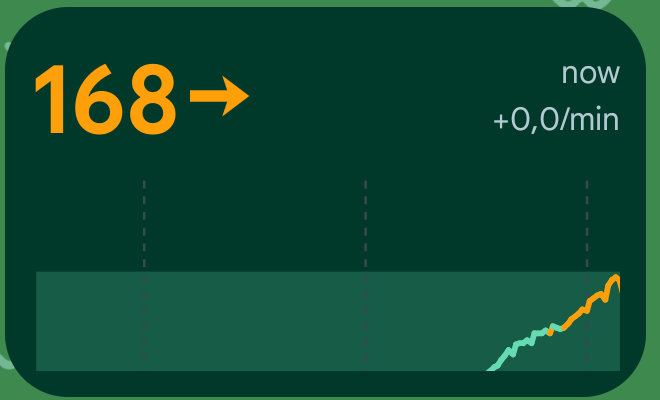 |
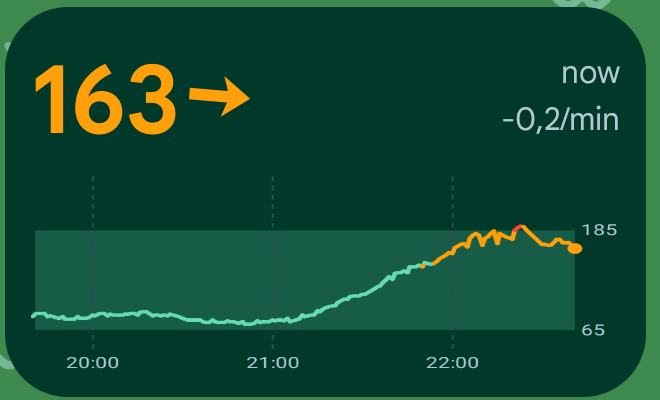 |
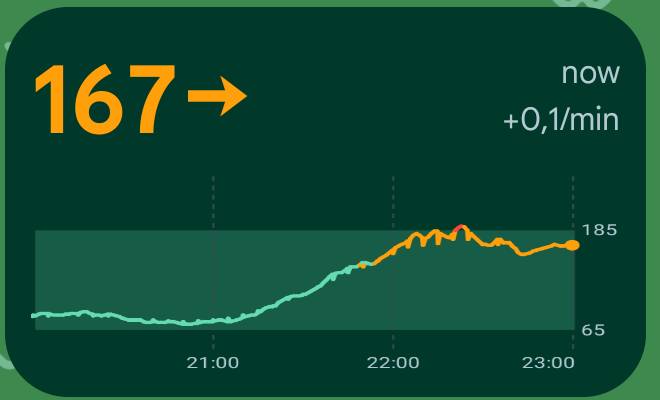 |
Then (v0.10.7): the y-axis fits the readings. At the right size the graph still looked squeezed: the y-axis
was fixed at 40 to ≥ 250 mg/dL, so in an ≈ 80 dp plot the line used a thin strip. It now runs from just below
min(65, lowest reading) to just above max(185, highest reading), keeps a strip at the bottom only when treatment
marks are shown, and the Glucose + graph header is 6 dp shorter (value 32 sp). Same renderer for the status-bar
card’s graph. 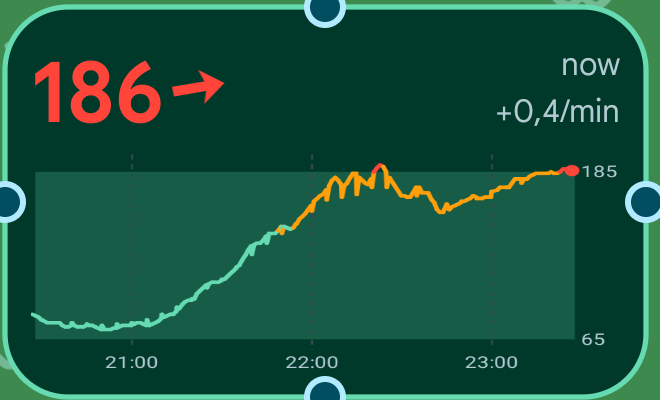
Still squashed in 0.10.6 / 0.10.7 (fixed in v0.10.8). The user saw the current-value dot as an ellipse. A temporary test pattern in place of the graph (a square with an inscribed circle) measured it on the phone: height/width 0.760 before, 0.989 after. Cause: Pixel Launcher reports two near-identical portrait sizes (296×201.9 and 296×201.1). Glance composes one layout per reported size, and the probe’s measurement was stored only under the first. The launcher fits neither, so it applies the smaller one, which was still drawn for 296×201 and squeezed into 244×149. A measurement now applies to every reported size within 4 dp.
| Test square, before | Test square, after | Graph, after |
|---|---|---|
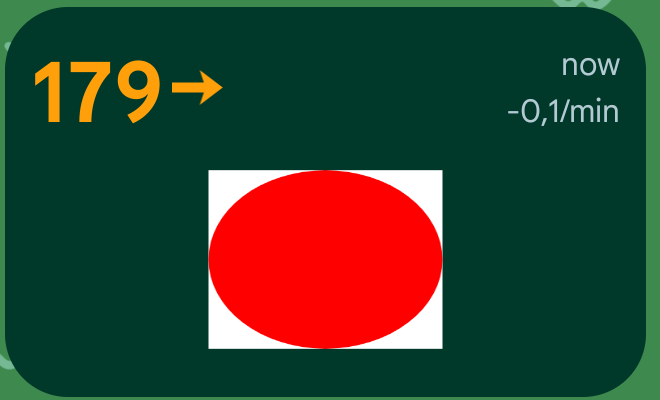 |
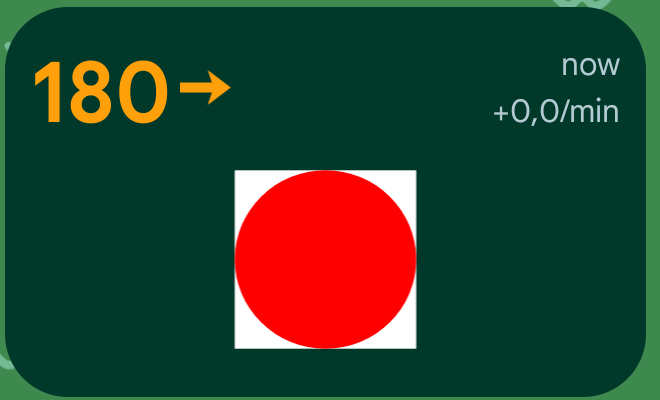 |
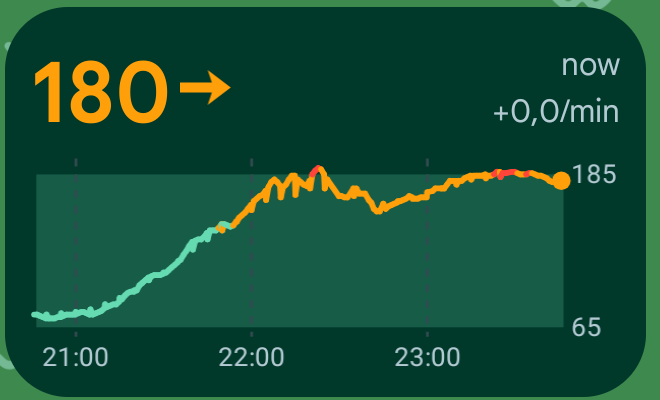 |
Widgets: offer the big widget on home (2026-10-21)
Section titled “Widgets: offer the big widget on home (2026-10-21)”Added: a dismissible home card with an Add widget pill while no graph widget is placed (requestPinAppWidget,
re-checked on resume and on the pin callback). Discarded: a live preview in the pin dialog (stretched by Pixel
Launcher; the generated picker preview is used) and a Mac equivalent (the menubar is the Mac’s main surface).
Details: 12.
Widgets: one model, no second store (v0.10.4)
Section titled “Widgets: one model, no second store (v0.10.4)”The docs/12 review kept all three widgets: the user has a Glucose + graph widget pinned and also uses a graph-only widget from another app. What made them costly to maintain was duplication, so that was removed:
- One glucose model.
core/Glucose.ktholds the trend mapping, range thresholds and colours, staleness and age text. Before,widgets/Glucose.ktandstatus/GlucoseNotification.kteach had their own copy, and the widgetReadingwas a third reading type. The widgets now usecore.Reading. - One arrow set. The widgets draw the status bar’s trimmed
sb_t*vectors (Trend.drawable); the 39 squarearrow_*copies are deleted.RootStatusBaruses the same function instead of building resource names. - No second history.
GlucoseStore(an 8 hhistory.csv+widget-treatments.jsonwritten on every reading) is replaced byRecentHistory, which reads the role’s own store on the first render in a process and then keeps an in-memory window. It reloads on follower start, Stop following and role change. Wearer readings are merged in from the live fan-out, becauseLivereaches the widgets before the owner engine has writtenowner.db. The status-bar card’s graph reads the same window. Old installs keep their two small orphaned files (≈ 10 KB); nothing reads them.
Checked on two emulators (wearer = debug build with the synthetic source, follower = release build following it over Nostr):
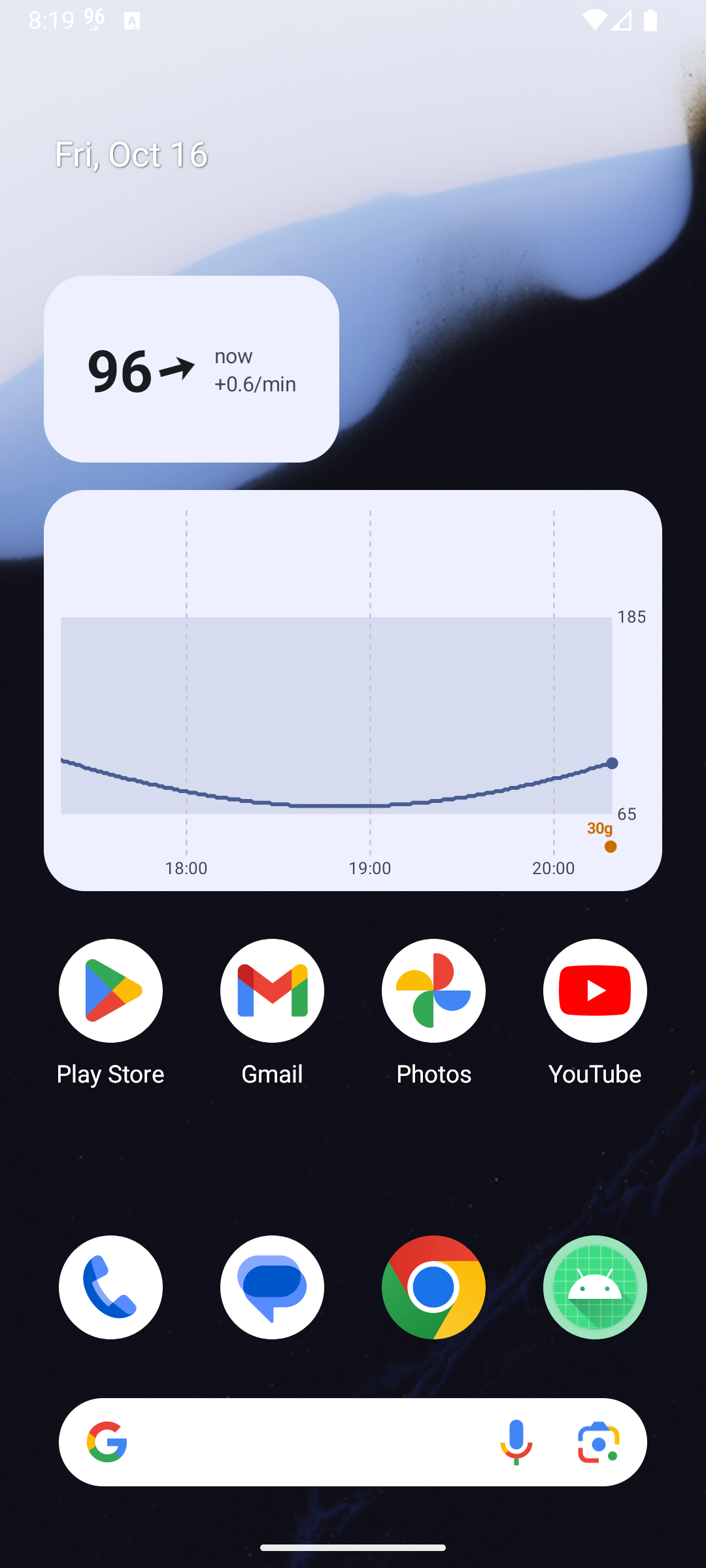 |
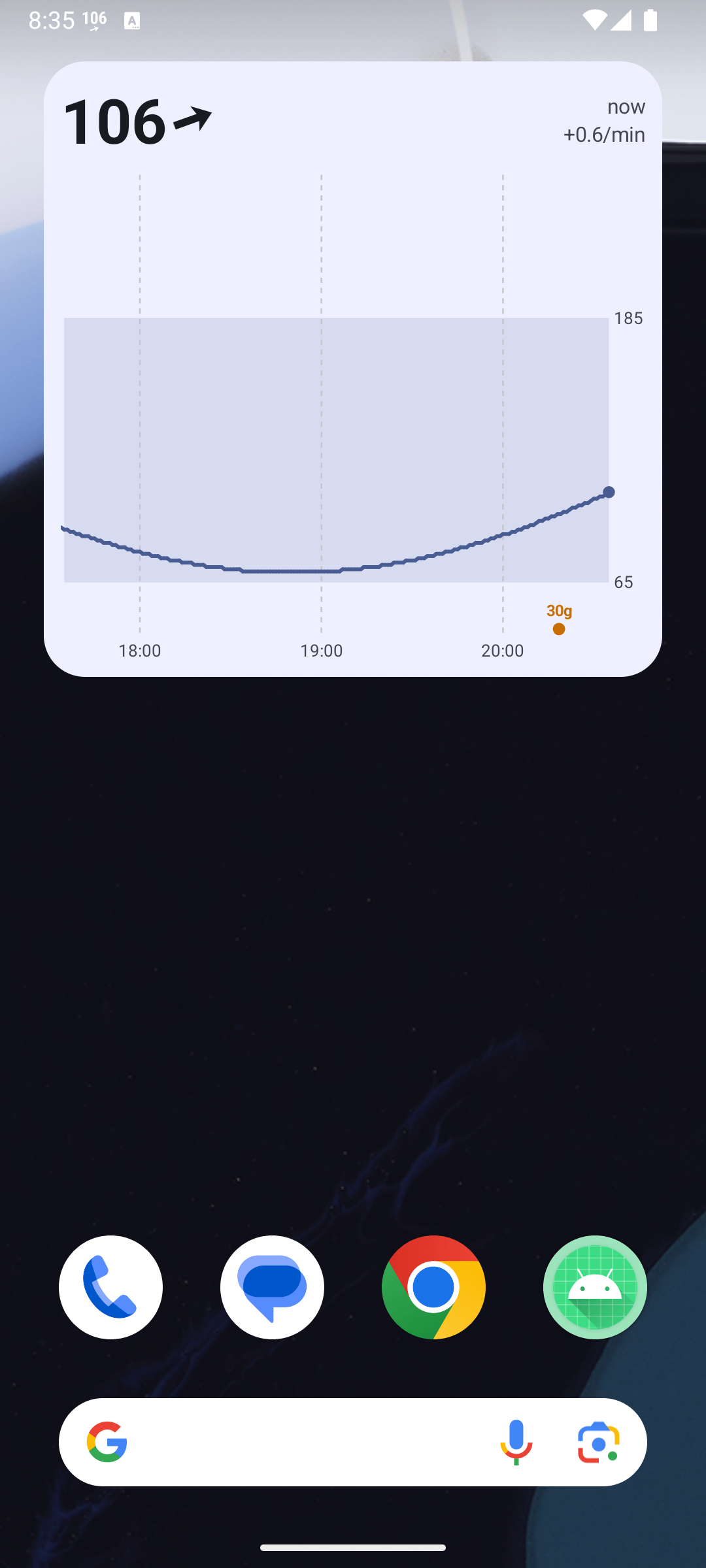 |
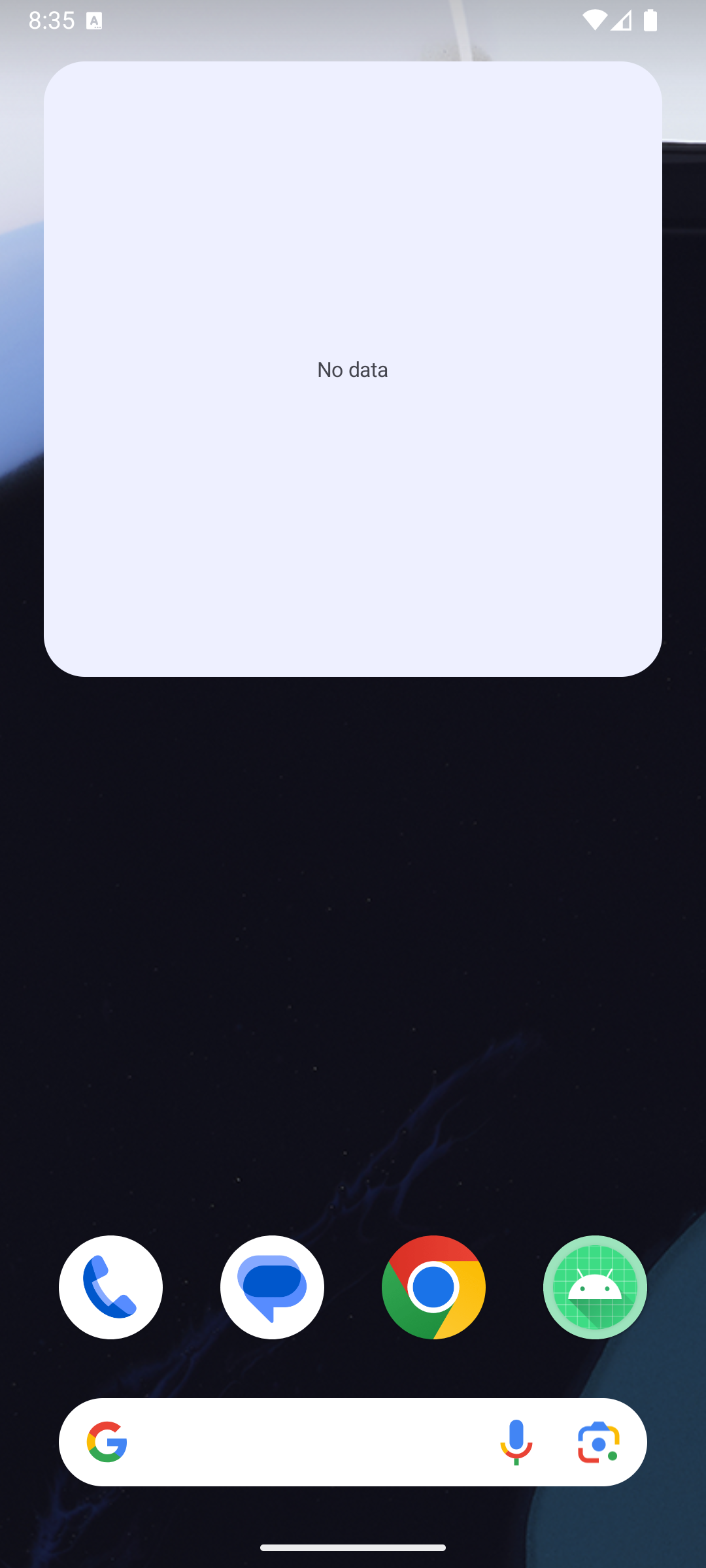 |
Wearer: Glucose + Glucose graph after kill -9 of the process: history from owner.db, the 30 g carbs from treatments.json |
Follower, release (R8): Glucose + graph after an in-place update (process restart), data from follower.db; the keep rule still holds |
Follower after Stop following: “No data” at once |
The status-bar card’s graph also reads the new window (screenshot).
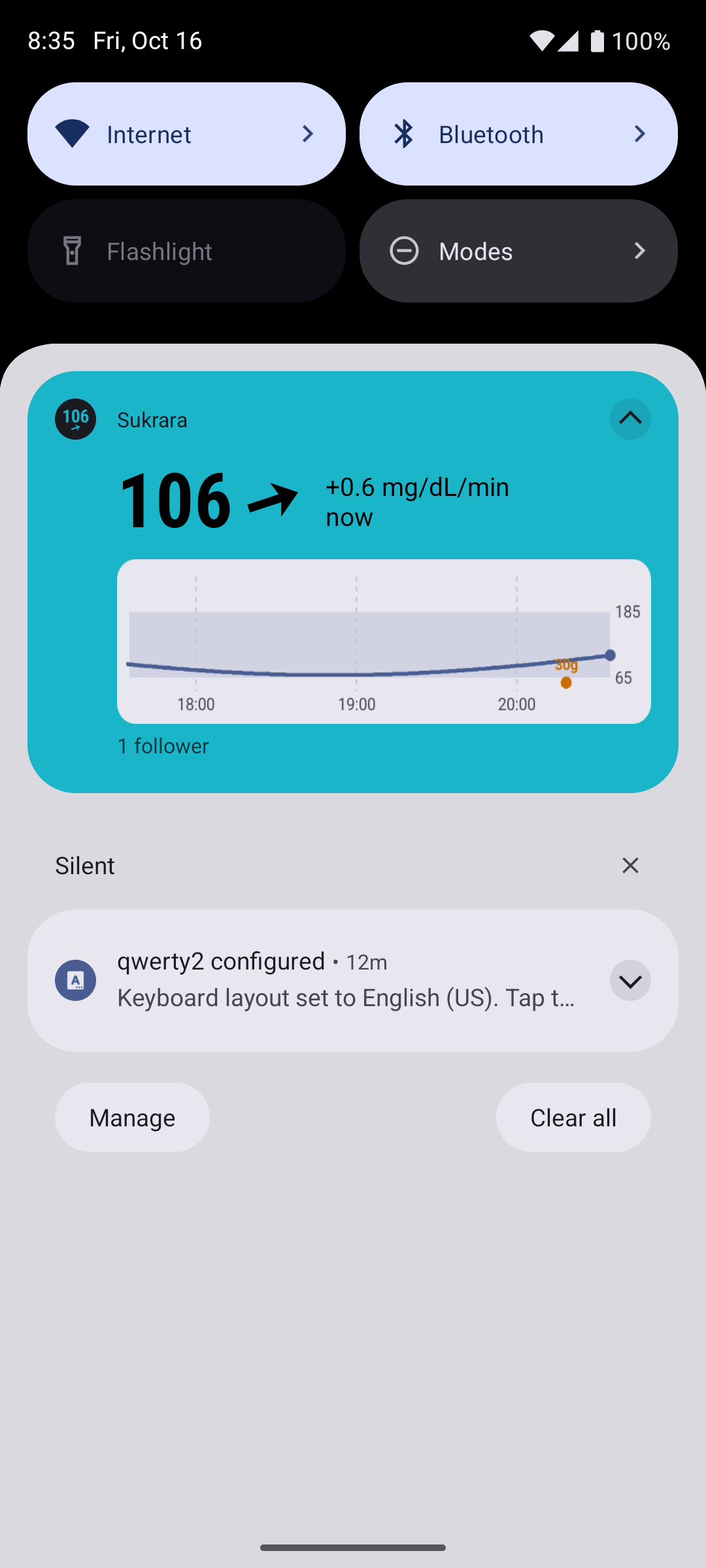
Sensor scan (NFC), 2026-10-16 evening
Section titled “Sensor scan (NFC), 2026-10-16 evening”The user opened Sukrara to read the sensor directly and found it asking for a pairing file copied from Juggluco. Direct mode now does the whole flow itself, like LibreLink or Juggluco:
- NFC tap on Settings → Glucose source → Sensor. Reader mode is on only while that screen is open, so a tap there goes to Sukrara. The sensor answers with its serial number and state. Sukrara then starts a sensor that was never started, or takes over a running one. Either way it gets the sensor’s Bluetooth address, its PIN and its start time.
- First Bluetooth connection: fresh pairing. Sukrara exchanges certificates and keys with the sensor, using the
same portable C core from Juggluco as the resume path, plus four new JNI calls. It saves the resulting
authorization in
files/sensor.json, and later connections resume with it. No file comes from another app any more. - Warm-up: during a new sensor’s first hour the client waits for the end of warm-up instead of reconnecting every 2 minutes.
Receiver ID. A Libre 3 remembers a 32-bit receiver ID from the moment it was started, and a takeover only works with that same ID. Sukrara has two candidates:
- its own random ID, made per install (a takeover candidate only);
- the ID that LibreLink-era apps and Juggluco derive from the LibreView account ID.
A new sensor only ever gets the LibreView-derived ID (2026-10-18 audit, docs/02): it stays bound to it for life, and with a random ID no other app could ever take it over. Without a known account ID the Sensor screen asks for the LibreView sign-in before it sends anything.
Sukrara learns the account ID with a read-only LibreLinkUp sign-in. It keeps only the derived number, not the password. Unlike LibreView’s app login, this sign-in doesn’t make the phone the account’s upload device, so Juggluco’s or LibreLink’s LibreView uploads keep working.
If Sukrara’s own LibreView setup (Treatments & LibreView) has a saved login, the Sensor screen does this sign-in on its own. A sensor started by Juggluco therefore moves over with one tap. Without a saved login, the screen asks for it after the sensor turns down the first try.
Checked on 2026-10-16:
- On the Mac, a LibreLinkUp sign-in with the user’s account returned the exact account ID that the user’s Juggluco uses. Juggluco is in its default mode: no manual ID, and the LibreView-derived ID used for both start and takeover.
- Unit tests (
app/src/test) pass. They cover the patch-info and takeover answers quoted in Juggluco’s sources, the command CRC vectors and the receiver-ID hash. - The screen works on an emulator (no NFC there, so it says so).
- The build is installed on the user’s phone and keeps reading from Juggluco until a scan.
Real sensor, 2026-10-16 22:25 (user’s Libre 3 Plus, 13 days in, running under Juggluco; Sukrara 0.10.5):
- One tap took the sensor over. Sukrara got the receiver ID from its saved LibreView login, so the user saw no sign-in prompt.
- The fresh pairing finished 4.6 s after the second Bluetooth connection (“sensor paired”). The saved
authorization record (149 bytes) went into
files/sensor.json. Sukrara then backfilled 24 h of history. - Live readings every minute from then on. Later connections resume with the saved record, no NFC needed.
- Lingo sensors are refused (not built).
Pause isn’t enough. For 4 minutes every connection failed 1.6 s in: the phone’s Bluetooth stack rejected
Sukrara’s first security write. dumpsys bluetooth_manager showed why: Juggluco, paused but still running, kept its
own GATT client for the sensor and shared the link (“ACL holders: … tk.glucodata”). It kept trying to log in with
its now-outdated pairing. After am force-stop tk.glucodata the next connection authorized and stayed up. The
app’s texts now say to Pause app and Force stop Juggluco before a takeover.
Open on scan (v0.11.2). Like LibreLink, holding the phone against a Libre sensor now opens Sukrara when it isn’t
already in front. It’s an NfcV TECH_DISCOVERED filter on a no-UI trampoline (.ui.SensorTapActivity → MainActivity; until 0.11.46 an activity alias, which Android 17 stopped dispatching to: NFC filters must sit on an activity protected by DISPATCH_NFC_MESSAGE), so
it only opens the app: it never starts or takes over a sensor (that still needs the Sensor screen, whose reader mode
takes the tap first while it’s open). The switch Open Sukrara when you scan a sensor on the Sensor screen is the
alias’ enabled state (PackageManager.setComponentEnabledSetting), on by default. Juggluco doesn’t register for NFC
dispatch, so no “open with” chooser appears on the user’s phone.
Treatments dialog and settings cleanup (2026-10-17)
Section titled “Treatments dialog and settings cleanup (2026-10-17)”The user asked: default source Libre 3 directly with no “recommended” label; LibreView options that depend on the upload switch, with defaults that upload everything; LibreView setup moved to Settings; and a treatments dialog for rapid, long, carbs and a note at once, which a tap on a widget or the notification opens over any app.
Designed from the official guidance, read first:
Android settings pattern (“Disabling the
parent switch disables the dependent controls”; “Place a dependent setting below the setting on which it depends,
with a brief explanation”; radio buttons “in a dialog or child screen”; defaults “represent the default most users
would choose”), AOSP settings guidelines (summary
shows the status; footer below a divider), Compose dialogs
(“forms and multiple buttons … use Dialog with custom content”) and the
widget overview (widgets offer “generative
functions … create new content”).
| Added | Where |
|---|---|
| Default source = Libre 3 directly; Juggluco is the alternative; no “recommended” | Features.source, Settings |
Source, sensor link priority, Nostr interval, LibreView interval: rows that show the value and open a radio dialog (ChoiceDialog) |
ui/WearerScreens.kt |
| Settings → LibreView: Account row (sign-in dialog, sign out), Upload to LibreView as the parent switch, then Glucose readings, Insulin, carbs & notes, Use this phone as the account’s device, Upload every. Each is disabled with a reason while the upload is off. Footer: the doctor’s record; edits and deletes follow | LibreViewSettings |
Uploader defaults: glucose, treatments and take-over on, so switching the upload on uploads everything. Glucose goes up from the moment the upload is switched on, and switching off ends that window. New treatments switch |
LibreViewUploader |
TreatmentDialog: Rapid U, Long U and Carbs g side by side, a note below, all optional. Each filled field becomes its own entry. A time chip (Now, or an M3 time picker; a later time means yesterday). No helper text: the filled fields say it all (the user removed the hint, the footer and the “Adds …” line); only an out-of-range amount shows a red line. The number pad opens at once; Next goes rapid → long → carbs → note; Done saves |
ui/TreatmentDialog.kt |
QuickTreatmentActivity: translucent, not in Recents, draws the M3 scrim and the dialog surface in its own window (a Dialog window over a translucent activity got neither the dim nor the keyboard on the emulator). A widget tap and the glucose notification (card and Live Update chip) open the dialog over any app. It has Open Sukrara; a phone that can’t add entries (no identity, or a follower without Can add entries) opens the app instead |
ui/QuickTreatmentActivity.kt, widgets, GlucoseNotification |
| Home: Treatments (24 h) with Add treatment, the chart markers per entry, LibreView ⇡/✓, tap to delete (with a confirmation) | TreatmentsSection |
| Followers with Can add entries use the same dialog, at a chosen time too | FollowerScreens.AddEntry, FollowerEngine.addTreatment(at) |
| Discarded | Why |
|---|---|
| The Treatments & LibreView screen and its button | entry is the dialog; the list is on the home screen; LibreView is in Settings |
| Kind chips + one amount field (one entry per save) | all four at once, as the user asked |
| Inline Save login form with the email always visible | an Account row + dialog: summary shows the status, and the form is out of the settings list |
| Filter chips for single choices (source, priority, intervals) | the guidelines put single choices in a radio dialog |
The uploader’s unused upload pref |
the parent switch is Features.libreview (no backwards compatibility) |
| One shared note on every entry | a note is its own entry, so nothing is duplicated |
| Explanatory text in the dialog (“Fill in any of them…”, “Your followers and Sukrara for Mac see it”, the “Adds …” summary) | the user: unnecessary, the filled fields already show it |
On the phone (0.11.3, 2026-10-17 01:55). The user added a real entry through the quick dialog. With the upload
switched on (the user’s call), the next cycle posted it: libreview post: 1 treatment(s) → status 0 (accepted), then
the current glucose reading (glucose 0+1 → status 0). Sukrara is now the account’s LibreView device; glucose goes up
from 01:55 on.
One graph everywhere (investigation 16, v0.11.5)
Section titled “One graph everywhere (investigation 16, v0.11.5)”The user drew an improved graph for every surface: a distribution of glucose beside the chart with time-in-range
rectangles and %, a “very good” 70–140 band, segmented time-in-range rings, freshness instead of “time ago”, 12 h by
default with per-place and per-widget windows, configurable ranges. Report: 16. Widget configuration
follows the Glance configuration guide
(reconfigurable|configuration_optional: a new widget needs no setup, touch & hold → Reconfigure).
| Added | Where |
|---|---|
One renderer for the whole card (value, arrow, rings, chart) on a plain Canvas: the home panel, the three widgets, the notification graph |
graph/ (GlucoseStats, Freshness, GlucoseGraph, GlucoseCard), ui/Widgets.kt GlucosePanel, widgets/Widgets.kt, GlucoseNotification |
| Distribution beside the chart: time at level, band-exact, rows of dots; rectangles for below / in range / above with very low / very good / very high inside; % labels | GlucoseStats.profile, GlucoseGraph |
| Six ranges 54 / 70 / 140 / 180 / 250, configurable; they colour the number, line, rings, status bar (hook gets them in its broadcast), notification style | GraphSettings, core/Glucose.kt Range |
| Freshness: fresh → late (reading’s time) → stale (struck) → old (no number) → gone (no chart); notification and Live Update card follow it | Freshness, GlucoseNotification |
| 0–3 time-in-range rings (12 h – 14 d), “in range” or “very good” in the middle; the wearer keeps 15 days (was 8) | TirRing, GraphData, OwnerEngine prune |
| Settings → Graph & time in range (both roles), with a live preview | ui/GraphScreen.kt |
| Per-widget window, rings, ring range, distribution on/off | widgets/WidgetConfigActivity.kt, GraphSettings.widget |
| Mac: the same card in the menubar dropdown and the widgets (shared Swift port), a Graph submenu, a 15-day reading store | widgets-macos/Shared/SukraraGraph.swift, menubar |
DebugReceiver --es graph JSON, --es widgetGraph ID:JSON, cmd pinWidget |
features/DebugReceiver.kt |
(0.11.12) Line at 100 + up to 6 custom lines, vertical lines setting, extremely high colour; the very good band in its own colour; the distribution cut out of the lines (layer + DST_OUT, works on transparent widgets) — 16 |
GraphSettings.lines, GlucoseGraph, ui/GraphScreen.kt Lines, Mac Graph submenu Lines |
| Discarded | Why |
|---|---|
GraphRenderer, GlucoseChart, BigGlucose, the Mac 3 h sparkline |
replaced by the one renderer |
| Histogram, two Gaussian kernels, plain time at level, the area style | the user picked time at level, band-exact, dots |
| Colour thresholds 65 / 145 / 185, red above 185 | the configurable ranges; above range is orange as in the draft |
| “x min ago”, the rate (+0.1 mg/dL/min) on the home panel, widgets, notification and Mac | the user: not useful; freshness steps instead |
| Widget windows by width (2–6 h) | 12 h default + per place + per widget |
| Time-in-range rectangles behind the distribution (0.11.9) | the user: they clutter the chart; the % labels say the same |
| % labels on narrow charts (< 240 dp, 0.11.9) | no room (e.g. a small Mac widget); the dots stay |
| Per-widget settings on the Mac (App Intents, 0.11.7) | without an Xcode project chronod never registered the intent and the widgets froze; removed in 0.11.8 |
| The line fading out towards the distribution | the user: looked bad where it overlapped; the cut-out replaces it |
| The in-app chart’s grow-in animation for new points | the chart is drawn by the shared renderer; the number still rolls and the arrow still turns |
The doctor’s report in the app (investigation 18, v0.11.7)
Section titled “The doctor’s report in the app (investigation 18, v0.11.7)”The user showed LibreView’s report page (time in ranges with goals, average glucose, GMI, glucose variability) and asked for the same numbers in the app and the widgets, e.g. GMI in the third widget slot. Report: 18.
| Added | Where |
|---|---|
| Glucose report card on both home screens: the five ranges as one stacked bar with shares and consensus goals, average glucose, GMI (% and mmol/mol), CV; 1/7/14/30 days; a note under 70 % sensor coverage | ui/ReportCard.kt, graph/GlucoseMetrics.kt |
| Slots beside the number: time-in-range ring, GMI, average or CV gauge, each with its window and “fainter” switch | graph/GlucoseCard.kt (SlotKind, MetricGauge), GraphSettings.slots, Settings → Graph |
| 30-day windows; the wearer keeps 31 days (was 15) | RING_WINDOWS_S, OwnerEngine prune |
| Mac: the same numbers in the menubar dropdown and the widget slots | widgets-macos/Shared/SukraraGraph.swift, menubar |
| Discarded | Why |
|---|---|
| The AGP percentile curve and daily profiles from the full LibreView report | the user asked for the summary numbers; the chart and the time-at-level distribution already show the shape |
| Per-widget slot kinds | the app-wide slots already put GMI in a widget; per widget stays window, slot count, ring range, side |
Short invites and private profiles (v0.11.0)
Section titled “Short invites and private profiles (v0.11.0)”2026-10-17. Investigation 14 brought into Sukrara (Android + Mac). Kept and left out, with reasons: docs/14 → In Sukrara.
Added
-
v3 short invites only:
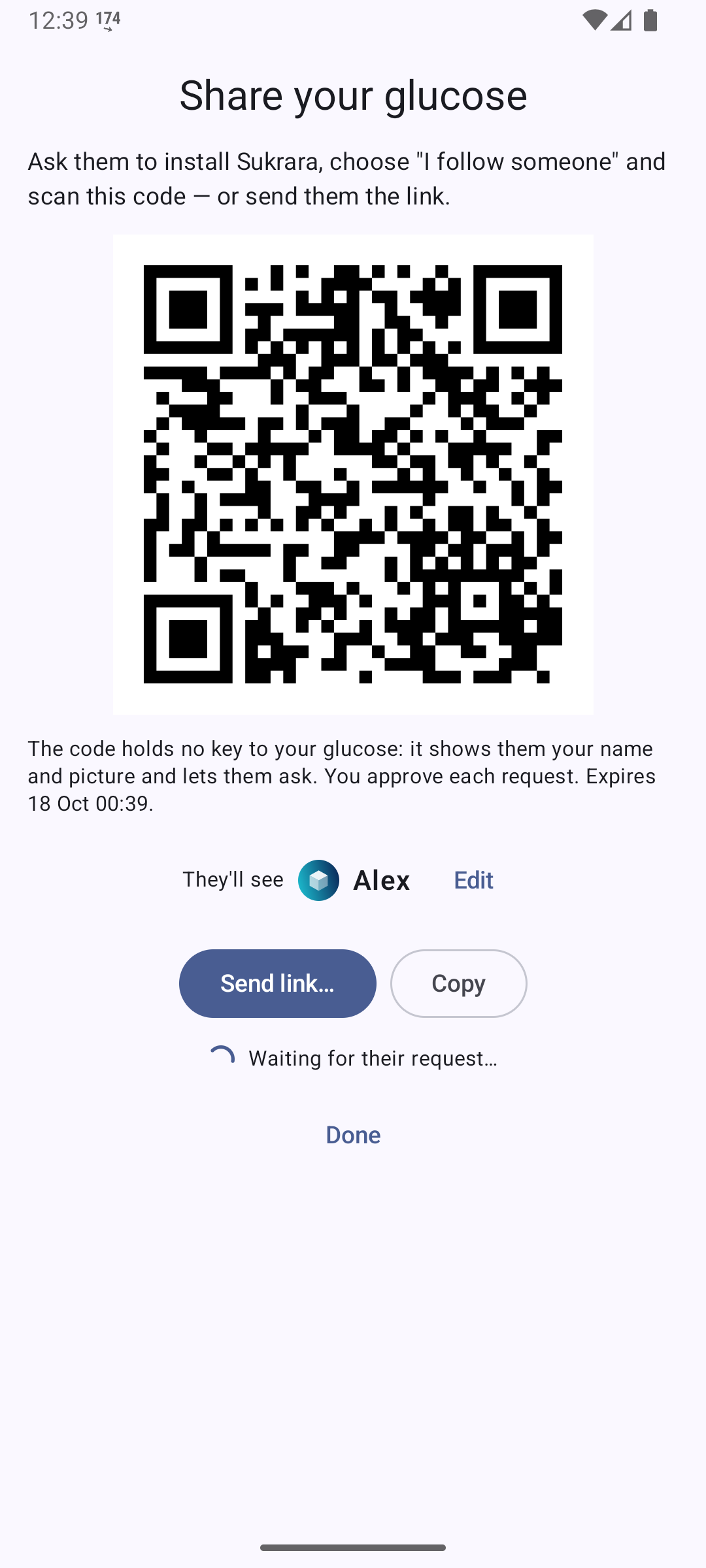
https://sukrara.mauri.app/join#<32 chars>(63 chars, QR version 5 instead of 11). The wearer publishes the details (expiry, relays, its profile) as a NIP-59 gift wrap sealed by the identity and addressed to a key derived from the link; the follower looks it up and checks the seal against the link’s fingerprint before showing “Alex wants to share their glucose with you”. Code:core/Derive.kt,Proto.newInvite / openInvite,FollowerEngine.resolveInvite; MacV2.parseLink / resolveInvite,RelayPool.fetch.cgmshare:and the#i=…&t=…links are deleted in both apps and on the join page. -
Private names and generated pictures (
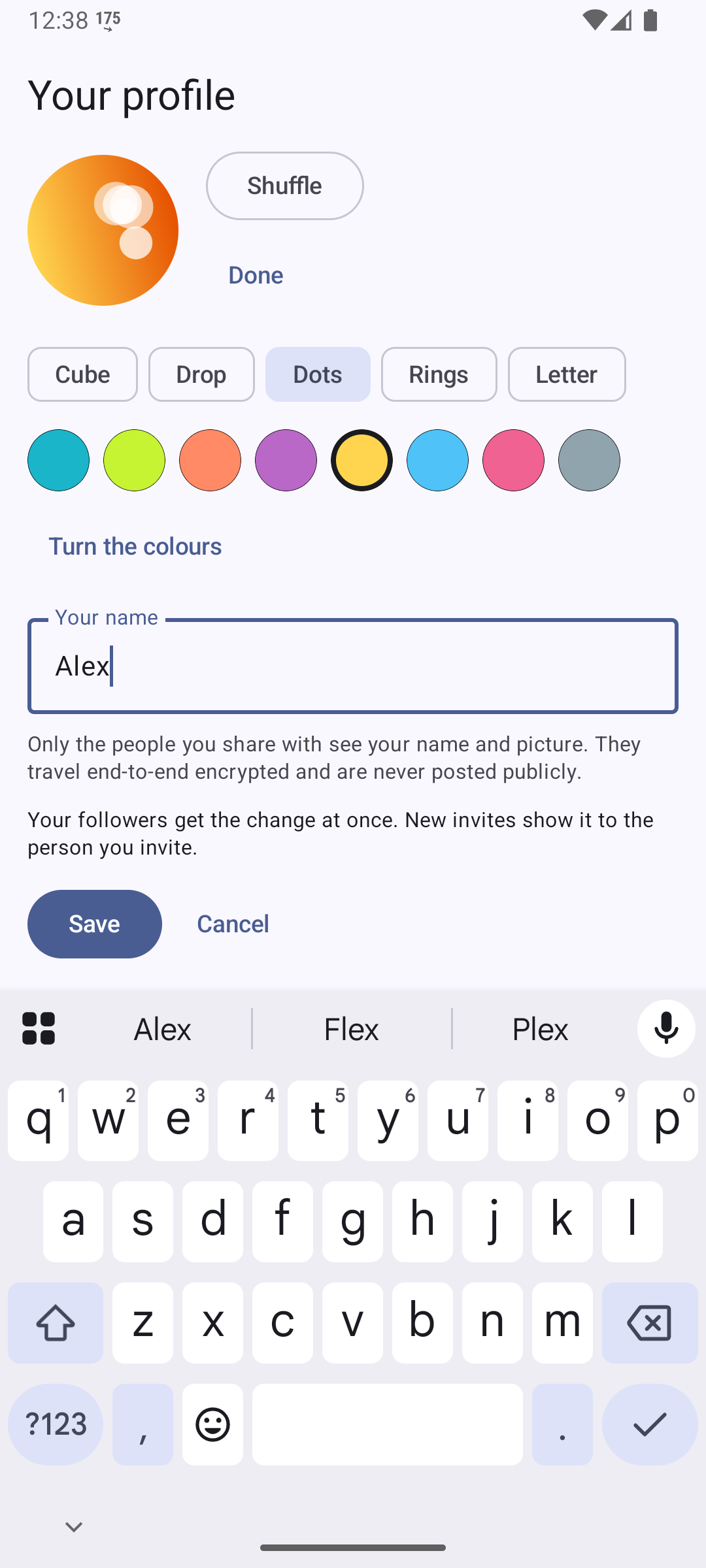
core/Avatar.kt,ui/Profiles.kt; MacAvatar.swift): wearer onboarding and Your profile (name, Shuffle, Customize: shape chips + colour swatches), the follower’s join screen (“How they will see you”) and You appear as … Edit. Shown in the home header, the follower list, the approval dialog, the share screen, the follower’s header and waiting screen, and on the Mac (menu line, pairing window, nearby dialog). They travel only inside the encrypted invite, request, roster,profilemessage and owner backup (PROTOCOL-v2 → Profiles). The picture is versioned numbers (v), and each app keeps every renderer version; an unknown version shows a grey initial. -
Relay set: nos.lol, relay.primal.net, nostr.mom, relay.snort.social (was relay.nostr.net, which can’t serve gift wraps). The wearer no longer stores a relay list: it always uses the current set, and the roster tells followers.
-
Fixes found on the way: gift wraps now get an absolute expiration (24 h invites and 1-day history requests were rejected as already expired); invites are really single-use (other pending requests on a used invite are dropped).
-
Upgrade: an existing wearer gets a random picture and “Add your name” in the header; existing followers show a grey initial until they set a picture (needs their app ≥ 0.11 and a
profileupdate, or a new invite). -
Mac editing (2026-10-21): Settings › Following › Edit… (
IdentityUI.swift,FollowerV2.setProfile) edits the Mac’s own name and picture with Android’s options and sends the sameprofilemessage. Shared fixturepoc/spikes/nostr/identity/profile-v1.json(AndroidProfileFixtureTest, Mac-identityselftest, CI).
Left out: public kind 0 / profile key, Blossom and photo upload (also on the Mac: no photo picking / cropping, profiles carry numbers, never an image), Nostr login (nsec / words / Amber), “Delete account everywhere”.
Tested (two emulators, wearer upgraded in place from 0.10.6; a test copy of Sukrara for Mac with a throwaway Keychain item; the Mac was overloaded at load ≈ 25, so some steps used the DebugReceiver instead of taps):
| Kotlin unit tests | InviteTest 4/4: RFC 5869, link = Python vector, old/foreign forms rejected, avatar dots = Python |
Mac -qrselftest |
6/6: QR round trip, link codec, invite key = Python, sukrara:join#, old forms rejected, dots = Python |
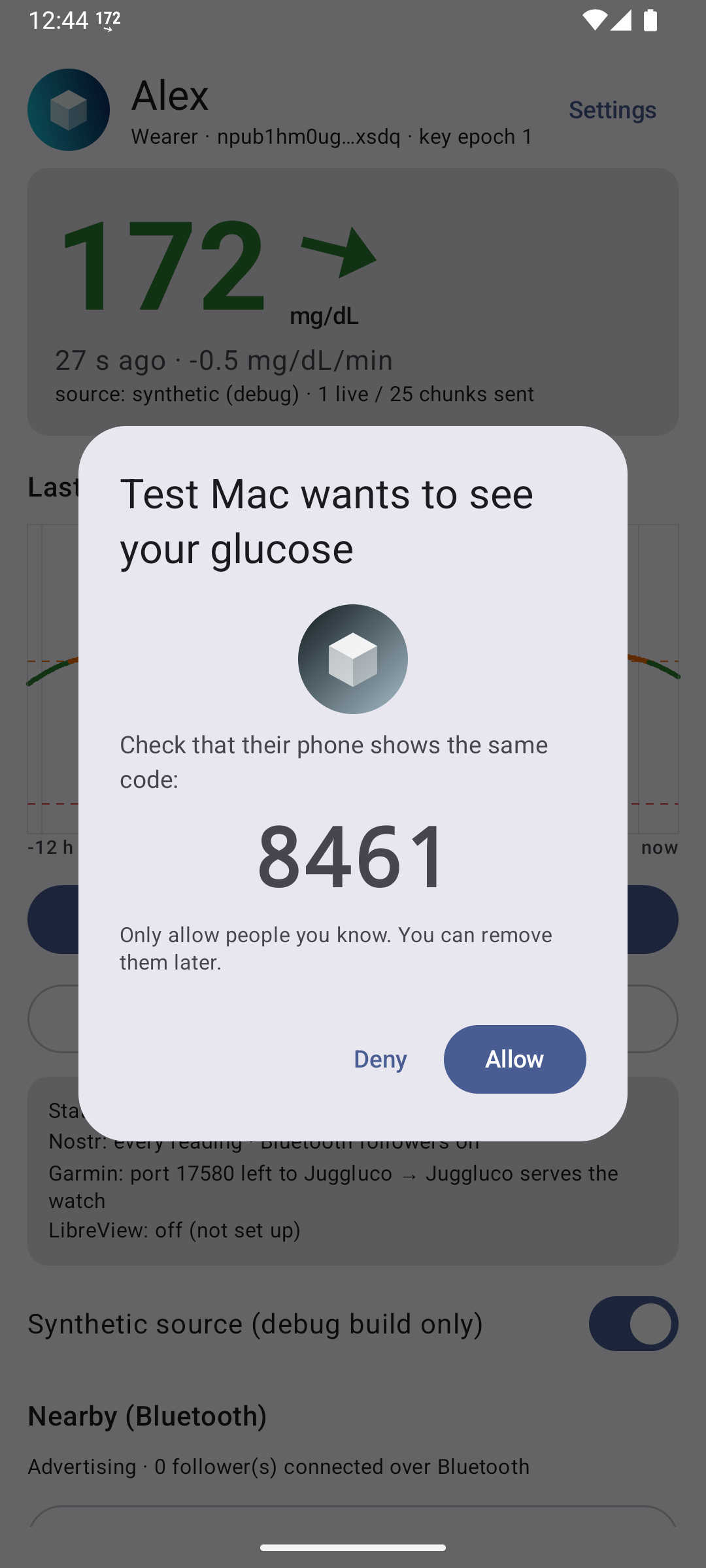
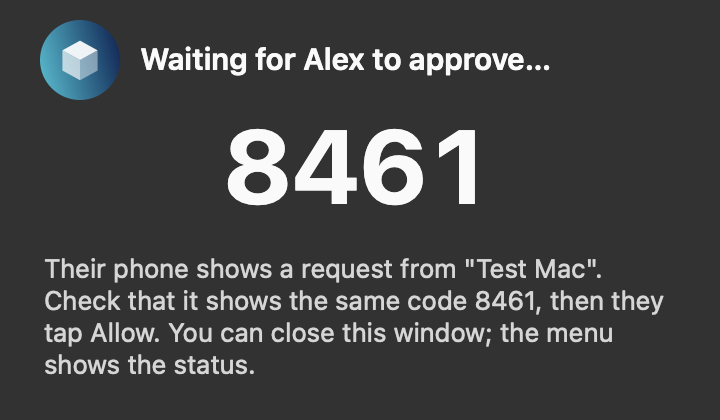
| Mac follows the Android wearer | resolved “Alex” from the link; request with the Mac’s picture; code 8461 on both; Allow → key + readings |
| Android follower (App Link) | preview card “Alex”; request; Allow → active, 1728 readings, live via relay.snort.social |
| Rename | wearer “Alexa” → follower header in ~30 s (roster); follower “Mum” + new picture → wearer’s list |
| Single use | 2 requests on one invite → approve one → 0 pending |
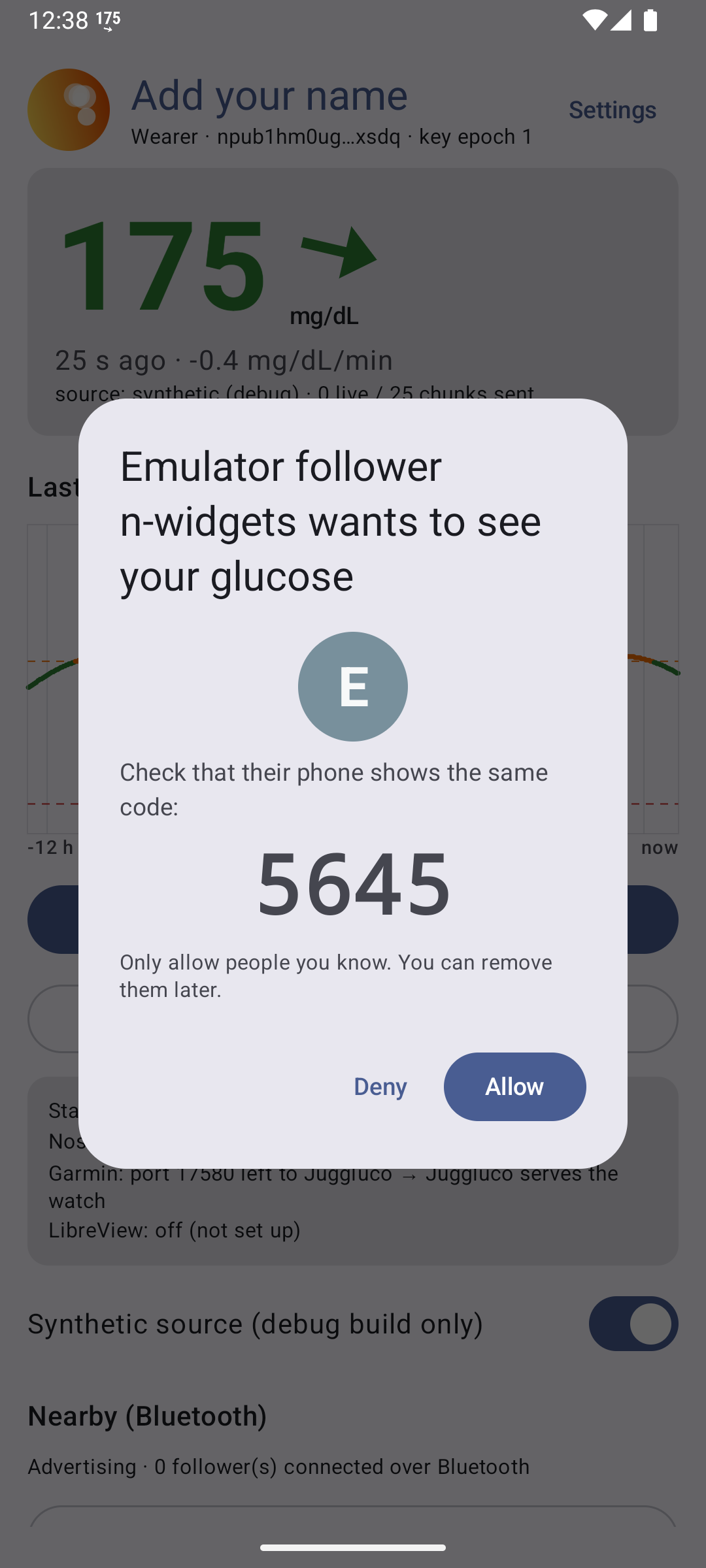 |
 |
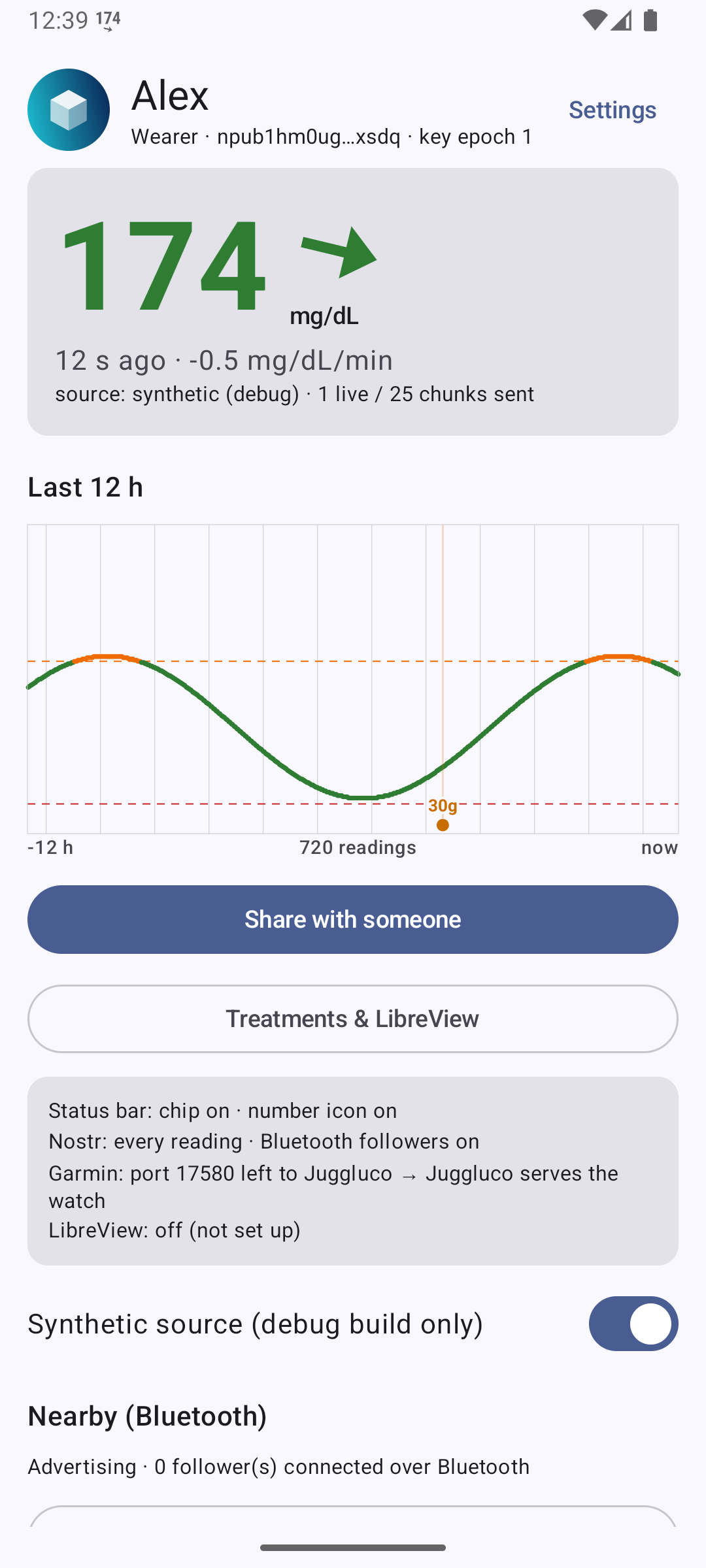 |
| After the upgrade: “Add your name”, random picture; an old request shows the grey initial | Your profile → Customize | Header with name and picture |
 |
 |
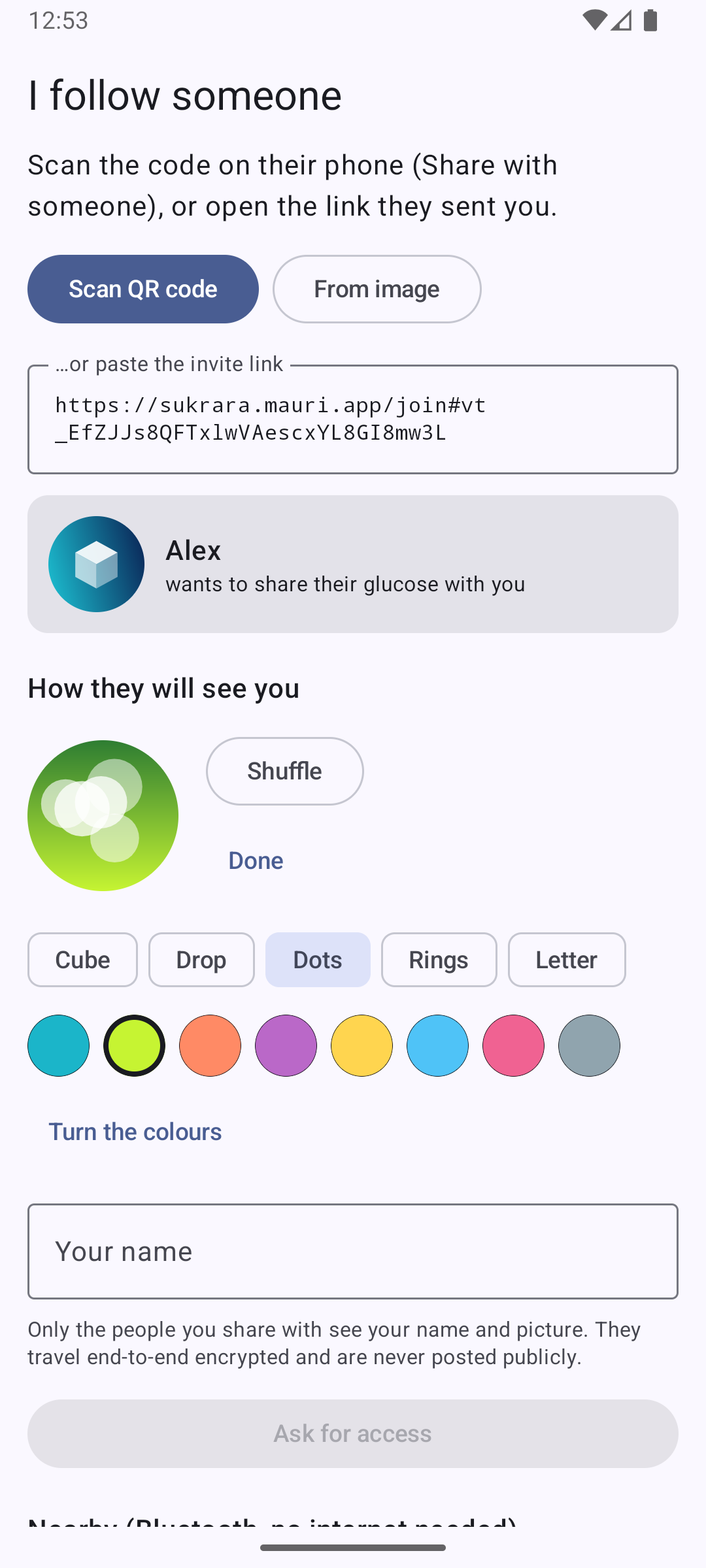 |
| Share: QR version 5, “They’ll see Alex” | Request from the Mac with its generated picture | Follower: who is inviting, before asking |
 |
 |
 |
| Follower header after the wearer renamed to “Alexa” | Follower list with pictures | Sukrara for Mac waiting, with the wearer’s picture |
Match code: replaced in 0.11.6, see “Single-use invites” below.
Single-use invites (v0.11.6)
Section titled “Single-use invites (v0.11.6)”2026-10-17, the user’s proposal after the match-code research: “make the link work once, so only the person I send it to uses it; then no code is needed and the follower can finish on their own”.
What changed
- Each link works for one person. The first request the wearer’s phone receives claims the invite; anyone who
tries it later gets “This invite was already used. Ask Alex for a new one, and tell them, in case it wasn’t
someone they invited.” (new
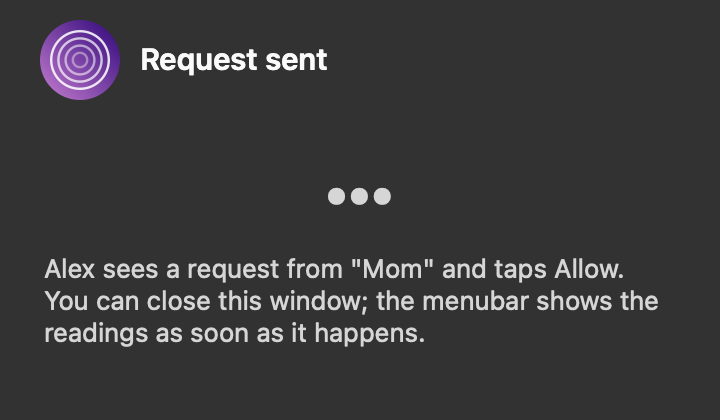
invite-usedmessage), and the wearer’s dialog warns that another phone tried it. - No code on links. The follower asks and can close the app (“Request sent… Sukrara tells you when it happens”).
If the wearer denies, the follower is told (new
declinedmessage) instead of waiting forever. - “Who is it for?” on the share screen: a label kept only on the wearer’s phone.
- New Allow dialog (Material basic dialog, centred variant, custom content; actions end-aligned, Allow last — MDC Dialog guidance): the follower’s picture (96 dp) and name as the headline; a card with the wearer’s label for the invite and a ✓ Matches / Different name pill, when it was sent and when they asked; a red card if other phones tried the same invite; “Allowing sends Mom your last 24 hours and every new reading.”
- Request notification with the follower’s picture, the label, and Deny / Allow actions; Allow requires an
unlocked phone (
setAuthenticationRequired). Not offered when other phones tried the invite or for nearby pairing. - Nearby (Bluetooth) keeps a code, now typed by the wearer: a Bluetooth offer reaches every phone in range. The follower (or Mac) shows the code; Allow unlocks only when the typed code matches.
- Sukrara for Mac: no code for links, “Request sent” window, and already used / didn’t allow this Mac outcomes.
- Invite lookup retries (5 × 5 s): the share screen shows the link before its wrap reaches the relays, and a fast scan found nothing.
Why the Allow tap stays (research, sources in the agent’s report summarised in NEXT.md): “one use” means at most one person gets in, not that it’s the right one — a forwarded link or a photo of the QR lets someone ask first with any name. Approving sends the last 24 h at once, so it can’t be undone. Products that skip approval (Dexcom, LibreLinkUp, Find My, Family Link) bind invites to an account; Sukrara’s link is a bearer token like Signal’s group links, which offer admin approval for that reason. Code-typing for nearby follows the finding that copy-entry beats compare-and-confirm (Uzun et al. 2007).
Tested (emulator wearer + Sukrara for Mac test copies with throwaway Keychain items; the Mac was at load 30–60, the emulator’s system process kept ANR-ing):
| Invite “Mom” → Mac “Mom” asks | wearer: request “for invite ‘Mom’”; dialog ✓ Matches; Allow → key + readings on the Mac |
| Same link, second Mac “Intruder” | invite-used → Mac shows This invite was already used; wearer’s dialog shows the red warning |
| Invite “Dad” → Mac “Grandpa” | dialog Different name; Deny → Mac shows Alex didn’t allow this Mac |
| Unit tests | LabelMatchTest 3/3 (“Mom’s phone” ≈ “Mom”, whole words only), InviteTest 4/4, alerts 15/15, NFC 7/7 |
| Release build on a clean emulator | invite “Mom” → Mac “Mom” → dialog ✓ Matches; a second phone also named “Mom” → invite-used + red warning; tapping Allow → approved. CPU with the dialog open: 0.04 s per 30 s |
| Lookup race | the first scan right after Share found nothing (wrap not on the relays yet) → lookups now retry 5 × 5 s on Android and Mac |
Not tested: nearby pairing with the typed code (emulators have no Bluetooth; the code path is the same ApproveDialog with
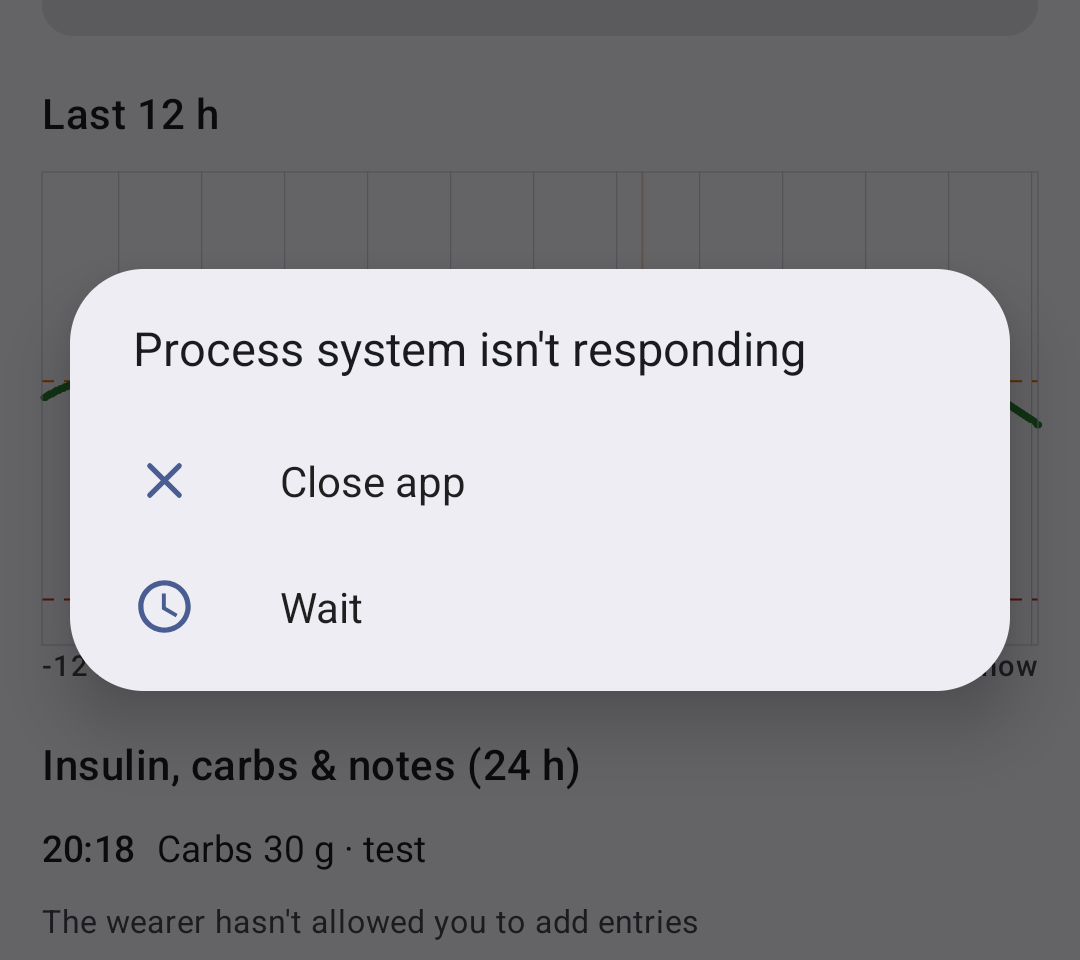
a code field, Allow enabled only on a match). The “isn’t responding” dialogs seen during testing were the overloaded
emulators (system, launcher and Digital Wellbeing too; WorkManager / startup timeouts), not the dialog.
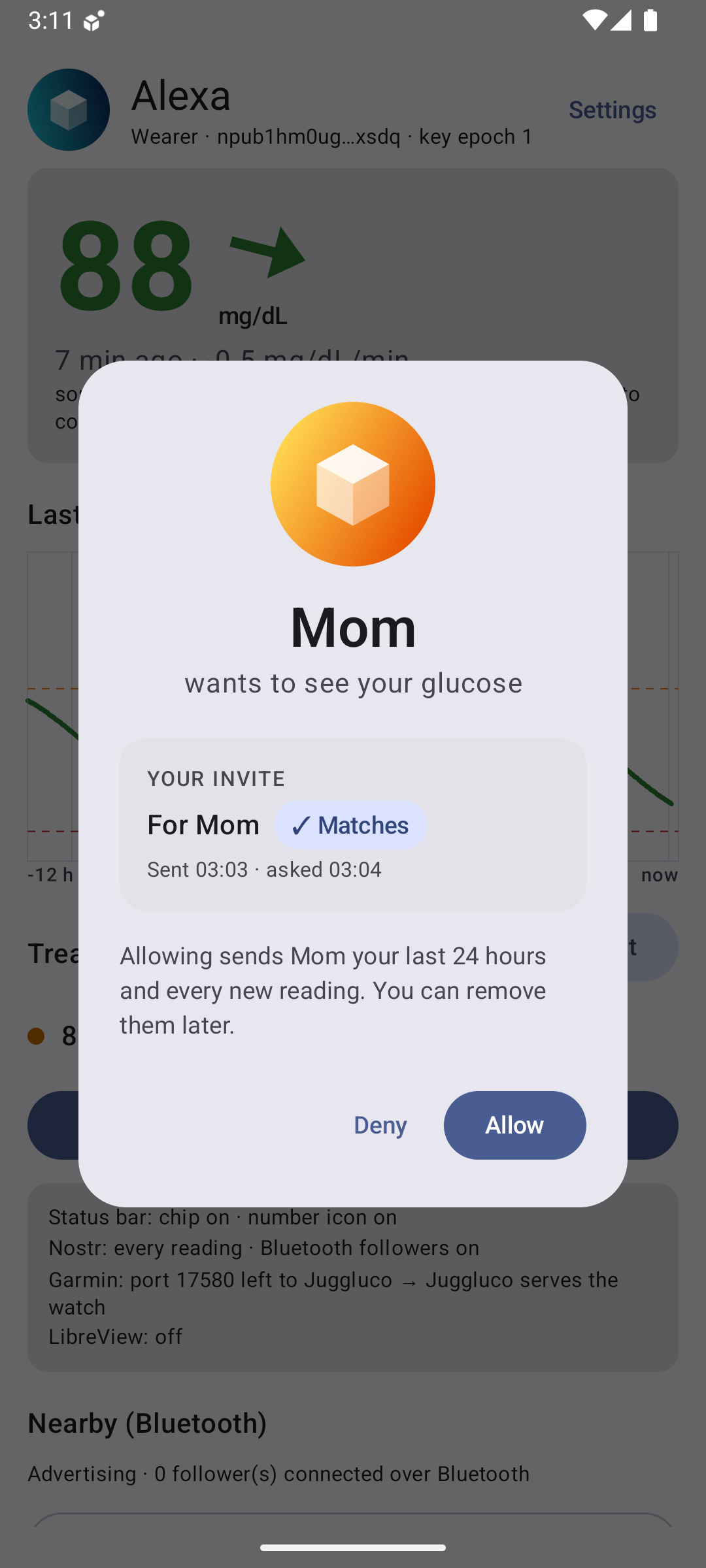 |
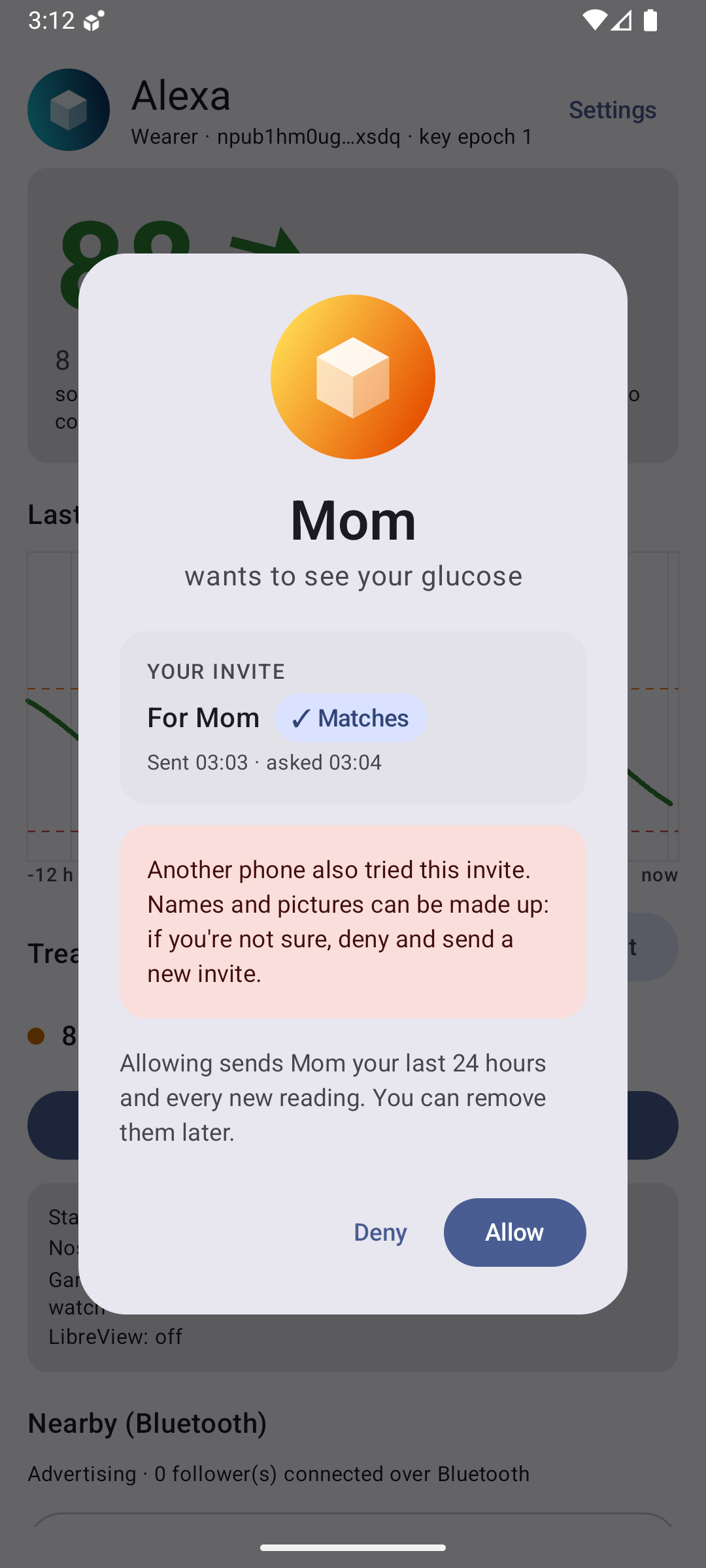 |
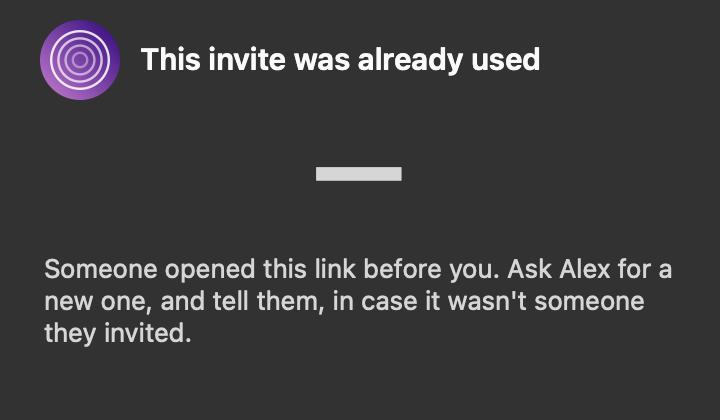 |
| Allow dialog: name as headline, your label, ✓ Matches | Another phone (also calling itself “Mom”) tried the same invite | Sukrara for Mac: the second requester is told |
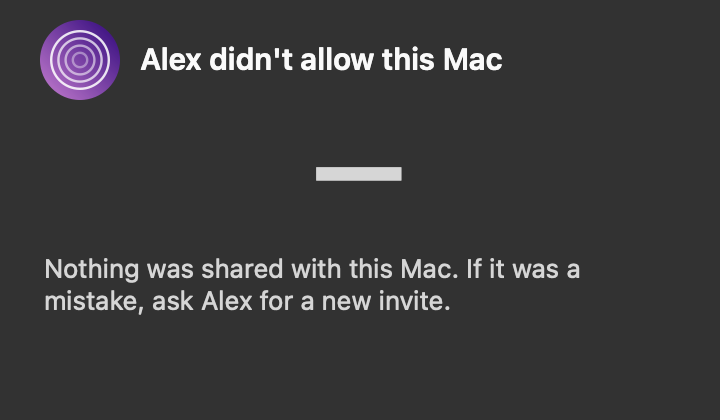 |
 |
|
| Denied: the requester is told | Waiting on the Mac: no code for a link |
Lock screen widget and quick treatments (investigation 17, v0.11.10)
Section titled “Lock screen widget and quick treatments (investigation 17, v0.11.10)”The user marked the empty lower part of the lock screen (around the fingerprint icon, above the shortcuts) and asked for the graph there, plus treatments without unlocking. Root is available, so the LSPosed module now also hosts a Sukrara widget inside SystemUI. Full report, rootless options and the fingerprint bug: docs/17.
| Added | Where |
|---|---|
SystemUI hosts a keyguard-only Sukrara widget (AppWidgetHost, SystemUI’s BIND_APPWIDGET) under the Compose lock screen, sized from the fingerprint sensor bounds and the shortcut dimens, fading with the lock screen scene |
hook/LockscreenWidgetHost.kt, hook/SystemUiHook.kt |
| The widget: value + arrow left of the fingerprint icon, ring slots right of it, chart below (investigation 16/18’s renderer, dark palette, no background) | widgets/LockscreenWidget.kt |
| Taps reach the widget only through the hook’s filter: never on the sensor’s column, never a long press or a drag | LockscreenWidgetHost.GuardedView |
| The notification shelf must fit above the fingerprint icon while the widget is on | computeMaxKeyguardNotifications hook |
Settings → Lock screen → Glucose on the lock screen (lockWidget, default on; DebugReceiver --ez lockWidget) |
Features, WearerScreens, RootStatusBar broadcast |
The treatment dialog shows over the lock screen without unlocking (manifest showWhenLocked); Open Sukrara asks to unlock first |
AndroidManifest.xml, QuickTreatmentActivity |
| 0.11.52: over the lock screen the dialog closes unsaved after Time to save (default 20 s; a ring with the seconds on Cancel; Unlock keeps every input); details, added and discarded: docs/17 | treatments/LockCountdown.kt, ui/LockCountdownUi.kt, QuickTreatmentActivity |
| Quick Settings tile Add treatment with the current value | ui/TreatmentTile.kt |
| Background for busy wallpapers: none, shadow, dim, card, blur (default); In range in white | LockBackground, LockscreenWidget, LockscreenWidgetHost |
Exact size (a 100 dp test square: 311 × 343 px before, 262 × 262 after) and direct updates of the SystemUI-hosted widget id (Glance’s updateAll never reached it) |
LockscreenWidgetHost.place, LockscreenWidget.updateAll |
| Discarded | Why |
|---|---|
| Drawing the widget as our own SystemUI view | hosting the real widget reuses the widget pipeline, layout and tap handling |
| The widget above the Compose lock screen | it would cover the fingerprint icon and take the unlock swipe |
| Normal touch dispatch to the widget | a finger on the fingerprint sensor opened the dialog (the user’s first test) |
| Lock screen wallpaper (GlucoDataHandler’s approach), the Notes-role shortcut | not interactive / takes over the user’s wallpaper or notes app |
| A light scrim or card | lock screen content is light; it would need a second palette |
| Quick Settings tile as the rootless quick entry | on a secure lock screen SystemUI asks for the fingerprint before a third-party tile’s onClick; the tile stays as a shortcut |
Settings like Android 16/17 (v0.11.13)
Section titled “Settings like Android 16/17 (v0.11.13)”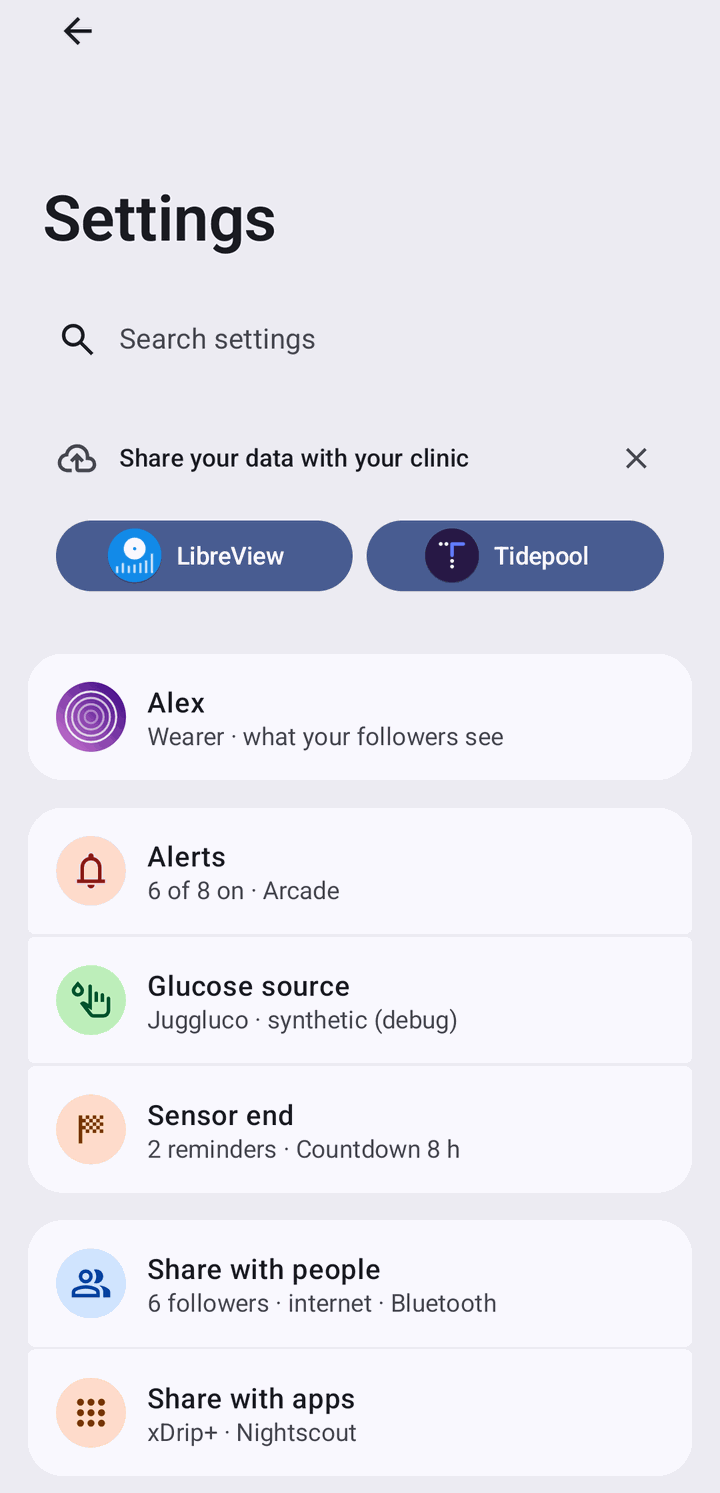
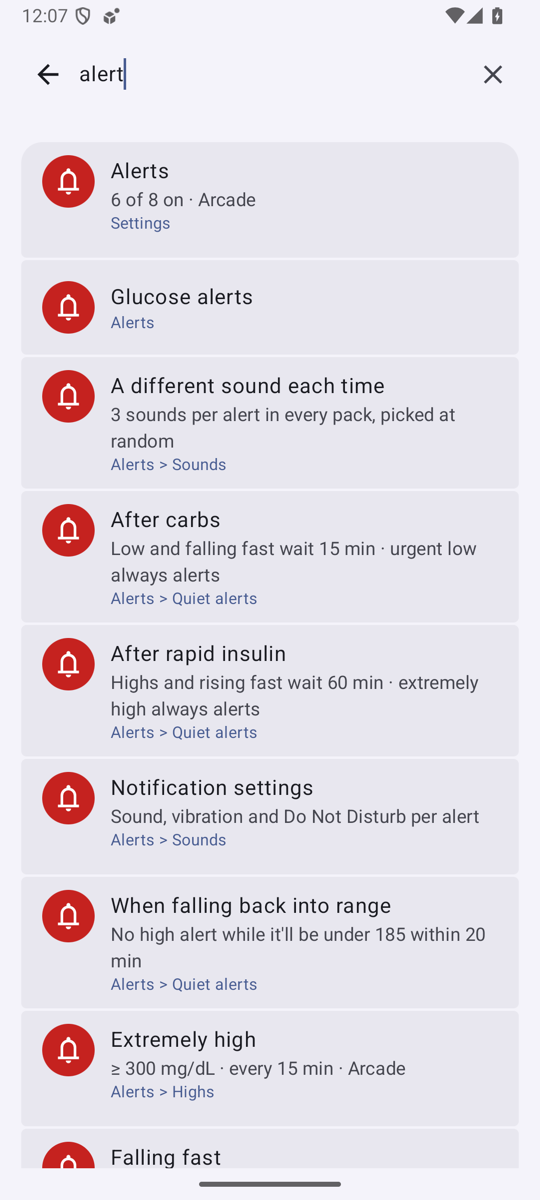
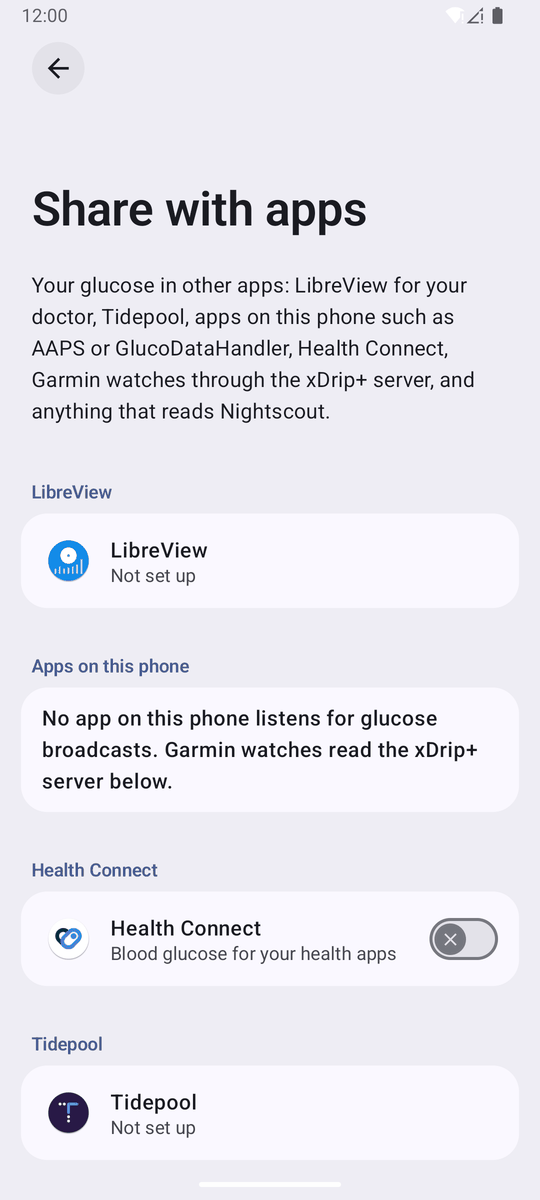
Settings rebuilt after the system Settings app and its guidelines (pattern, AOSP). Added:
- Overview → subpages (“For 15 or more settings, group related settings under a subscreen”): profile, Alerts,
Glucose source, Share with people, Share with apps (LibreView, xDrip+ server, Nightscout, Nostr; the two link to
each other), Graph, Status bar, Lock screen, Backup (also settings export / import / reset), Advanced (relays,
log, link priority, experiments), About (version, source, the other apps from the latest release’s files, an
update only when the release is newer). Coloured category icons on the overview, Material Symbols elsewhere (the
material-iconslibrary is deprecated), brand marks from Simple Icons / the projects, scaled to the same 20 dp live area; one 40 dp icon column per group (AOSPiconSpaceReserved). - Rows are material3 1.5
SegmentedListItems (expressive cards; needed Compose BOM 2026.09.00, AGP 9.1.1, Gradle 9.3.1): › opens a page, ↗ leaves the app, the value under the title opens a dialog, a split line + switch opens and toggles (alerts, quiet rules), main switch bars, intro headers, footers, banners. Chip rows became radio dialogs. - Home keeps the glucose card (now with Add treatment), the report, treatments and Share with someone; the status card, nearby pairing, followers, backup and relays moved to Settings. Banners: set up LibreView (dismissible; since 2026-10-21 Share your data with your clinic with LibreView and Tidepool pills) and not backed up.
- Motion and back like Settings, which has none of its own (SettingsLib’s
SettingsTransitionHelperis empty): the system activity transition (96 dp slides, 450 ms fast-out-extra-slow-in, short fades) and the cross-activity predictive back (90 % scale, window corners, 20/80 % scrim). Back is a real back stack (Alerts → Settings → Home). - Search like SettingsIntelligence: the pill under the title opens the contained full-screen search
(
ExpandedFullScreenContainedSearchBar), recent searches, results with section icon / summary / breadcrumb, ranks 1/3/7/9 (first title word, other title words, summary, breadcrumb); a result opens its page by the menu path and pulses the row likeHighlightablePreferenceGroupAdapter. The index can’t drift: it’s built by composing the pages themselves in index mode (rows record title, summary, group, icon and the page they link to), so there is no list to keep in sync — PixelXpert’sSearchPreferenceneeds a hand table of pages (HeaderFragment.initSearchableItems); AOSP needsSEARCH_INDEX_DATA_PROVIDER+ a code inspector test, or the newer Catalyst metadata. - Root and LSPosed from the source:
sufor root, the libxposed service API 102 for the module (scope, System UI’s running target: missing, not in scope, not loaded, an older build, active). Pages disable what depends on them with the reason and offer the next step: Check again, Add System UI (LSPosed’s own scope prompt), Restart System UI. - xDrip+ server and Nightscout API off by default.
Discarded: shared-axis transitions (not what Settings shows), a separate search route (the M3 contained search bar
does it), a fixed list of searchable pages, the material-icons library.
On AOSP’s own settings library (2026-10-18 round)
Section titled “On AOSP’s own settings library (2026-10-18 round)”The pages now use the code the Settings app draws its Compose pages with: SettingsLib SPA
(frameworks/base/packages/SettingsLib/Spa, branch android17-release, commit 94b4c163), vendored as the
settingslib-spa Gradle module (Apache-2.0, headers kept, NOTICE). Values cross-checked against the View-based
SettingsLib of the same branch (SettingsTheme/res/*-v36, CollapsingToolbarBaseActivity, TwoTargetPreference,
MainSwitchPreference) and the 36.1 emulator’s Settings. Added:
- Collapsing large title (SPA
SettingsScaffold/CustomizedLargeTopAppBar): 36 dp title, collapses into the 22 dp top-bar title on scroll; the expressive round back button. SPA starts collapsed; Sukrara opens expanded like Android 17’s View pages (BasePreferencesFragment.onResume→setExpanded(true)), the one change to SPA’s behaviour. - Rows and groups are SPA’s
Category,Preference,SwitchPreference(check / close thumb icons),TwoTargetSwitchPreference(› chevron, 1 × 40 dp line, switch),MainSwitchPreference,CheckboxPreference,Footer,SettingsBanner, andHighlightBoxfor search hits (on our nav). Titles are titleMedium (500) in the device’s Settings fonts (SettingsTheme), rows are centred vertically, plain rows have no chevron. - Homepage icons like AOSP
ic_homepage_*: glyph in tone 30 on the adaptive-icon shape in tone 90 (80 dark), from the Material reference palettes. The rotating cookie shape with the page icon is gone: page intros are TopIntroPreference text. - Dialogs are SPA’s
ListPreferencedialog; number lists end with Custom, which reveals a number field with the unit and the range (the AOSP keyboard key-delay dialog is the only stock “Custom” option: a last radio that reveals its control). Custom values survive export / import (graph windows and ring periods now validate a range instead of the preset list). - Each alert has its own page instead of the old all-in-one dialog: “If a setting has related settings, show them on a separate screen” (pattern), like Settings → Notifications → app → category. Followers mirroring the wearer see the rule read-only.
- Sound previews vibrate: every ▶ plays the alert’s
AlertHapticseffect with the sound, unless “Play with vibration” is unticked (a per-phone UI preference).
Discarded: SPA’s page framework (SettingsPageProvider, BrowseActivity, navigation-compose): our in-app back stack
keeps the system motion, predictive back and the index-mode search; SPA’s chart and Lottie widgets (MPAndroidChart,
Lottie); the ↗ / › end icons on plain rows (stock rows have none); the per-group icon column (SPA doesn’t reserve it).
Transition flash (fixed after 0.11.14). The screen host drew the page at rest and the pages in motion from
different call sites, so every move composed the page again from scratch at its start and end: home’s chart was
redrawn empty for a frame when Settings opened, and SPA pages showed one frame of rows in a different layout at the
end of an open and the start of a back. Present since the system page motion (0.11.13), visible with the SPA pages.
ScreenHost now keeps each page in a fixed slot for as long as it’s drawn (z-order by zIndex), so no page is ever
recomposed from scratch mid-move; a back during an open now animates the half-open page back out. Guarded by
ScreenHostTest and a QA Q1 step (record at 5× animator scale, step the frames).
In Sukrara (apps/android, #168, 2026-11-11)
Section titled “In Sukrara (apps/android, #168, 2026-11-11)”The 0.12.0 app had redrawn these rows by hand (:core:designsystem SettingsRows.kt, M3 Switch, a chevron on
every link); the owner saw it from the switches. Added:
:settingslib-spa, copied from the PoC (same sources, Apache-2.0 headers andNOTICE), built with the app’s version catalog (Material Components 1.13.0, stable, instead of the PoC’s 1.14 alpha), JDK 21 and Sukrara’s Lint errors.tools/checkregisters it in allow.jsonvendored: its files need upstream’s license header instead of the GPL one, its NOTICE must be tracked. Three small changes, each markedSukrara:and in the NOTICE:SwitchPreference(model, modifier)/MainSwitchPreference(model, modifier)public and arowModifieronPreference, so a follower’s mirrored rows stay read-only at full contrast with TalkBack’s “disabled” (SPA’s own restricted rows set their semantics the same way).- The row layer on SPA (
:core:designsystemrows/), keeping the app’s calls: groups, switches, two-target switches, links, values, facts, footers, intros, main switches (Alerts, each alert, night alerts, LibreView / Tidepool / Nightscout upload), inline radios (Reading source, Settings from), Play with vibration as a check box, Add reminder (CategoryButton), the Removed / Earlier doses pills (NumberButtonPreference), SPA banners (Sensor taps are blocked, the root / LSPosed steps, the tips), SPA’s list dialogs, the scaffold (also Share with someone, which had none and so drew black text on the dark window: #170, and a widget’s settings). - What the app has and the PoC hadn’t stays the app’s: group titles are TalkBack headings, toggles confirm with a haptic, a main switch can carry one line saying what its state means or why it can’t be used, choice dialogs keep a Cancel, home’s safety banners keep their error card.
Discarded: HighlightBox (the app’s search opens the page; it never named a row to highlight), the PoC’s index mode
(the app has its own index, SettingsIndex, checked against the pages by SettingsIndexTest), SPA’s page framework
(as in the PoC), ActionRow’s custom TalkBack click label (SPA’s rows read as stock Settings’ rows do).
Search again like the PoC (#181, 2026-11-12). The owner: the search “lost a lot of functionality” and opening Night
alerts from it crashed the app. Added back: the contained search pill and the full-screen
ExpandedFullScreenContainedSearchBar with its back arrow; results as SPA rows with the section’s category icon, the
summary and where the row is (page › group) in the accent colour; the PoC’s ranks 1 / 3 / 7 / 9 (summary parts, keywords
and the group’s name find rows) with shallower rows first; one result per page; a result opens its page through the
menus’ path and flashes its row (HighlightBox on rows, group titles, section buttons, footers and free rows); every search
starts empty; recent searches as a list with the history icon. The index now has each row’s group and keywords, Alert
reliability’s checklist and the night alerts’ pages; SettingsIndexTest checks every row’s group and that every result
flashes its row. The crash was resource shrinking (the mute and night lines’ strings were found by name and removed from
release builds); those strings are found by ids written in code now. Still discarded: the PoC’s index mode (composing
the pages invisibly to build the index): the declarative SettingsIndex with its test against the rendered pages keeps
the same guarantee without composing every page on each search. Share with apps’ rows are listed by the app
(AppsSearch, its strings are :integrations‘, checked against the page by AppsSearchTest); Sharing, Backup, Profile
and the services’ own pages are found by the rows that open them only: their content depends on live state (an
identity, a sign-in) and lives in modules the settings feature can’t depend on.
In Sukrara: screen motion (#169, 2026-11-11)
Section titled “In Sukrara: screen motion (#169, 2026-11-11)”The owner after 0.12.0: “The animations between screens on the app are wrong. in the poc we had good animations
depending on the page.” Sukrara drew its screens with Navigation 3’s NavDisplay and its defaults: a 700 ms
cross-fade for every open and back, and a predictive back that faded the page while shrinking it to 70 %.
Added (FEATURES.md “Screen motion (Android)”): the PoC’s ScreenHost as :core:designsystem motion/ScreenHost, on
Navigation 3’s back stack and decorated entries (saved state and view models per screen stay Navigation 3’s); the
system page motion (96 dp slides, 450 ms fast-out-extra-slow-in, the short fades) and the cross-activity predictive
back (90 % scale, window corners, 20 / 80 % scrim, finger-following, 450 ms finish) for every page; fade through for
setup, which plays the PoC onboarding’s part (no parent/child relation); one function names each route’s kind
(screenMotion), every number is in the pure ScreenMoves (unit-tested), the host keeps the fixed slots against the
transition flash. New against the PoC: with reduced motion nothing moves at all (the PoC still moved the page under
the finger with animations off, since a gesture doesn’t run on the frame clock), a gesture started during a move
first finishes that move (the PoC could draw one page twice), and a page’s lifecycle is RESUMED only at rest, as with
NavDisplay. LibreView sign-in lost a back handler that only repeated Back and hid the predictive back.
Discarded: NavDisplay (its predictive back scrubs one seekable transition by the gesture’s progress: no
two-phase preview-then-finish, and the finish gets shorter the further the finger went); the PoC’s own Nav string
stack (Navigation 3’s keys, saved state and view model decorators already do it); SettingsLib SPA’s navigation
(already discarded above); mirroring the slides for right-to-left languages (the PoC didn’t, and Sukrara has none).
Treatments on the card (2026-10-18 feedback round)
Section titled “Treatments on the card (2026-10-18 feedback round)”Details and pictures: 16 → Treatments on the card.
| Added | Where | Discarded (why) |
|---|---|---|
Units 4.5u / 30g everywhere |
TreatmentMarks.amount, lists, dialog, Nightscout note |
4.5 U, 30 g (the user) |
| Time since on chart marks and in the treatment lists | TreatmentMarks.duration, TreatmentsSection, FollowerEntries |
— |
| Mute lines on the chart | TreatmentMarks.draw(muteUntil) |
lines for long-acting / notes (they mute nothing) |
| Status badge under the value | graph/CardStatus.kt (StatusBadge), ui/Widgets.kt (StatusBadgeChip) |
a no-data badge (out of scope) |
| Last-treatment slot, Settings → Graph → Beside the number → Last treatment / Without a recent one | LastTreatment, Slots, LastSlot, GraphConfig.lastPlace/lastElse |
a new slot kind; long-acting in the slot |
| Carbs focused in the dialog when low | TreatmentDialog |
— |
Treatment labels and rounded numbers (2026-10-18 round)
Section titled “Treatment labels and rounded numbers (2026-10-18 round)”Details, spec and pictures: 16 → Treatment labels, 16 → Rounded numbers.
| Added | Where | Discarded (why) |
|---|---|---|
| Labels under the markers (axis row + a second row when needed), hour labels give way, never over the line | TreatmentMarks.layout/place/draw, GlucoseGraph.draw; Mac SukraraGraph.swift |
labels above the markers inside the plot (they covered the data) |
| Close entries share a label, slide, row 2, then no time, then no label (newest first) | same | chained pixel merging (a run of snacks became one label) |
| Width model shared by Android and Mac; label fixtures with a layout dump on both | graph/TextModel.kt, poc/spikes/graph-fixtures/labels/, GraphFixtureTest.labels, -graphselftest |
measuring each platform’s font (different decisions) |
| Label halo cut out of the chart (any background) | chart drawn in one layer + DST_OUT / .destinationOut |
a background-coloured stroke (wrong on transparent / tinted surfaces) |
| Rounded big numbers on Android: Google Sans Flex, ROND 100 (OFL), notification value drawn as a picture | graph/RoundedFont.kt, assets/fonts/, GlucoseCard, RollingNumber, GlucoseNotification.valueBitmap |
Nunito / M PLUS Rounded (further from SF Pro Rounded); a downloadable font (background canvas drawing) |
Notification and lock screen surfaces (2026-10-18 round)
Section titled “Notification and lock screen surfaces (2026-10-18 round)”The user: the notification wastes the area below the app icon and doesn’t show the time-in-range slots; the lock screen widget’s black tint looks bad in light mode, and “Blur” is really blurred + tinted.
| Added | Where |
|---|---|
| The home widgets’ slots (rings, report numbers, last treatment) on the custom card’s value row, collapsed and expanded, as discs of the graph panel’s surface colour | GlucoseNotification.art, graph/CardStatus.kt appSlots, res/layout/notif_glucose_*.xml |
| A shorter expanded card: the follower line as the header’s sub text, the graph at the content column’s width and its real aspect (it was drawn 112 dp tall into a 96 dp view) | GlucoseNotification, notif_glucose_expanded.xml |
Live Update (Android 17 MetricStyle): the slots as metrics after the value (86% · in range 1d) |
GlucoseNotification.metric |
Lock screen Appearance: Automatic (default) / Light / Dark; light = the home widgets’ background (system_accent2_50) and light palette, for every background; re-tints on a dark-theme flip |
LockAppearance, LockscreenWidgetHost, LockscreenWidget, SukraraHooks.watchNightMode |
“Blur” renamed Frosted glass (frosted, default) |
LockBackground |
| The lock screen widget’s slots through the same helper, so the last-treatment slot shows there too | LockscreenWidget |
| Discarded | Why |
|---|---|
| Drawing under the notification’s icon (the user’s ask) | Android 12+ puts custom content in the column right of the icon and clips it (custom notification guide: “the system applies a standard template”); a −52 dp start margin was cut off on the emulator, and Android 17’s templates indent the content 72 dp. The card is shorter instead, so less of that column is empty. Correction (19): custom views stay in that column, but Android 17’s Live Update layout draws a ProgressStyle bar and action buttons across the whole card |
In range in white on the lock screen (lockWhite) |
dark-only; the appearance option replaces it |
| The trend metric in the Live Update card | the chip’s arrow and the title already say it; the room goes to the slots |
Mac UI/UX round (2026-10-18)
Section titled “Mac UI/UX round (2026-10-18)”The user: the graph in the menubar dropdown is hard to read, the graph has gaps although Nostr and Bluetooth should fill them, the menu shows too much (the report doesn’t belong there), the Mac needs a proper settings window, and the dmg triggers Apple could not verify “Sukrara” is free of malware. Then, mid-round: the alerts settings look terrible. Guidelines read for every decision: Apple HIG The menu bar, Menus, Settings, Windows, Materials, Color, Accessibility.
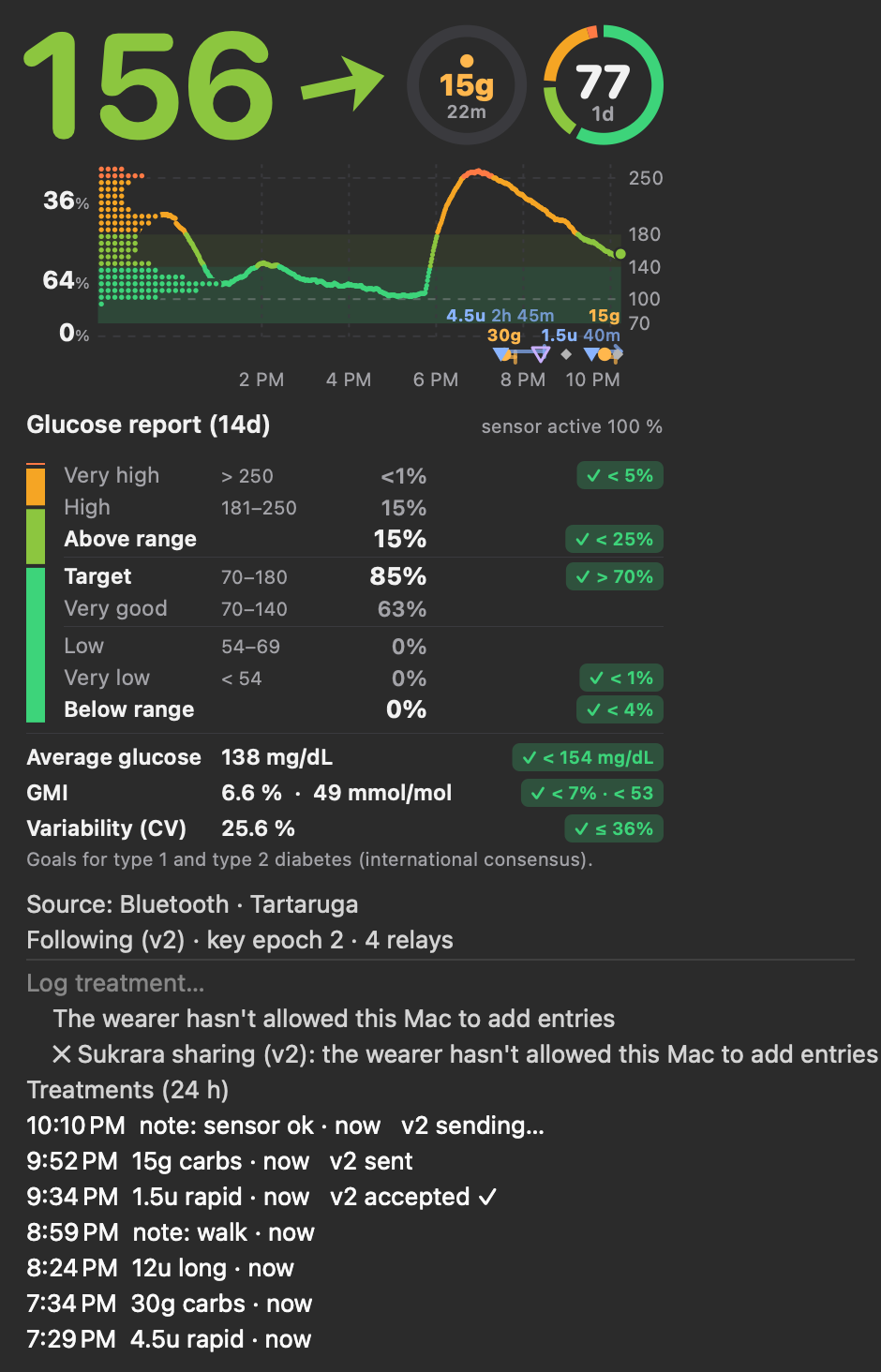
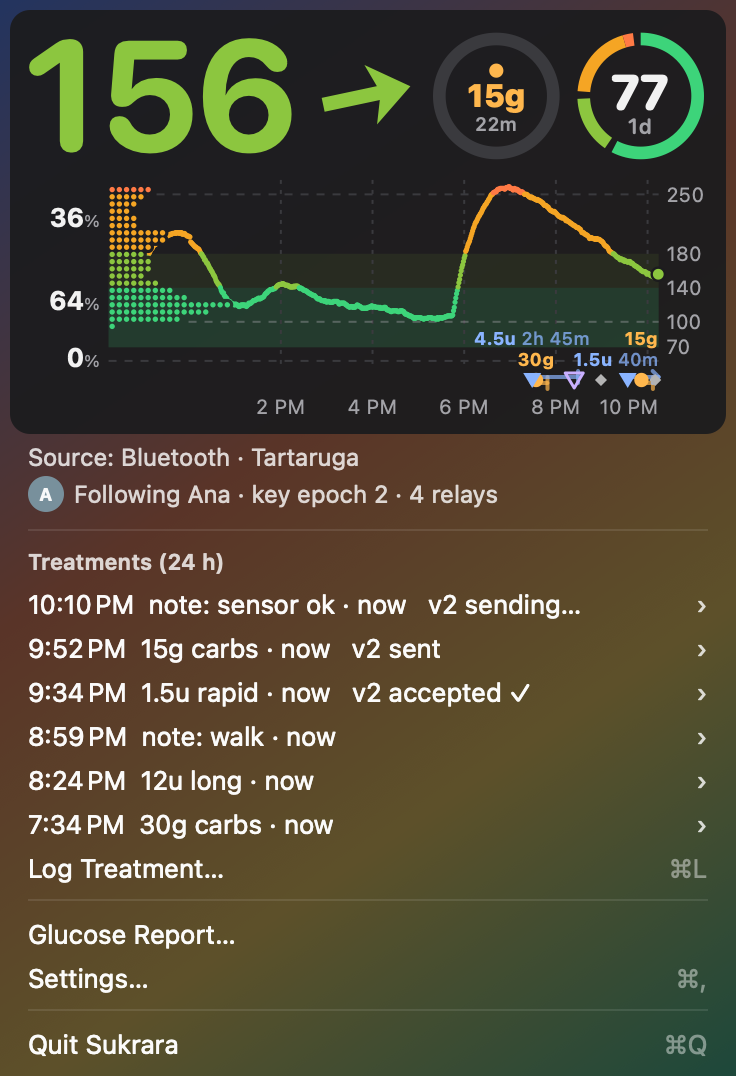
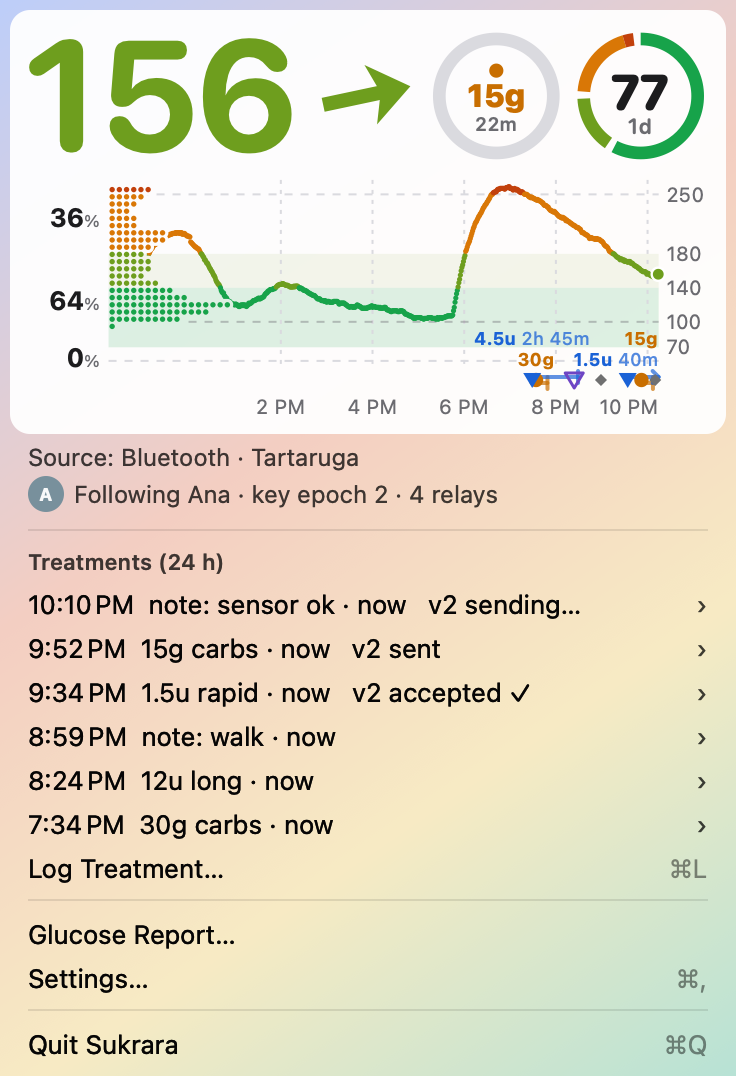
Synthetic data (GlucoseBar -menuPreview). Left: the menu before this round (report, follow items, Graph
submenu, Alerts…, Refresh). Middle/right: now, on a simulated menu material over a bright wallpaper.
Old menu light · no platter, same wallpaper: light, dark ·
Increase Contrast, dark · light
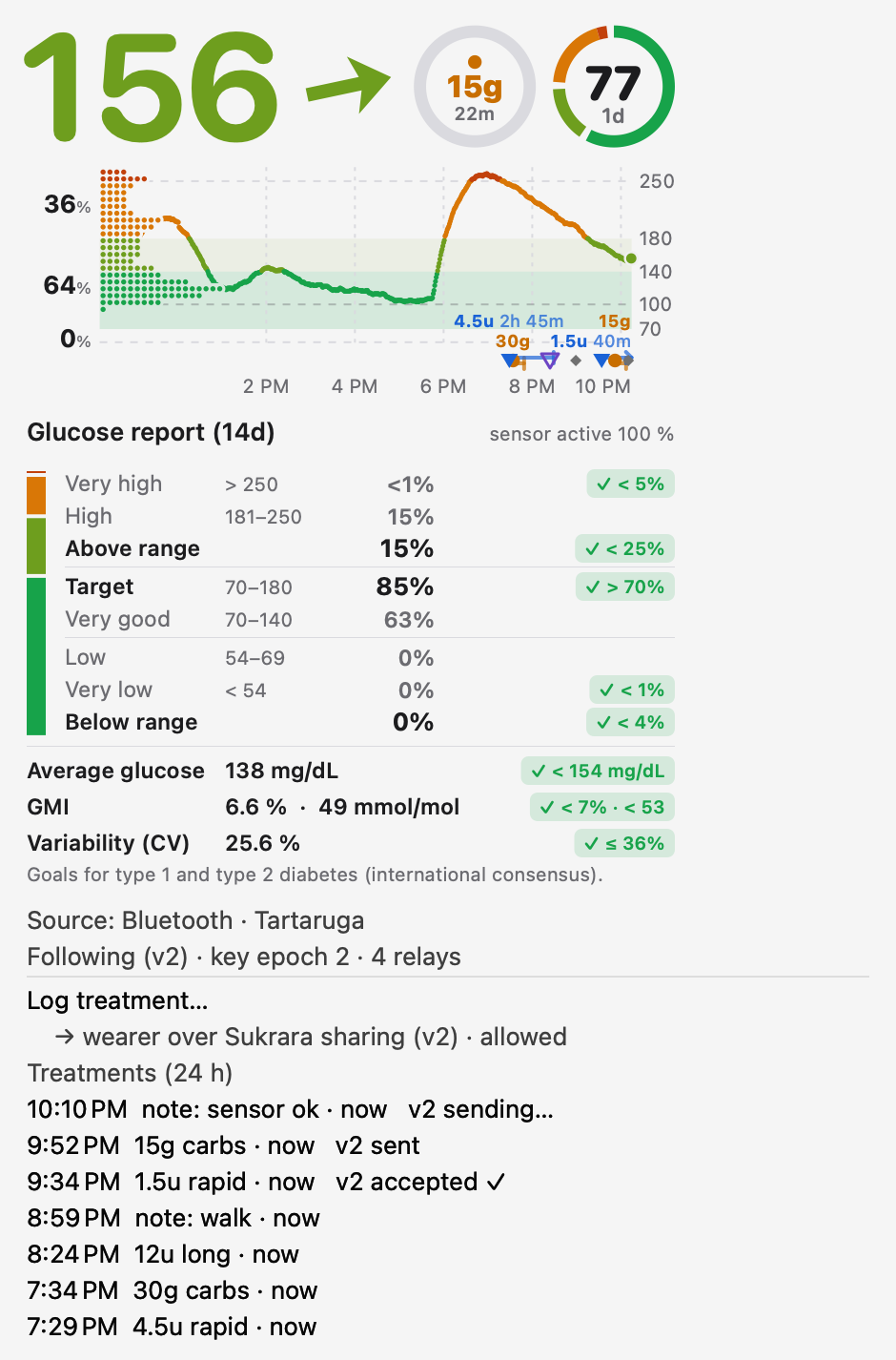
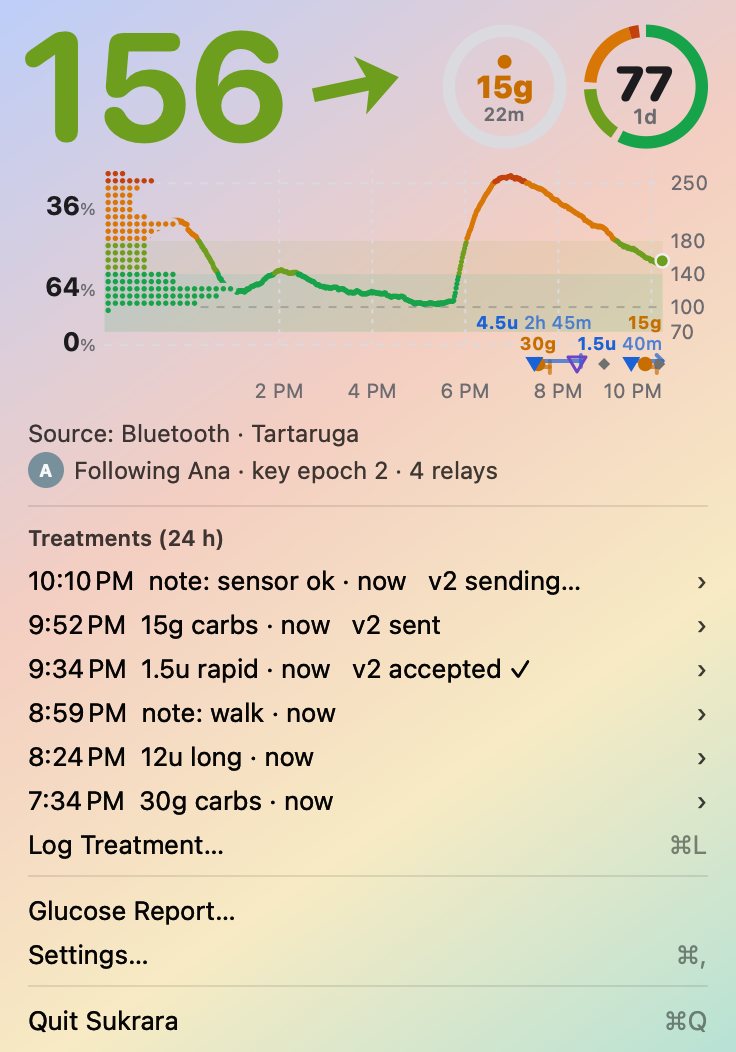
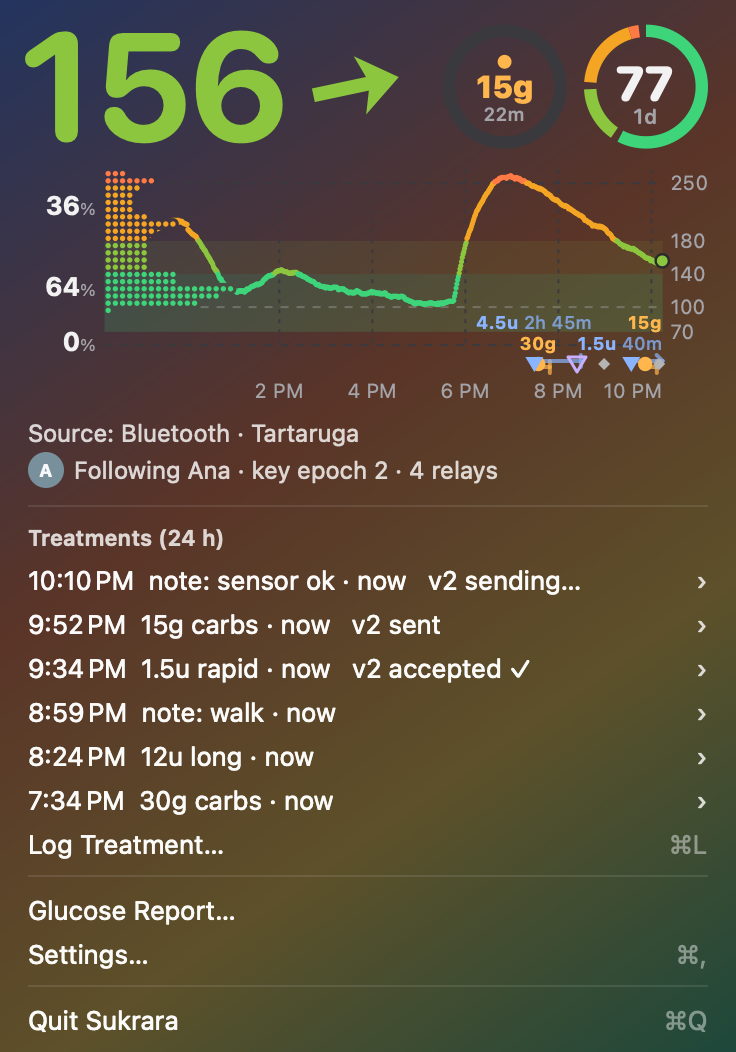
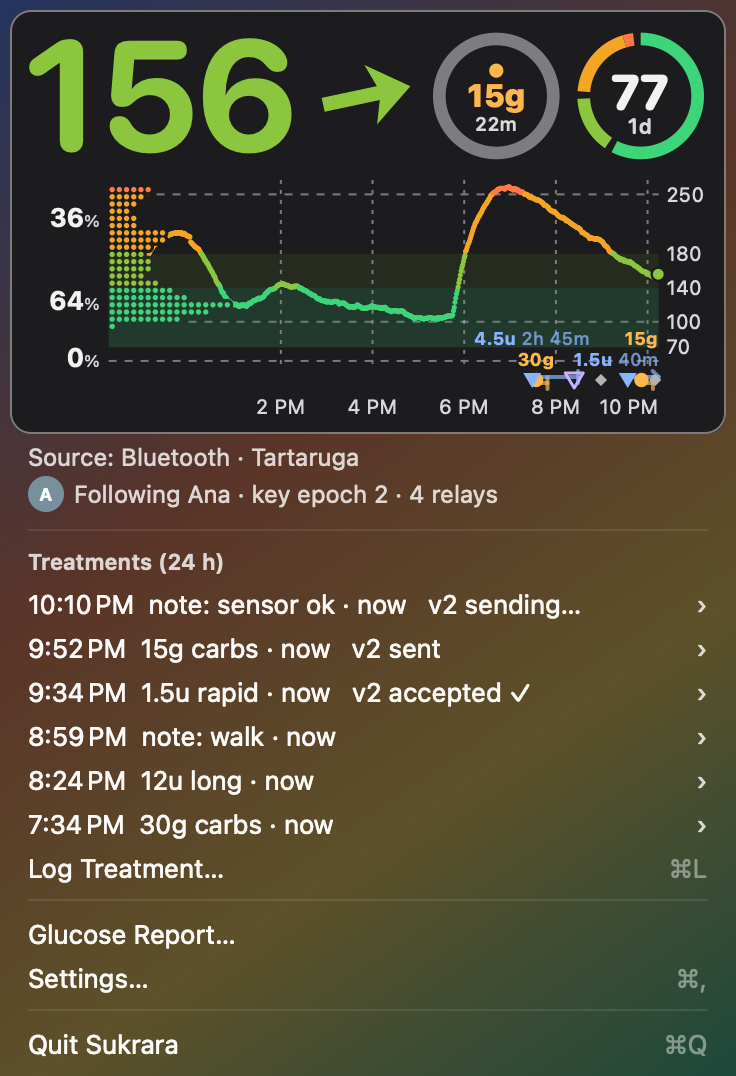
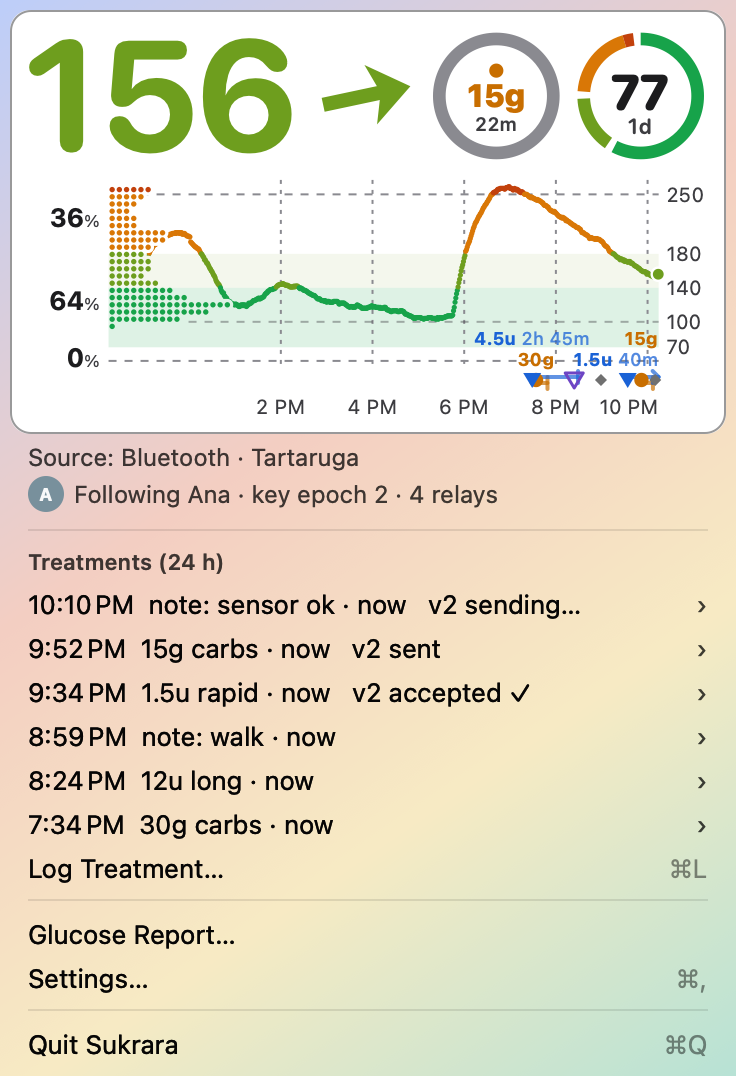
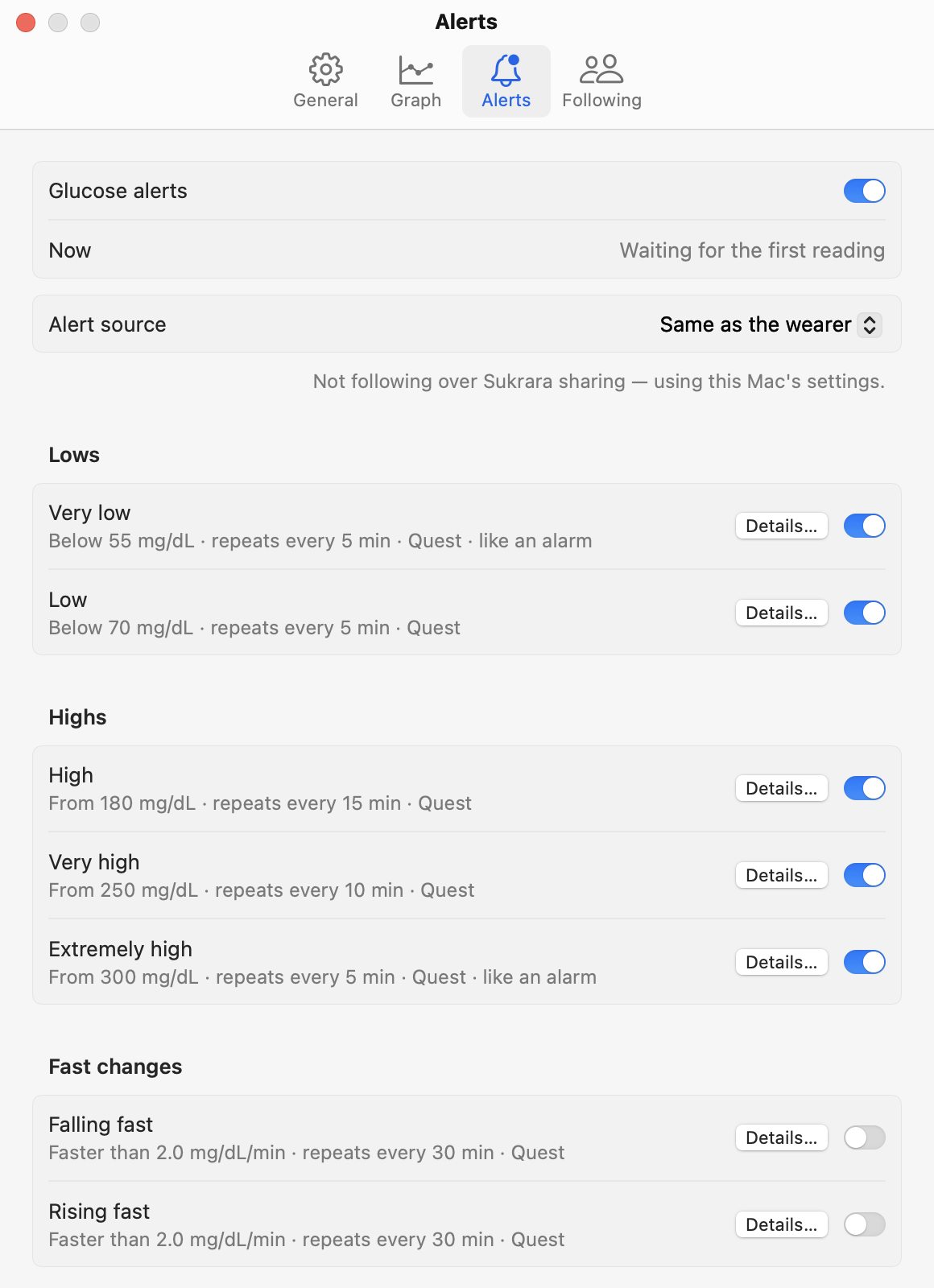
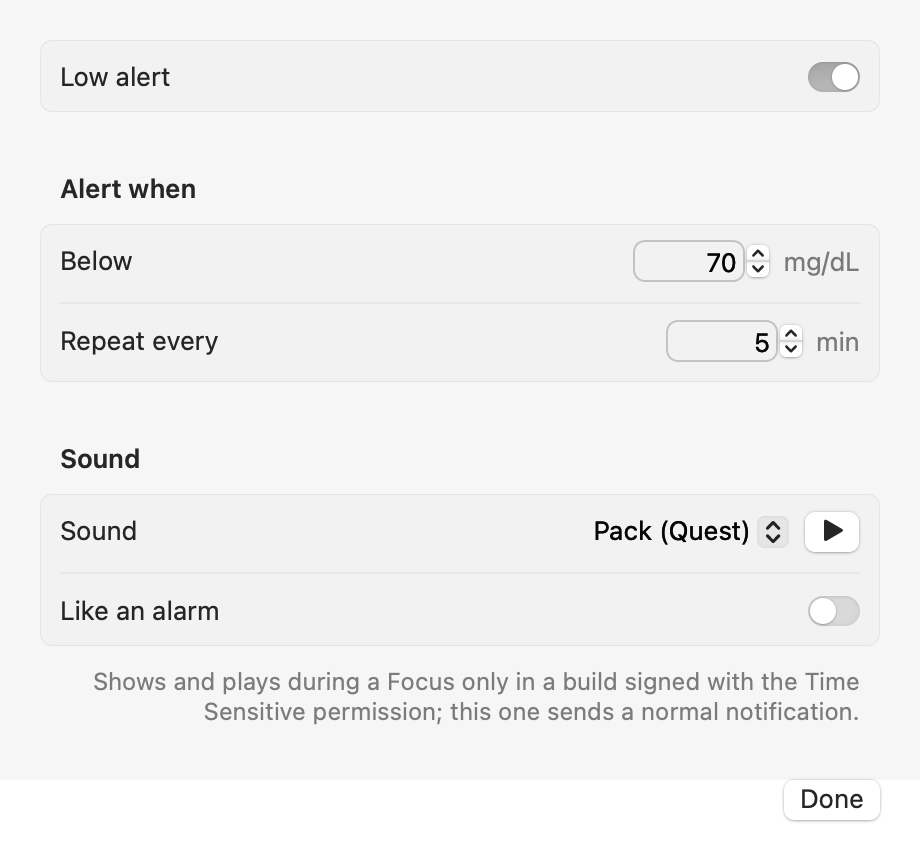
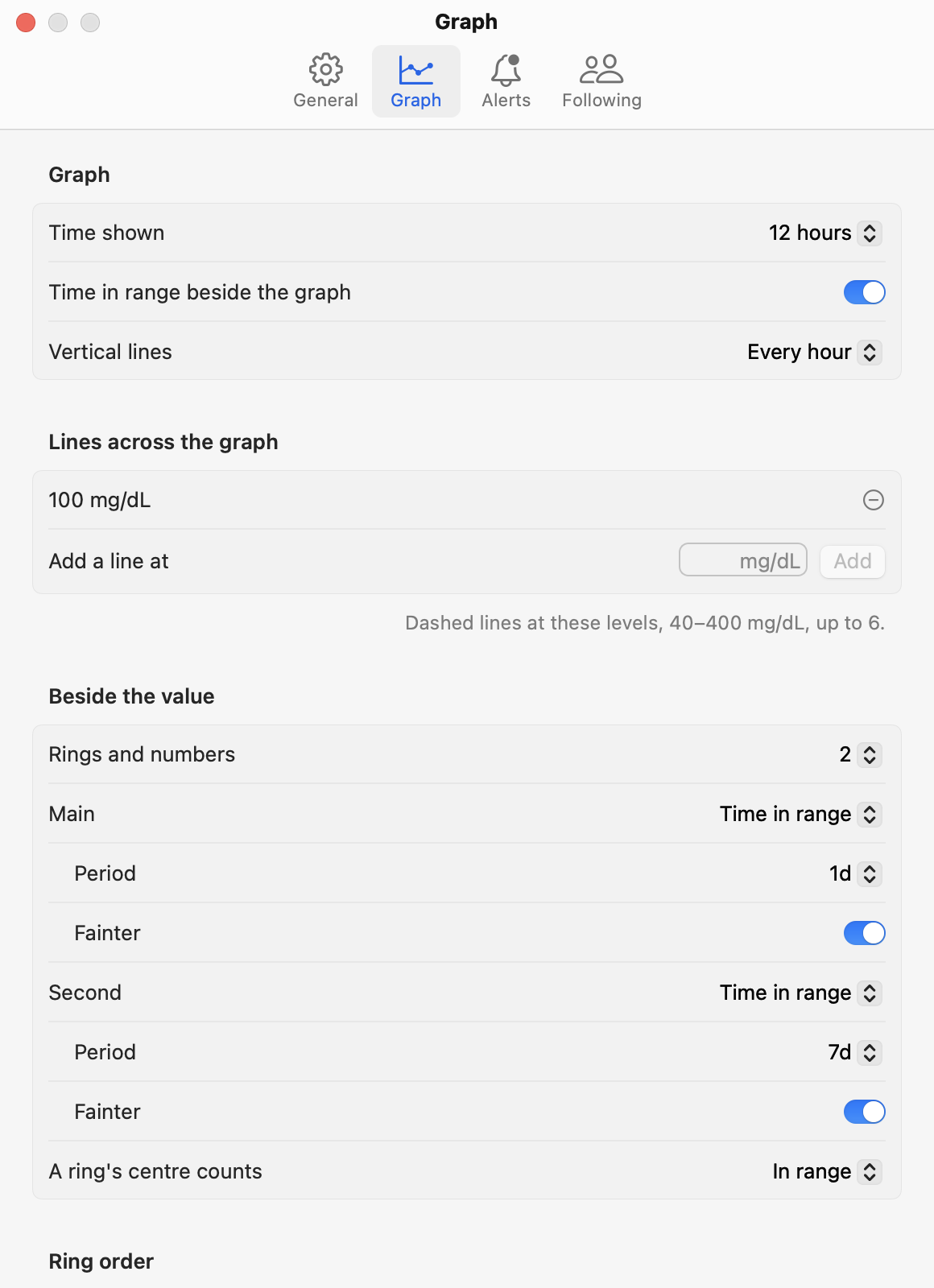
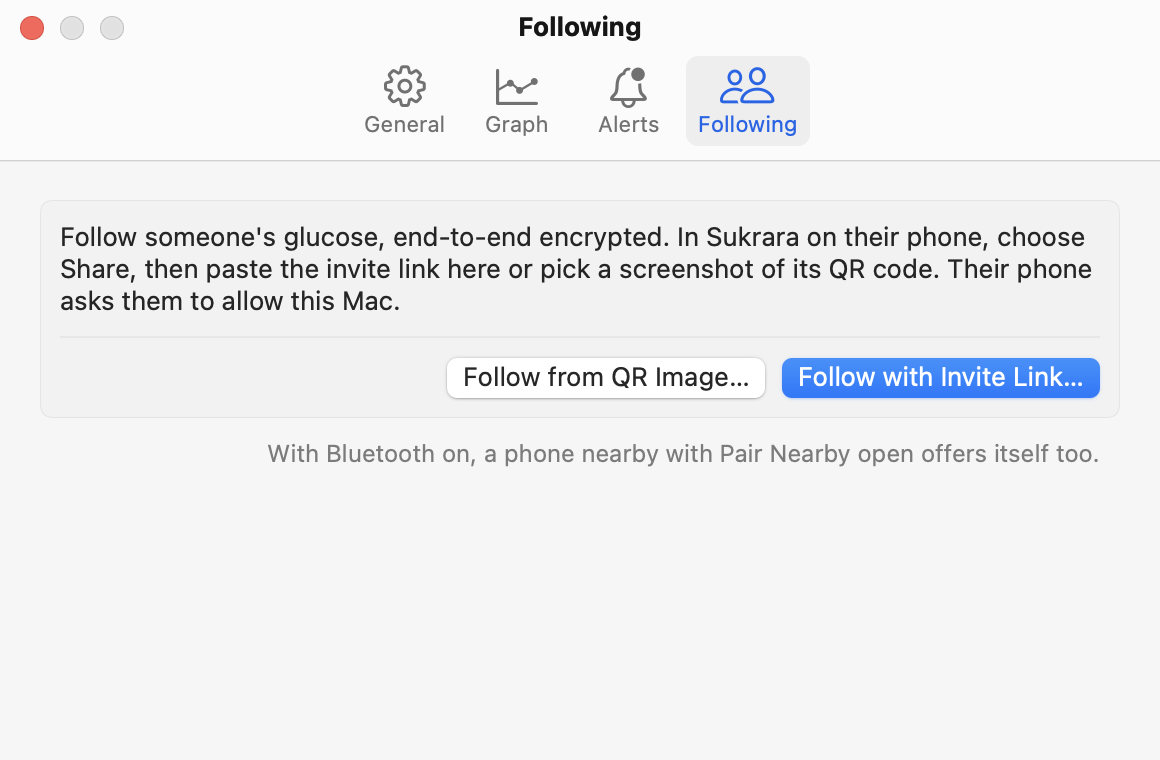
| Added | Why (guideline) | Where |
|---|---|---|
| The card on a platter in the palette’s own background (94 % opaque; opaque + hairline with Reduce Transparency / Increase Contrast) | The palette was tuned for opaque grounds (phone, widgets); on the menu’s translucent material the wallpaper bled through: axis labels, % labels and ring captions fell to ~2.5:1 over a bright wallpaper. On the platter they are ≥ 5:1 (WCAG AA 4.5:1). HIG Materials: “thicker materials … provide better contrast for text and other elements with fine features”; Color/Accessibility: meet AA, add a higher-contrast variant for Increase Contrast | MacSurface, CardView (StatusController.swift) |
| Increase Contrast variant: secondary ink ≥ 11:1, grid ≥ 3.4:1 against the platter | HIG Accessibility: “ensure it at least provides a higher contrast color scheme when … Increase Contrast is turned on” | MacSurface.palette |
| Info lines as real labels in the system label colours (not disabled items) | Disabled menu items mean “unavailable command” and are dimmed below readable contrast (HIG Menus) | InfoView |
| Menu = glance + frequent actions: card, info, last 24 h treatments (≤ 6), Log Treatment…, Glucose Report…, Settings… ⌘,, Quit | HIG Menus: “be mindful of menu length”, most frequent items first, group with separators, title-style capitalization, ellipsis when more input follows; HIG The menu bar: a menu, not a popover | StatusController |
| Glucose Report in its own window (period picker above it, position remembered) | 300 pt of report made the menu long; the period is a task-specific option, so it sits with the report (HIG Settings › Task-specific options) | ReportWindow.swift |
| Settings window: General · Graph · Alerts · Following | HIG Settings (macOS): toolbar of panes, non-customizable, title = pane, minimize/zoom dimmed, window takes the pane’s size, restore the last pane, ⌘, | SettingsUI.swift |
Graph pane with everything from the old Graph submenu (two levels deep) plus the six ranges (were defaults write only) |
HIG Menus: “use submenus sparingly”, “limit the depth”; settings belong in the settings window | GraphModel, GraphSettingsView |
| Alerts pane redesigned (user: “looks terrible”): one row per alert with a summary and a switch, Details… sheet for threshold / repeat / sound / like an alarm | macOS System Settings’ own pattern (Notifications, Wi-Fi details); HIG Settings: keep it scannable | AlertsUI.swift |
| Following pane (follow by link / QR, state, Stop Following… with confirmation) | Configuration out of the menu; destructive action confirmed | FollowingModel, FollowingView |
| Open at login (SMAppService) | HIG The menu bar: let people decide whether the extra is in the menu bar | GeneralModel |
| A main menu (⌘W, ⌘Q, Edit) for the windows | A menubar-only app has no Edit menu, so ⌘V didn’t paste the invite link and ⌘W didn’t close windows | MainMenu |
| Backfilled readings kept (graph gaps) + PROTOCOL-v2 Missing history request + chunk window from the newest stored reading | The gaps were data the Mac had received and dropped (see below) | main.swift, NostrV2.swift |
Developer ID + notarization path in bundle.sh / dmg.sh; first-open steps in the README and site |
Gatekeeper (below) | poc/spikes/menubar |
Gaps. The data existed and arrived: every missing hour came in as full 72-reading chunks over relays and
Bluetooth, many times. Store.ingest(history:) merged them into the 3 h live window, trimmed it, and only then copied
that window into the 31-day store, so anything older than 3 h before the newest reading was dropped — after every
launch, wake and reconnect. Backfill now goes straight into the store; a relaunch of the test build filled the
10-18 01:25–08:43 gaps. An older hole (10-16 14:00–16:00) stays: it is outside the 13 h chunk window and the 12 h
Missing history check that the protocol defines.
Gatekeeper. The message is what macOS shows for any app that isn’t notarized; only a Developer ID signature plus
Apple’s notarization removes it, and that needs the paid Apple Developer Program. bundle.sh / dmg.sh now do the
whole release path (SIGN_ID="Developer ID Application: …" NOTARY_PROFILE=…, NEXT.md §5); until then the
development-signed dmg verifies cleanly (syspolicy_check distribution: only “Notary Ticket Missing”) and users
click Open Anyway once.
| Discarded | Why |
|---|---|
A SwiftUI Settings scene |
The app is AppKit (NSApplication.run, no SwiftUI App); the same window (preference toolbar of SwiftUI forms) is built directly |
| A sidebar settings window (System Settings style) | Four panes fit a toolbar; HIG Settings describes the toolbar of panes for app settings |
| A unit (mg/dL / mmol/L) setting | The graph, report and alerts are mg/dL-only on the Mac; a switch that changes only the menubar number would mislead. HIG Settings: minimize settings |
| Source toggles (Wi-Fi / Bluetooth / Nostr) | They take effect only at launch; General shows the source and Reconnect Now instead |
| Changing the shared graph palette (grid, bands) on every platform | On opaque grounds (phone, widgets) it reads as designed; the problem was the menu material, so the fix is Mac-only and the shared drawing code is unchanged |
| Screenshots of the live menu | This session has no Screen Recording / Accessibility permission (screencapture: “could not create image from display”); the live build was run and its windows rendered offscreen, the menu simulated |
| The report inside Settings | It is data, not a setting |
Mac menu bar panel (2026-10-18, second Mac round)
Section titled “Mac menu bar panel (2026-10-18, second Mac round)”The user, after the first round: the treatments look awful in the menu; logging through a popup is the wrong tool;
the graph on a solid white platter looks awful and would blind in dark mode; the source / following lines are
unnecessary. So the menu became a panel, designed from the HIG
(The menu bar › Menu bar extras:
“display a menu — not a popover — … unless the app functionality you want to expose is too complex for a menu”;
Entering data;
Keyboard;
Materials) and the system’s own panels
(Control Center, Wi-Fi, Bluetooth; SwiftUI’s MenuBarExtra(.window)).
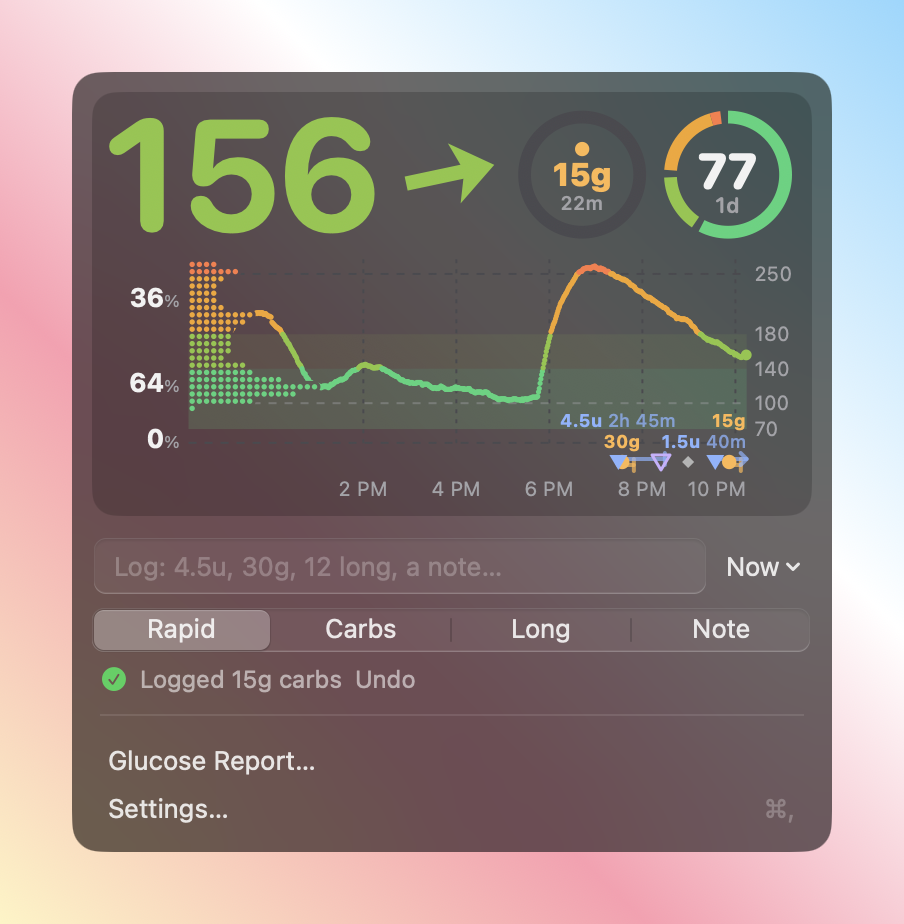
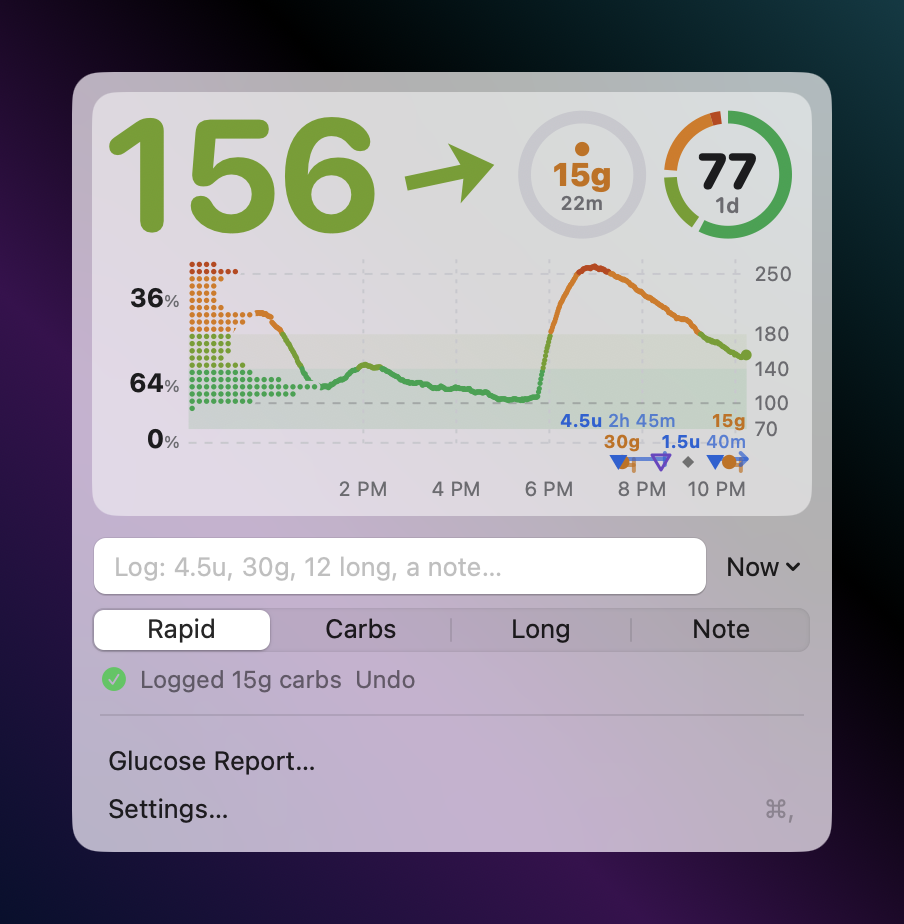
Synthetic data, the real PanelView on the real menu material (GlucoseBar -panelPreview), captured with
screencapture. Also: dark over dark, light over bright.
Before: the first round’s menu.
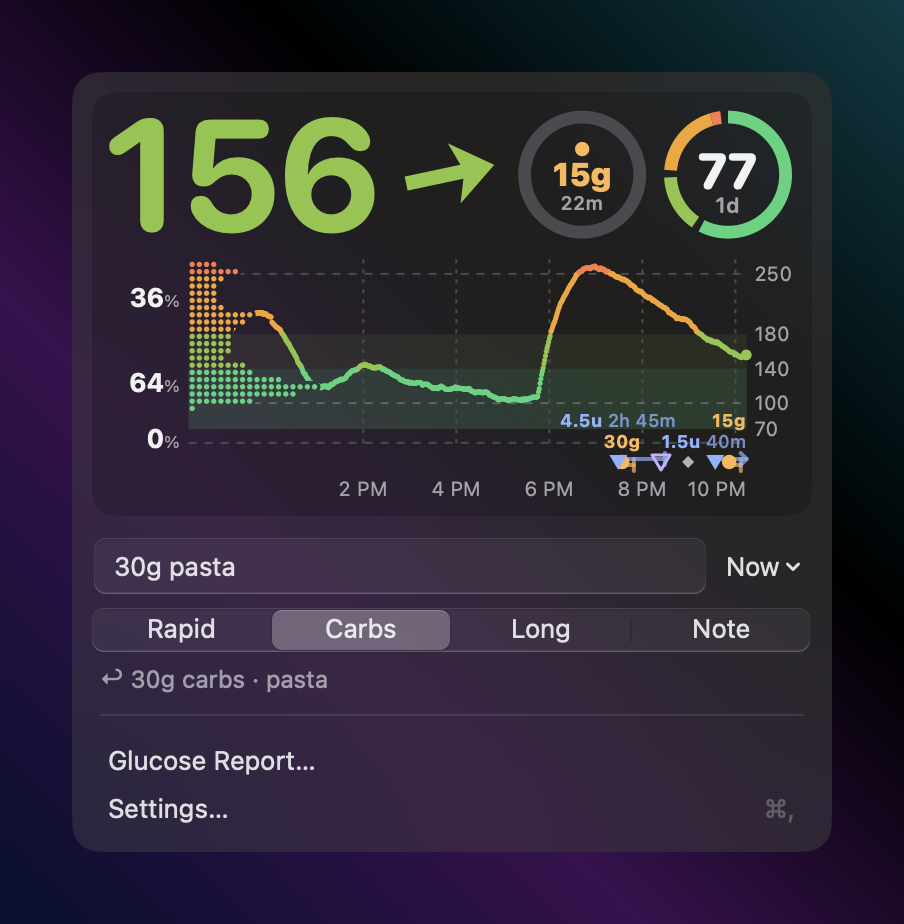
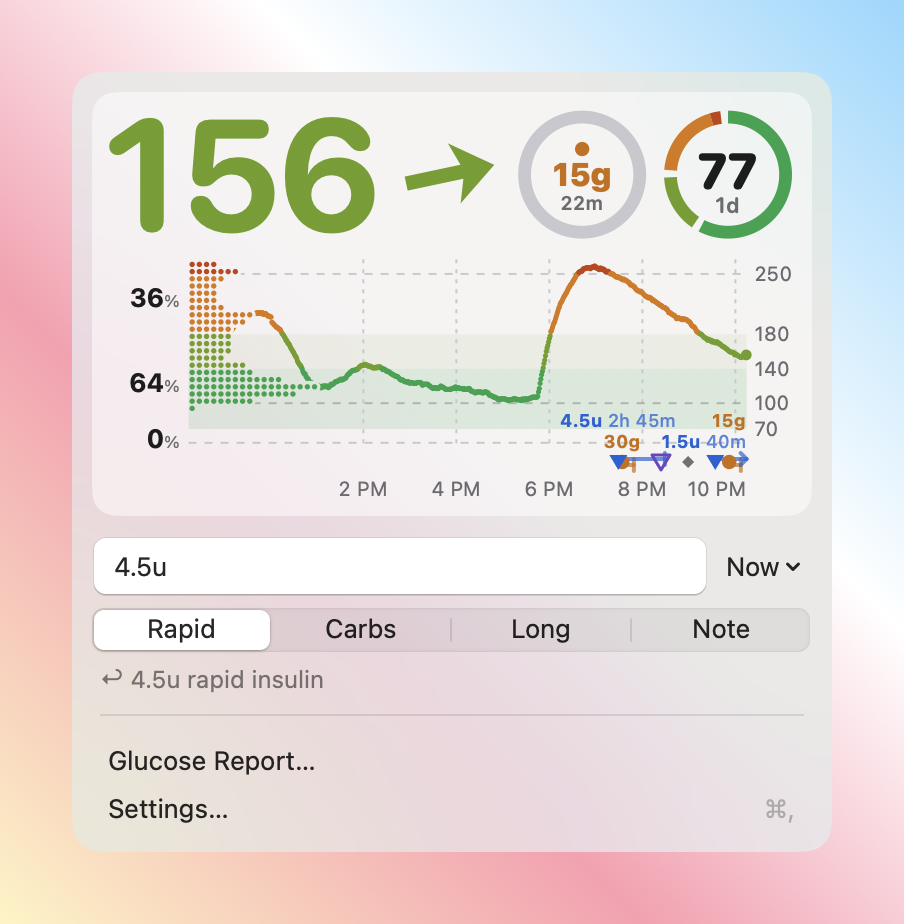
| Added | Why | Where |
|---|---|---|
| A window-style panel under the item (borderless, non-activating, menu material, closes on Escape / click outside) | A text field can’t live in a menu; the panel is what MenuBarExtra(.window) and Control Center use |
Panel.swift (GlancePanel, KeyPanel) |
| The card in a recessed module instead of the solid platter: black 18 % in dark, white 50 % in light; no bright surface in the dark; the palette without its background colour, grid one step stronger | The user’s ask; the module keeps the graph’s ink on its side of the appearance (light ink on darker, dark ink on lighter) over any wallpaper, like Control Center’s modules (HIG Materials) | ModuleBackground, MacSurface.materialPalette |
Add Treatment… (first menu-like row, Return) opens the Add Treatment window: rapid, long, carbs and a note at once like Android’s dialog (same order, units, limits, time chip, quiet line; Tab between fields, Return saves, Escape cancels). Replaced the one-line quick log (4.5u grammar, kind segments, Now ▾, Undo line), which logged one entry at a time |
The user (2026-10-21): enter long, fast, carbs and notes all at once like on Android; a plain menu row instead of a pill (“doesn’t seem native”). HIG Windows (auxiliary window for one task); Sheets need a parent window, Popovers close on interaction, Panels avoid typing | TreatmentDialog.swift (TreatmentForm, cases shared with Android in poc/spikes/libreview/treatment-form.json, -treatmentsselftest) |
| Treatments… (panel row and right-click menu) opens its own Treatments window: the last 7 days by day, delivery state, delete (⌫ / context menu). The Glucose Report window keeps only the report; its Report | Treatments switch is gone | The user (2026-10-21): “treatments should not be inside glucose report, it has to be its own menu item”; Android keeps the treatments list apart from the report too | TreatmentsWindow.swift (TreatmentsModel, -treatmentsselftest), ReportWindow.swift |
| Right-click menu: Glucose Report…, Settings…, Quit | The familiar secondary path for menu bar items; Quit is also in Settings › General | StatusController |
-openPanel, `-appearance dark |
light`, the logged capture rect | Real captures of the running build (Screen Recording granted to the terminal) |
| Discarded | Why |
|---|---|
SwiftUI MenuBarExtra itself |
Needs the SwiftUI App lifecycle; the app is AppKit. The panel reproduces its window style |
| The solid platter (first round) | Bright in dark mode (the user) |
| Two-pass vibrant drawing of the card’s neutral ink | The shared renderer draws ink, colours and the distribution cut-out in one pass; splitting it would fork the one graph. The module gives the contrast instead |
| Source / following / error lines in the panel | Diagnostic: Settings › General and Following |
| Activating the app when the panel opens (accent-coloured selection) | It would take focus from the app the user was in; the panel works like Spotlight (non-activating), so the selected segment draws in the inactive style |
| Faked Increase Contrast renders | Setting a high-contrast appearance on a view doesn’t change the material; the real setting is read from the system (accessibilityDisplayShouldIncreaseContrast) |
Mac wording and treatment times (2026-10-18 evening)
Section titled “Mac wording and treatment times (2026-10-18 evening)”The user: “v2 accepted” makes no sense; treatments miss their relative times; notifications carry too much text.
| Added | Where |
|---|---|
| Delivery shown like Messages’ Delivered: a symbol per entry made on this Mac (sending, sent, not on the phone yet, on the phone) with a sentence in the tooltip (“On Ana’s phone since 14:07”) | Delivery, TreatmentPaths.delivery (Treatments.swift), ReportWindow.swift |
12m / 3h after the time of day in Glucose Report › Treatments, refreshed every 30 s |
TreatmentRow (TimelineView) |
Protocol words out of every Mac text: source Internet / Bluetooth · phone, Following Ana, the pairing window, the alerts source note, the invite error |
NostrV2.label, NostrSource, main.swift, FollowUI, AlertsUI |
| Notification body = value + arrow (rate for fast changes), Android and Mac | AlertNotifier.kt, Alerts.swift, SPEC §1 |
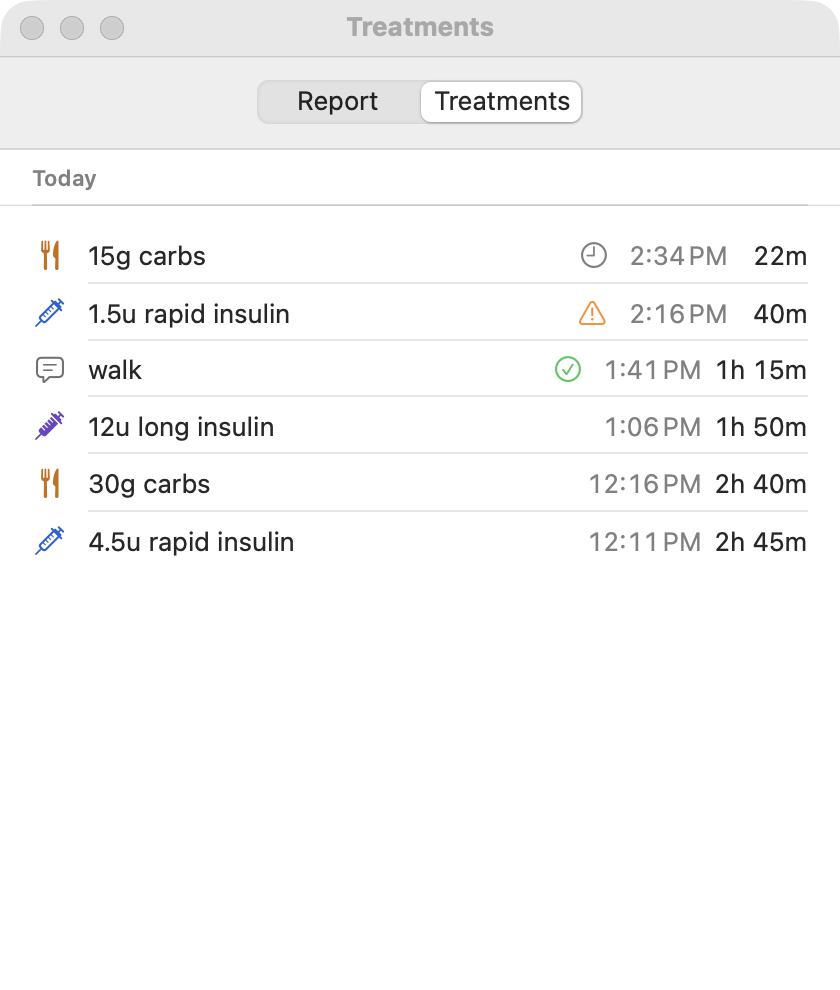
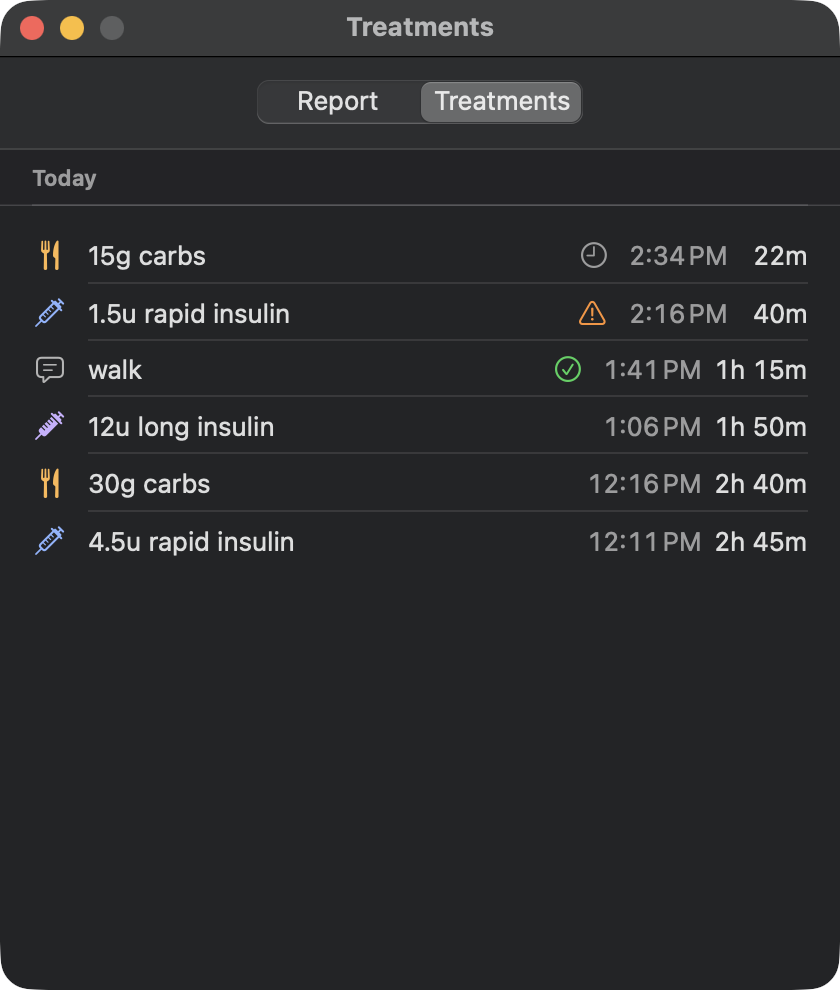
| Discarded | Why |
|---|---|
| A diagnostics section (relays, key epoch) in Settings › Following | Not useful to the user; the log has it |
New sensor flow (investigation 21, v0.11.16)
Section titled “New sensor flow (investigation 21, v0.11.16)”Starting or replacing a sensor moved off the Settings → Sensor page to a guided full screen: Pair new sensor on home when it’s due, a step bar Scan · Pair · Readings, the phone’s NFC antenna spot drawn, Bluetooth steps from the source’s status, the warm-up countdown and the first reading; a tap that opens Sukrara is read at once. Details, screenshots and the full added / discarded tables: docs/21.
| Added | Where |
|---|---|
| New sensor screen + flow rules (tested) | ui/NewSensorScreen.kt, ui/NewSensorFlow.kt, NewSensorFlowTest |
| Home Pair new sensor (filled / tonal / hidden) | ui/OwnerScreens.kt NewSensorButton, NewSensorDue |
| Every way in (pill, notifications, widgets, source switch, tag launch) → the screen | MainActivity.sensorIntent, takeSensorTag |
| Settings → Sensor: end date, Pair new sensor, Android 16 tag-intent block | ui/SensorScreen.kt, ui/NfcLaunch.kt |
| Discarded | Why |
|---|---|
| Scanning on the Settings → Sensor page | Replaced by the New sensor screen |
| A permanent home button | Noise while the sensor works; it shows when it’s due |
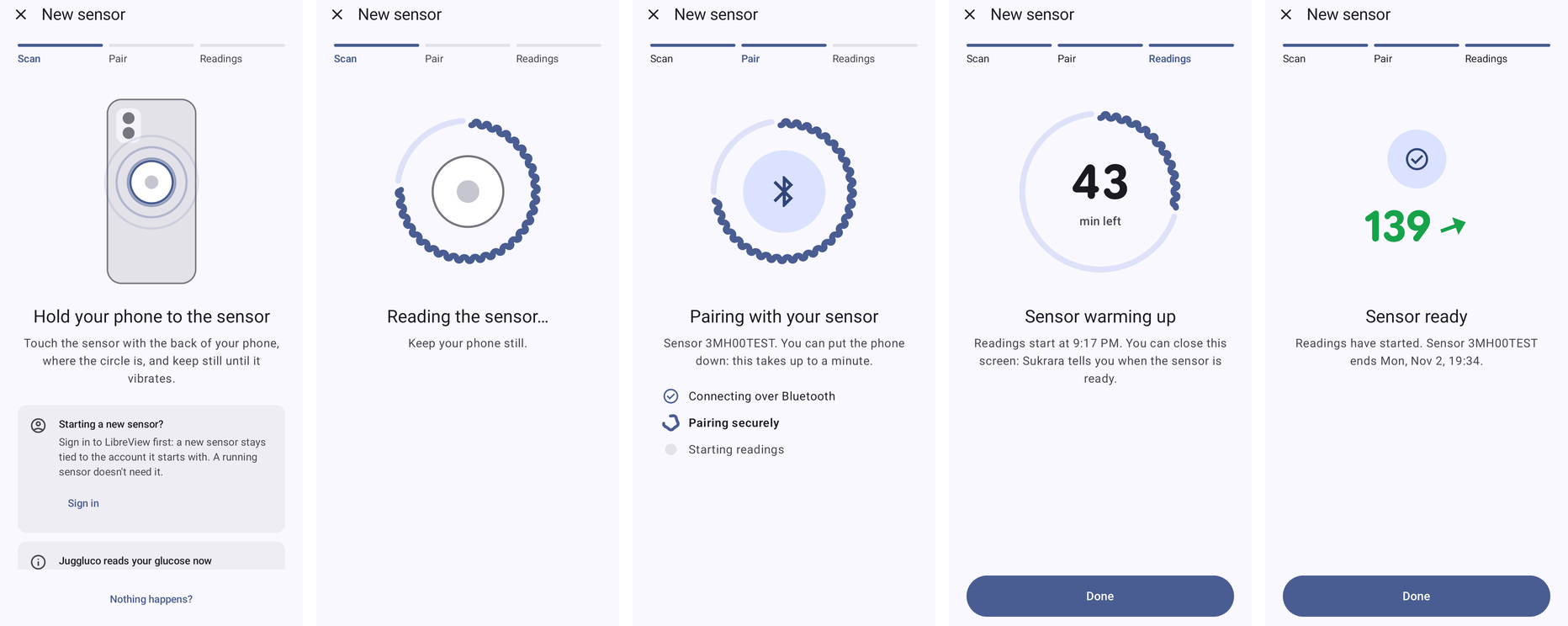
Sharing security fixes (investigation 24 integration, 2026-10-19)
Section titled “Sharing security fixes (investigation 24 integration, 2026-10-19)”The spec audit of investigation 24 found that a writer could delete or change the wearer’s entries, that the phone
broadcast its Bluetooth name and identity key to anyone in range, that the Android follower wrote to the first
Sukrara phone it found, that Bluetooth had no limits, and four Mac follower gaps. Fixed on Android and Mac together,
with poc/spec/ (draft 1), the test vectors and poc/spec/reference updated. Details: docs/24.
| Added | Where |
|---|---|
| Writers change only their own entries (owner and followers) | treatments/WriterScope.kt, OwnerEngine.onTreatment, FollowerDb (creator, db v3); Mac WriterScope, TreatmentStore.creators; WriterScopeTest, -v2selftest |
Mac: Delete only on its own entries while following; writers send o:"follower" |
ReportWindow.swift, TreatmentPaths.mayChange, FollowerV2.publishTreatment |
No phone name over Bluetooth; blinded INFO (nonce, m); follower checks the owner before writing |
core/Ble.kt, BleOwner.kt, BleFollower.kt; Mac BLEV2Central.swift, main.swift; BleTest, -bleselftest |
| Bluetooth limits: reassembly, rate, centrals, backlog pacing, no expired backlog | Ble.Reassembler, Ble.RateLimit, BleOwner; Mac BLEV2Central.Reassembler |
Mac: wrap expiration, sid fixed, chunk c/d checks, rekey only for the wearer’s keys |
NostrV2.swift |
| Python v2 CLI owner/follower removed | poc/spikes/nostr/v2 |
| Discarded / left | Why |
|---|---|
| The phone’s name in the nearby list | Broadcast to everyone in range; the list says Phone nearby and the wearer’s profile shows after Ask |
| Leaving a phone that can’t prove itself while a request is pending | It may be the wearer’s phone with pairing closed; the follower listens without writing instead |
| Draft-2 wire changes (P1, P2, P7–P9, P11), the rest of P10, the CGMS bridge (P14) | The user wants to wait for v1; P14 is a separate PoC |
Apps on this phone and Health Connect (investigation 22)
Section titled “Apps on this phone and Health Connect (investigation 22)”The wearer’s readings reach other apps on the same phone: xDrip+ BgEstimate (SourceInfo=Libre3), patched-LibreLink
GLUCOSE_READING (+ SENSOR_ACTIVATE per new sensor) and glucodata.Minute, one explicit copy per app the user
allowed under Settings → Share with apps → Apps on this phone (all off by default), and Health Connect blood glucose
behind its own permission sheet (off by default). Followers never broadcast. Verified on a fresh emulator with
GlucoDataHandler 2.5; details, screenshots and the full tables: docs/22.
| Added | Where |
|---|---|
| Payloads, trend names, who-gets-what plan (wearer + direct source + allowed + declared), 55 s throttle | bridge/BroadcastPayloads.kt, BroadcastPayloadsTest |
| Receiver discovery, per-app allow list, explicit sends | bridge/AppBroadcasts.kt, manifest <queries> |
| Health Connect write (history on enable, then each reading; one record per minute, no duplicates) | bridge/HealthConnect.kt, manifest permission + rationale alias |
| Settings groups Apps on this phone and Health Connect; overview summary | ui/SettingsScreens.kt |
| Hook into the wearer’s fan-out | wearer/WearerExtras.kt |
| Discarded | Why |
|---|---|
| Dexcom BYODA / any Dexcom label | False origin; a true Libre3 label already gets AAPS’s advanced filtering |
NS_EMULATOR |
AAPS labels it Medtronic 600-series |
| Glimp | Libre 1-era, AAPS-only |
| Gadgetbridge weather hack | Glucose as fake weather; small audience |
| Follower broadcasts | A follower’s copy must not reach AAPS as a local sensor |
| Broadcasts in Juggluco mode | Juggluco broadcasts itself |
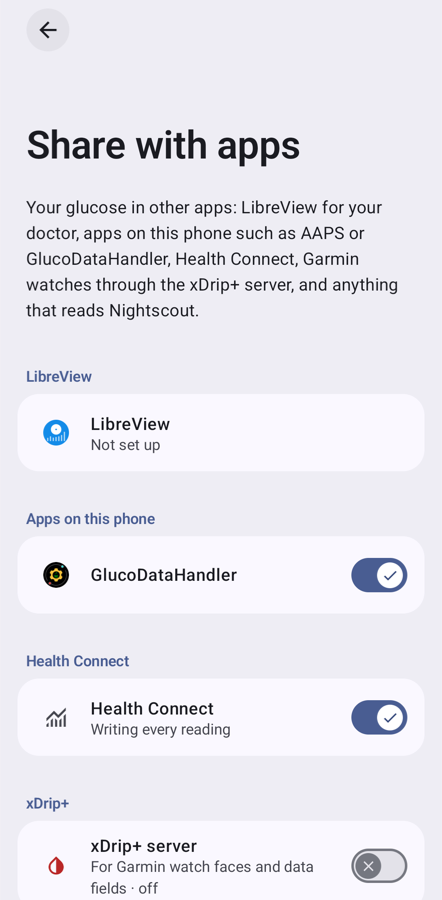
CSV export (docs/22 gap #4)
Section titled “CSV export (docs/22 gap #4)”Readings and treatments of a period as one CSV in LibreView’s layout (Tidepool Uploader reads it), on both roles and the Mac. Format choice, added / discarded tables and the Tidepool check: docs/22.
| Added | Where |
|---|---|
| CSV writer + shared cases (Android + Mac) | export/GlucoseCsv.kt, GlucoseCsvTest; menubar/…/GlucoseCsv.swift, -exportselftest; poc/spikes/export-fixtures |
| Settings → Export data (period, count, Save file / Share pills) | ui/ExportScreen.kt, export/Export.kt, FileProvider ${applicationId}.export |
| Mac Glucose Report › Export CSV… (report’s period, save panel) | ReportWindow.swift, GlucoseCsv.save |
| Discarded | Why |
|---|---|
| Fetching more history for a follower’s export | only what the device already has |
Sensor drivers (investigation 23, step 1)
Section titled “Sensor drivers (investigation 23, step 1)”The first step of docs/23: the direct source now runs a SensorDriver picked from a
registry by the saved sensor’s profile, and the Libre 3 is the first and only driver — a pure refactor, no change in
what goes over the air, in the timing or in the words the New sensor screen reads.
| Added | Where |
|---|---|
SensorProfile (pairing kind, warm-up, lifetime, grace, calibration, needs-scan) + SensorProfiles.LIBRE_3; SensorLife’s defaults and the New sensor flow’s warm-up fallback read it |
core/SensorProfile.kt, core/SensorLife.kt, ui/NewSensorFlow.kt |
SensorDriver / BleLink / SensorEvents / Advert / DriverPrefs, the Drivers registry, the pairing file’s profile field |
direct/SensorDriver.kt, direct/Drivers.kt, direct/SensorPairing.kt |
The Libre 3 client split in two: Libre3Driver (handshake, packets, timers, sensor status words) over GattLink (connect by address, operation queue, reconnects, connection status words); the JNI core behind a Libre3Security interface |
direct/Libre3Driver.kt, direct/GattLink.kt, direct/Libre3Crypto.kt |
| Replay tests: every byte written, every subscribe, timer and status word of a fresh pairing, a resume, glucose, history, patch status, warm-up, an expired and a terminated sensor, the error paths; profile = old constants; registry | Libre3DriverTest, SensorProfileTest, DriversTest |
| Discarded | Why |
|---|---|
The spike’s Reading / Session / DriverStatus types |
The app’s Bridge.Reading, LibreViewPayload.Glucose and status words already carry the same fields, and the New sensor screen parses the words: the driver reports in those, so nothing above the source changes. |
| A scanning transport, the brand step, the other drivers | Step 2+ (each needs a sensor to verify); the seams are in place (profile.needsScan, SensorDriver.matches / onAdvertisement, Pairing kinds, BleLink.bond). |
| Running the JNI security core in the JVM tests | Untouched by the refactor; a host build of Juggluco’s core for the tests would prove nothing about the move. The replay fakes it and pins the calls into it. |
Other sensor brands, untested (investigation 23, steps 2–5)
Section titled “Other sensor brands, untested (investigation 23, steps 2–5)”The user (2026-10-19): “I want them anyway with untested, and when users use one of it they get a permanent banner under the graph in the app that tells them to submit feedback as a GitHub issue. When we get enough feedback we’ll remove the banner for that sensor.” The user only has a Libre 3 Plus, so nothing below has touched a real sensor; every driver is pinned by open-source traces. Details: docs/23 “In Sukrara”.
| Added | Where |
|---|---|
SensorProfile.verified (the Libre 3 true, everything else false: the one switch for the tag, the confirmation and the banner), name, profiles for Dexcom G7 / ONE+, G7 15 Day / Stelo, SmartGuide, Aidex X, G6 / ONE; PairingInput; ActiveSensor |
core/SensorProfile.kt |
Drivers: G7 observer (writes nothing), G6 / ONE, SmartGuide (standard CGMS), Aidex X (+ advertisement readings), on a shared BrandDriver (status words, session start, live vs history, end, failure); Crc |
direct/BrandDriver.kt, direct/dexcom/, direct/cgms/, direct/aidex/, direct/Crc.kt |
Framework: a short filtered scan (SensorScanner) that hands the address to GattLink, BleLink.read / SensorDriver.onRead, a bond-state receiver → onBondChanged, SensorDriver.scan / onAdvertisement(record), SensorEvents.onSessionStart, one sensor.json record keyed by profile (SensorPairing.forBrand), DirectSource.transport (the Libre 3 always by address), readings tagged with profile.id |
direct/SensorScanner.kt, direct/GattLink.kt, direct/SensorDriver.kt, direct/SensorPairing.kt, direct/DirectSource.kt, owner/DirectAdapter.kt |
| Brand step (Libre 3 first and preselected, NFC already listening), per-family setup (vendor app / transmitter id / serial / PIN), Untested tags, the untested confirmation with a 5 s forced wait | ui/NewSensorScreen.kt, ui/NewSensorFlow.kt (UntestedConfirm) |
0.11.28, after the user tried 0.11.27: the confirmation comes on Continue of the brand step (Cancel stays there, Continue anyway opens the family’s setup), waits 10 s, and is red (the error colour roles for its icon, title and accept button). The Untested tag is red with the Material Symbols science flask, on the brand step and in Settings. Red here is a deliberate exception to “red only for errors” (the visual language): the user asked for it on this one safety warning |
ui/NewSensorScreen.kt (UntestedConfirmDialog, UntestedTag), NewSensorFlow.onContinue |
Settings → Glucose source, one level (0.11.28; the user: the page “doesn’t make sense”, Source showed only “Libre 3 directly” / Juggluco and Sensor was a nested page): a header with the current sensor (family, red tag, serial, dates, status) and Pair new sensor, an inline Read glucose from choice This phone (any family, the active one named) / Juggluco, and a Sensor group (open on scan, forget). After AOSP’s device details (res/xml/bluetooth_device_details_fragment.xml: header LayoutPreference, ActionButtonsPreference, categories) and SettingsLib SPA’s RadioPreferences for a two-option choice that stays visible. The nested Sensor page is gone |
ui/SourceScreen.kt, ui/SettingsUi.kt (radio) |
The banner under the graph + the pre-filled GitHub issue (form .github/ISSUE_TEMPLATE/sensor-feedback.yml) |
ui/SensorFeedback.kt, ui/OwnerScreens.kt |
Tests: every driver against the spike’s traces (src/test/resources/traces), the Libre 3 never scans, brand step, countdown, banner logic, issue URL without personal data |
G7DriverTest, G6DriverTest, SmartGuideDriverTest, AidexXDriverTest, CrcTest, DirectSourceTest, BrandStepTest, SensorFeedbackTest |
| Discarded | Why |
|---|---|
| Dexcom G7 own pairing (J-PAKE + app certificate), its J-PAKE code | Needs a Dexcom-issued identity (docs/23); observer mode covers the sensor. The J-PAKE stays in the spike only. |
| Abbott Lingo | Out of scope for this round (its own step 6). |
| Camera scan of the Aidex / SmartGuide box code | The data-matrix layout isn’t in any of the open sources we read, so the scanner would be guesswork; the serial is typed (10 characters). The SmartGuide needs nothing typed (its PIN goes into Android’s dialog). |
| A SmartGuide serial filter | Nothing to type: it matches an AC-… device with the CGM service, and a stranger’s sensor fails at the PIN. |
| The spike’s G6 “session start = transmitter clock” | The transmitter clock runs for months, so every G6 would have looked ended; the app asks for the session start (0x24, xDrip+ TransmitterTimeRxMessage). |
| “stopped” as the G7’s end | LoopKit’s lifecycle opens with it before the session starts; only expired / ended / failed end it. |
| LibreView for the new families | Libre life-count readings and a Libre sensor start only: SensorProfile.libreView (the Libre 3) gates it (LibreViewUploaderTest). |
| Local broadcasts for the new families | AAPS gives SourceInfo=Libre3 advanced filtering (SMB): untested data must never feed a closed loop. Unverified profiles send none; Settings → Apps on this phone says Paused: core/SensorOutputs, docs/22). |
| Calibration entry | Every ported family is factory calibrated; an optional finger-stick calibration on the sensor isn’t offered. |
| The banner on followers and the Mac | It is about the wearer’s own sensor; followers can’t act on it. |
Tidepool upload (docs/27)
Section titled “Tidepool upload (docs/27)”Settings → Share with apps → Tidepool (Android, both roles; off by default): Tidepool’s own session login, the wearer’s readings (one per 5-minute slot) and treatments, a queue rebuilt from the phone’s stores every cycle, and the follower’s separate Upload the person you follow (default off). Research, design and verification: docs/27.
| Added | Where |
|---|---|
| Tidepool page, account dialog, Share with apps row and summary (en + es) | ui/TidepoolScreen.kt, ui/SettingsScreens.kt, ui/MainActivity.kt |
| Mapping, queue, client, sender, upload loop | tidepool/ (TidepoolData, TidepoolQueue, TidepoolClient, TidepoolSync, Tidepool) |
| Tests: mapping, queue, end-to-end against the real API (by hand) | TidepoolDataTest, TidepoolQueueTest, TidepoolLiveTest |
| Discarded | Why |
|---|---|
| OAuth sign-in on Tidepool’s page | needs a client id registered with Tidepool; not borrowing another app’s |
| Mac uploader | the phone holds the store and the queue; the Mac would upload the same data twice |
bolus / basal, AAPS-style wizard carbs |
pump types / a fake bolus; insulin and food are Tidepool’s types for injections and carbs |
Nightscout upload (docs/25)
Section titled “Nightscout upload (docs/25)”Settings → Share with apps → Nightscout → Nightscout upload (Android, wearer only; off by default): every reading with a 30-day backfill, entries, sensor changes and the phone battery to the user’s own site, API v1 (v3 optional), access token recommended or API secret, upload only, paused when another app uploads to the site. Built on one shared upload design with Tidepool. Research, design and verification: docs/25.
| Added | Where |
|---|---|
The shared upload design: CloudUploader, UploadStatus, UploadLoop, UploadBackoff, SentRanges; Tidepool moved onto it with unchanged behaviour (same intervals, backoff, states, texts) |
upload/Uploads.kt, ui/UploadUi.kt (status line), tidepool/Tidepool.kt, tidepool/TidepoolQueue.kt |
| Nightscout upload page, site dialog with Test, Share with apps row + summary (en + es) | ui/NightscoutUploadScreen.kt, ui/SettingsScreens.kt, ui/MainActivity.kt |
| Documents, client (v1 + v3, API secret / access token → JWT), address rules, queue, sender, upload loop | nightscout/ (NsDocs, NsClient, Http, NsConfig, NightscoutQueue, NightscoutSync, Nightscout) |
Every reading, 30-day backfill, entries with edits / moves / permanent deletes, Sensor Change + Sensor Start, phone battery |
NightscoutQueue, NightscoutSync |
| Diff against the site (first run, after failures, every 6 h): lost minutes re-sent; another device’s recent entries pause readings until Upload anyway | NightscoutQueue.reconciled, NightscoutSync.reconcile |
HTTPS, plain http only to loopback / home-network hosts (literal host), with a warning; cleartext decided in code (base-config permits it) |
NsSite.parse, res/xml/network_security_config.xml |
App-wide cleartext, guarded: Android can’t list the home network’s IP ranges in network_security_config.xml, so base-config permits cleartext (before: loopback only). A whole-tree check fails on any http:// / ws:// literal or "http"/"ws" scheme in the app’s Kotlin and on any new place that opens a connection, unless allow.json lists that spot with its reason (NsSite’s validated path, Juggluco on loopback, the phone’s own server addresses as display text; network clients: https/wss constants or NsSite-validated). LibreView’s URLs from Abbott’s config must now be https. NsSiteTest pins the refused tricky hosts (192.168.1.5.nip.io, [::ffff:8.8.8.8], 10.0.0.1@evil.com, uppercase schemes, .local., decimal / octal / hex IPv4) |
tools/check/check.py cleartext, tools/check/allow.json cleartext_ok / network_ok, NsSiteTest, LibreViewClient.https |
| Token / secret in a Keystore-encrypted file | SecureStore(nightscout.bin, sukrara.nightscout) |
| The phone’s read API serves treatments through the uploader’s mapping | bridge/NightscoutApi.treatment → NsDocs.treatment |
| Tests: 13 unit tests against an in-memory Nightscout (15.0.8 rules + a 14.x mode), shared-layer tests, an end-to-end test against a local Nightscout (by hand) | NightscoutUploadTest, UploadsTest, NightscoutLiveTest |
| Discarded | Why |
|---|---|
| Follower relay (a follower uploading the person it follows) | someone else’s data must not become this phone’s sensor on a site; for now the upload is wearer only (Tidepool keeps its own opt-in for followers) |
| Reading treatments back from Nightscout | unsigned, no last-writer-wins, other apps’ semantics (SMB, temp basal); upload only |
| v3 soft deletes | v1 readers (LoopFollow, nightguard, the web pages) still show the entry |
filtered / unfiltered / rssi / calibrations |
Libre 3 has none |
| A per-reading outbox (the PoC’s timestamp queue) | the phone’s store is the queue, as in Tidepool: one design, nothing to keep in sync |
| Mac uploader | the phone holds the store and uploads; the Mac would upload the same data twice |
Service and app icons (2026-10-19)
Section titled “Service and app icons (2026-10-19)”The user’s report: “use the service logo/app icon instead of generic icons; in AOSP Settings app icons look good, in
mine the sizes are inconsistent”. Cause: AppIcon / PackageIcon drew every app picture at 24 dp, round-cropped
(toBitmap(96) + CircleShape), so adaptive icons lost their mask, legacy icons (xDrip+) were cut, and rows with a
monochrome symbol (Health Connect, Nightscout) looked like features, not apps.
Added. ui/AppIcons.kt: a Kotlin port of AOSP’s IconDrawableFactory.getBadgedIcon + LauncherIcons
(both @hide), what SettingsLib’s AppRepository uses: loadUnbadgedIcon, the launcher shadow under an
AdaptiveIconDrawable (device mask), getUserBadgedIcon for work profiles; drawn like SPA’s AppIcon at
SettingsDimension.appIconItemSize (32 dp) in the 40 dp icon slot, unclipped. Bundled icons load through the same
path (a PackageItemInfo with Sukrara’s resource, as Settings loads activity icons), so app and service icons can’t
differ in size. AppIconsTest guards it (bundled icons are adaptive or 48 dp legacy, drawn at 32 dp, no other
icon loader in ui/, every service row uses its icon). Garmin Connect / Connect IQ are listed under Apps on this
phone with the xDrip+ server’s switch (bridge/ServerReaders.kt): the user had looked for Garmin there.
| Row | Icon | Basis |
|---|---|---|
| Installed apps (Apps on this phone, Garmin Connect) | the app’s own icon at runtime | the app’s icon, shown as Settings does |
| Health Connect | the system module’s icon (com.google.android.healthconnect.controller); fallback ic_app_health_connect: the official logo on white |
Health Connect UI guidelines → Assets: official download, “on a white or a very light gray background”; unchanged |
| Juggluco (Glucose source) | installed app’s icon; fallback ic_app_juggluco = Juggluco’s own adaptive launcher layers |
Juggluco, GPL-3.0 (same licence as Sukrara); copied unchanged |
| xDrip+ (server row) | installed app’s icon; fallback ic_app_xdrip = xDrip+’s legacy drawable-xxxhdpi/ic_launcher.png |
xDrip, GPL-3.0; unchanged |
| Nightscout (API switch + upload row) | ic_app_nightscout: the owl, black on white |
the mark the project ships in its AGPL-3.0 app (cgm-remote-monitor static/images/large.png); vector from the project’s own NS-logo.svg, shapes and colour unchanged |
| LibreView | ic_app_libreview: the favicon’s sensor + bars on LibreView blue, traced (the site publishes only a 32 px favicon) |
Abbott’s site terms allow its marks “to identify the product or services of the company”; used only on the row that names LibreView, colours and shapes as the favicon |
| Garmin (Share with apps › Watches; the xDrip+ server’s readers), 2026-11-16 | Garmin Connect’s installed icon; without Garmin Connect, Android’s default app icon (no bundled copy) | The owner: Garmin Connect’s icon rather than a generic watch. Garmin allows its name, logo and trademarks only with written permission (Connect IQ brand guidelines: “You cannot use any elements of Garmin branding in your icon without express permission”; the Connect IQ SDK licence), so Sukrara shows Garmin Connect’s icon only as Settings does, from the installed app, and bundles no copy of it or of Garmin’s delta |
| Tidepool | ic_app_tidepool: the app icon’s “T” mark (white dots, blue corner) on Tidepool navy |
the mark’s paths from tidepool.org’s Logo_Light.svg, sized like the Play Store icon. Tidepool’s terms say its logos “are not licensed … You must not use such marks without the prior written permission of Tidepool”; the user chose to use it anyway (2026-10-19), and it appears only on the row that names Tidepool |
Left out. The Abbott mark on the “Libre 3 directly” source stays the 24 dp monochrome symbol (a sensor, not an
app); feature rows (Bluetooth, Nostr, GitHub…) keep 24 dp symbols as in AOSP. The Mac app shows no service icons
(its settings are plain SwiftUI forms), so nothing changed there. Screenshots: docs/img/icons/.
In Sukrara (apps/android, #181, 2026-11-12)
Section titled “In Sukrara (apps/android, #181, 2026-11-12)”The owner: “In settings we had app icons in some items. please bring all of them back.” Sukrara’s settings had none on these rows (the clinic banner’s pills had two hand-made round 28 dp pictures).
Added: ui/AppIcons.kt as :core:designsystem icons/AppIcons.kt (the same AOSP IconDrawableFactory / LauncherIcons
port, Service with the six services, ServiceIcon / PackageIcon at SPA’s 32 dp; a load that throws now leaves
the place empty instead of crashing the page) and the PoC’s bundled icons unchanged as ds_ic_app_* (the table
above is their provenance; the files keep the source and licence notes). Every PoC place got its icon back: Share with
apps’ LibreView, Tidepool, Nightscout upload, Nightscout API, xDrip+ server, Health Connect; the apps that get glucose
broadcasts (now on Send glucose to apps, also the changed, uninstalled and follower’s Remove rows); Garmin Connect /
Connect IQ as rows under the xDrip+ server with its switch (Sukrara had only “read by Garmin Connect” in the server’s
summary, so the row the owner had looked for was gone too); Juggluco on Settings › Sensor’s Reading source (the
other option the phone symbol, as in the PoC) and on Insulin pens’ Juggluco also reads pens (instead of a warning
symbol); the clinic banner’s pills on home and the Settings overview. New against the PoC: Import history’s
Tidepool and LibreView rows (the PoC had no import page), and symbols on the rows next to them that had none
(Send glucose to apps, Import history, Export data), so the titles line up. The manifest’s <queries> name
Juggluco, xDrip+ and both Health Connect packages (allow.json, ManifestTest). The PoC’s AppIconsTest is ported
(bundled icons are adaptive or 48 dp legacy, drawn at 32 dp, no other icon loader anywhere in the app’s main sources);
its source-text row check became ServiceRowsTest (:integrations) and ServiceIconRowsTest (:feature:settings),
which find each row and its icon on the drawn page.
Left out: the service icon inside a service’s own page (the Health Connect and Nightscout API pages’ switches): the
PoC had those switches on the Share with apps list, where the icon now is on the row that opens the page, and no
service page of the PoC repeated it. Discarded: ds_ic_service_libreview / _tidepool (the hand-cropped pictures,
superseded by ServiceIcon).
On the Mac, and LibreLinkUp’s own icon (#213, 2026-11-18)
Section titled “On the Mac, and LibreLinkUp’s own icon (#213, 2026-11-18)”The owner, on the Mac after the #213 source work: “on the mac app you’re not using brand icons/images”. The Mac drew nothing (or an SF Symbol) where Android draws the service’s icon.
Where the person sees another app or service, Mac against Android:
| Place | Android | Mac before | Mac now |
|---|---|---|---|
| Where it comes from (setup’s source step, Settings › Source) | SourceIcon: Juggluco, Nightscout, LibreLinkUp (LibreView’s until now) icons; sensor / Sukrara symbols (Sukrara’s app icon since, below) |
text only | SourceIcon 32 pt: Juggluco, Nightscout, LibreLinkUp; Sukrara’s drop (Sukrara’s app icon since, below) |
| Setup’s connect steps (Connect Juggluco, Connect Nightscout, Sign in to LibreLinkUp) | nothing | nothing | the service’s icon before the title (32 pt); Android got the same (StepHeader(service)) |
| Settings › Source, Nightscout | Site row: the owl | nothing | Site address row: the owl (20 pt), the token row a key |
| Settings › Source, LibreLinkUp | Account row: LibreView’s icon | nothing | Account (signed in) / Email (signed out): LibreLinkUp’s icon; Password a key, Person, Sensor symbols; Android’s Account row now LibreLinkUp’s |
| Settings › Source, Juggluco on this network / on this phone | Open Juggluco row: Juggluco’s icon | nothing | Address row: Juggluco’s icon, API secret a key (the Mac has no Open Juggluco: Juggluco runs on the phone) |
| Panel: Nightscout / LibreLinkUp path badge | the path’s mark (globe) | globe | unchanged: it says how readings come, a status mark in the text’s colour, not whose they are |
| Panel / widget no-data reasons (Juggluco wasn’t found…, Nightscout refused the token…) | no icon (the card above already draws its state) | the no-readings symbol + gearshape button | unchanged (the reason’s symbol, never a brand) |
| Treatments From Nightscout · change it there | text | text | unchanged (a line under an entry, not a row) |
| Import / history (Tidepool, LibreView), clinic banner, Share with apps (xDrip+, Health Connect, Garmin, broadcasts) | service icons | not on the Mac | not on the Mac |
LibreLinkUp’s own icon (both apps). Android showed LibreView’s favicon on the LibreLinkUp source. LibreLinkUp is
a separate Abbott app with its own icon (the yellow mark and Abbott’s “a” on navy; version 5, 2026); the person signs in
with their LibreLinkUp account and knows that icon from their phone, while LibreView is the clinic’s site (Sukrara’s
LibreView upload and import rows). One icon for both said they were the same account. Now Service.LibreLinkUp: the
installed app’s icon (org.nativescript.LibreLinkUp, the package of
Google Play’s listing; <queries> +
allow.json), else Sukrara’s copy, ds_ic_app_librelinkup (adaptive: the art fills the 72 dp visible area over its own
navy #222731). The art is the square icon the
App Store listing publishes (1024 px, the same picture as
Google Play’s), unchanged, scaled to 288 px (Android) and 256 px (Mac). librelinkup.com’s favicon is the older orange
share mark, no longer the app’s. Basis: as LibreView’s, Abbott’s terms allow its marks “to identify the product or
services of the company” (abbott.com terms); shown only on
rows that name LibreLinkUp, unaltered (Abbott’s “a” kept).
How macOS shows other apps’ icons (the choice). HIG › App icons:
“In iOS, iPadOS, and macOS, icons are square, and the system applies masking to produce rounded corners”; macOS 26
enforces that shape on every app icon (a non-conforming one sits in a gray rounded square:
Lapcat, 9to5Mac).
System Settings draws other apps with their full-colour icons in that shape: 20 pt in one-line rows (Login Items &
Extensions, Privacy & Security’s app lists), 32 pt in rows with a second line (Notifications’ app list); Internet
Accounts shows each provider’s mark in a rounded square, and its sign-in sheet puts the provider’s logo above the
fields. HIG › Images: PDF or SVG for flat
artwork that scales, PNG for raster work. HIG › SF Symbols
forbids symbols in “app icons, logos, or any other trademarked use”, and there are none for these services, so a
symbol could only stand in for the service, never be it. Options compared: (a) SF Symbols (what the Mac had: generic,
the owner’s complaint); (b) the bare marks with no shape (inconsistent: Nightscout’s owl on white would float, the
others are full-bleed squares); (c) each icon’s square layer masked by Sukrara as macOS masks app icons (chosen: a
service reads as the app the person knows, next to System Settings’ own lists, one size rule for every service, art
shared with Android); (d) the installed Mac app’s icon via NSWorkspace (Android’s runtime icon; none of the three has
a Mac app, so nothing to read).
Added (Mac). Windows/ServiceIcon.swift: AppService (Juggluco, Nightscout, LibreLinkUp; Service is LaunchMode’s
there), ServiceIcon (the art clipped to the macOS icon grid’s rounded square, 824/1024 of the box with 185.4/824
continuous corners, a soft shadow; 20 or 32 pt by row, scaled with the text size; decorative for VoiceOver),
ServiceLabel (a row’s label with the icon, or a symbol in the same slot) and SourceIcon (Android’s). The art, in
Resources/ServiceIcons (SwiftPM .copy, inside Sukrara_SukraraApp.bundle; tools/check images_ok allows
apps/macos/Sources/*/Resources/*):
| File | From | Licence / basis |
|---|---|---|
juggluco.png (256 px) |
Android’s ds_ic_app_juggluco = Juggluco’s launcher layers (background vector + ic_launcher_foreground), the 72-unit visible part |
Juggluco, GPL-3.0 (Sukrara’s licence) |
nightscout.svg |
Android’s ds_ic_app_nightscout vector (the owl from NS-logo.svg, black on white), the visible part; NSImage draws SVG (macOS 14+) |
the mark the AGPL-3.0 cgm-remote-monitor ships; unchanged |
librelinkup.png (256 px) |
the App Store listing’s 1024 px icon | Abbott’s terms, as above |
Discarded: LibreView, Tidepool, xDrip+ and Health Connect on the Mac (it has none of those rows); an asset catalog
(plain files load the same through Bundle.module, the SVG stays a vector, and bundle.sh needs no asset step); a
title icon and row icons in setup’s connect steps (the same icon twice; the columns form’s right-aligned labels take
none: serviceRowIcons off there). Test ServiceIconTests (every file loads, square, ≥ 128 px; every source’s service).
Screenshots: sukrara-snap windows → settings-source-*, setup-source-*, setup-connect-* (light, dark, large text).
Sukrara’s own icon for another Sukrara (2026-11-18)
Section titled “Sukrara’s own icon for another Sukrara (2026-11-18)”The owner: “why not use own sukrara icon for sukrara? in mac and android.” The rows that stand for another Sukrara (Their Sukrara / Sukrara on your phone in Where it comes from, setup’s and Settings › Source’s) showed the drop, a symbol, beside the other sources’ app icons; setup’s Follow someone step had no icon, unlike the other connect steps.
Added. Android: Service.Sukrara (no package, no bundled copy: AppIcons.forService loads this app’s own
applicationInfo icon, the adaptive launcher icon, through the same IconDrawableFactory port at 32 dp);
SourceIcon(SourceKind.Sukrara) and JoinStep’s StepHeader use it. Mac: AppService.sukrara is
NSApplication.applicationIconImage (the bundle’s AppIcon.icns), drawn whole at the row’s size because it is
already on the icon grid (rounded square, padding, shadow) the other art gets masked to; SourceIcon and setup’s
Follow someone title use it. sukrara-snap gives its process the brand’s icns (a render isn’t the bundle). Both
read the installed app’s icon, so the rows can’t drift from the brand (a debug or a future icon shows as installed).
Tests: AppIconsTest (only Sukrara has no bundled copy), ServiceIconRowsTest.theSourcePageShowsSukrarasOwnIconForAnotherSukrara,
ServiceIconTests.sukraraIsTheAppsOwnIcon.
Left as the drop or a symbol (they mean glucose or a state, not another Sukrara): the status-bar / notification
small icon (ds_ic_status_sukrara, monochrome by Android’s rule), the notification icon picker’s Sukrara glyph, the
widget / card face’s drop. The Mac’s Do you have Sukrara on your phone? cards keep their phone / globe symbols (a
pair of answers, not a source row); the person rows under Settings › Source (Following Marta) keep the wearer’s
avatar (a person, not an app).
Insulin pens (investigation 29)
Section titled “Insulin pens (investigation 29)”Tap a NovoPen Echo Plus (NovoPen 6 untested) on the wearer’s unlocked phone, from any app: its injections are logged at
the pen’s time with priming kept apart, hand-typed copies replaced, the old history left out, the rare unclear dose
asked. Settings → Insulin pens says which pens work in its footer (from PenProfiles, untested ones in words; 0.11.51
replaced 0.11.50’s Supported pens rows, which looked like the user’s own pens) and its Automatic detection page
tunes the rules (0.11.50). 0.11.52: the per-read notification is an opt-in (Notification after each read, off by
default; own group, so Android 16+ never bundles it with the glucose card or an alert) and the treatment dialog has no
pen icon any more (it still reads a held pen; Nothing new / Couldn’t read the pen under the fields). Research, rules (59 scenarios), what was added and discarded: docs/29. Product spec:
poc/spikes/novopen-android/PRODUCT.md; contract: DESIGN.md. Debug-only fake pen: DebugReceiver --es cmd penRead --es doses "1,0.5,8,0.5" --ei agoMin 3 [--ei older 412] [--ez fail true] [--es model novopen6], penReset [--es penReading ask|on|off], penOpen --es what penEntry|penQuestion|penHistory|penSetup|penPage|penReview.
The LibreView delete note was stale (since 0.11.13 the dialog said uploaded entries stay in LibreView; the uploader has retracted deleted and edited versions since docs/04): the delete dialog now says It’s removed from LibreView too., the LibreView footer that edits and deletes follow.
- Widget cost on the phone in investigation 11’s lab (both roles).
- Run investigation 11’s battery lab on this build with the DebugReceiver table above.
- Follower-role check on a second real phone (the emulator check and screenshots are done).
- The remaining rows of the gap audit below.
Gap audit (2026-10-16)
Section titled “Gap audit (2026-10-16)”Every report’s result and “not done” sections (01–09, 12, 13; 11 is in progress elsewhere) checked against what Sukrara for Android and Sukrara for Mac actually contain. Status is after this session’s work (10:00–10:50). Value/effort: H/M/L.
| Inv. | Proven capability | Android | Mac | Gap | Value / effort | Status |
|---|---|---|---|---|---|---|
| 01 | Juggluco → phone → Mac over BLE, Mac offline | yes (v2 GATT) | yes (v2) | none | ok | |
| 01 | Mac reads Juggluco over Wi-Fi | n/a | yes | none | ok | |
| 01/02 | Mac reads the Libre 3 itself | no | no | decided against (fallback only, docs/01) | L / H | won’t do |
| 02 | Phone reads the sensor itself (no Juggluco) | compiled, off | n/a | never run inside Sukrara | H / M (needs the user to give up Juggluco’s alarms for a while) | open, user decision |
| 02 | Sensor activation (NFC) | no | n/a | never proven anywhere | H / H | out of scope (new spike) |
| 03 | E2E Nostr stream, hourly chunks, 12 h backfill | yes | yes (v2) | thin backfill for a new follower until the wearer republishes (Known issues) | M / M | fixed (republish on approval + history request; not yet seen end to end) |
| 03 | Nightscout read API (tier 1), HA / xDrip+ / Nightguard / clocks / Garmin | only the xDrip subset on 17580, and never on the phone (Juggluco holds the port) | no | API on its own port, in both roles | H / M | done: 127.0.0.1:17581, LAN opt-in with API secret, 17/17 on the phone and on the follower |
| 03 | Home Assistant validated (stock nightscout integration) |
— | — | re-run against Sukrara on the phone (loopback via adb forward) |
M / L | done (polish round 2: HA 2026.10.1, sensor.blood_sugar matched, log) |
| 03 | HA add-on as always-on follower / “no data” watchdog | no | no | separate product | M / H | out of scope |
| 03 | Tier 2 upload endpoint (xDrip+/AAPS → Sukrara) | no | no | not built anywhere | M / M | open |
| 04 | Phone → LibreView (treatments + glucose) | yes, off | yes | real-account run is the user’s call | M / L | ok (off by design) |
| 04 | Treatments sync phone ↔ Mac | yes (v2) | yes (v2) | the phone uploads Mac entries to LibreView; the Mac doesn’t upload | ok | |
| 04/07 | Followers add treatments (v2 writers) | yes | yes (send only) | — | ok | |
| 07 | Followers see treatments | no (follower drops the treatment chunk) | no (v2) | decode treatmentsC chunks, show in the 12 h chart / list, serve in the follower’s Nightscout API |
M / M | done (polish round 2, Android + Mac) |
| 05 | Live Update chip + number icon | yes (wearer) | n/a | follower had a plain text notification | M / L | done: follower gets the same chip/icon with the followed value |
| 05 | System icons (root) and LSPosed SystemUI hook | yes (wearer) | n/a | follower role not wired | done 2026-10-16 (see “Root status bar”) | |
| 06 | Invite QR / link, match code, Allow/Deny, remove + key rotation | yes | yes | — | ok | |
| 06 | Password-manager save / restore (Credential Manager), NIP-49 paste | yes | n/a | proven with KeePassDX on an emulator only; Proton Pass / Bitwarden on the real phone need the user | H / L (user, 5 min) | open, user action |
| 06 | Printable recovery sheet | no | no | — | L / L | open |
| 06 | Camera QR scanning | yes (CameraX + zxing-cpp) | QR from image only | never tested with a real camera | M / L (user) | open, user action |
| 06 | Follower alarms low / high / no data | yes | no | Mac had none | H / L | done (Mac Alarms.swift, same thresholds; not yet seen firing) |
| 06/07 | Follower survives reboot / app update | wearer only | n/a | FollowerService never restarted |
H / L | done (StartReceiver for both roles; verified on update) |
| 07 | BLE followers + nearby pairing | yes | yes | — | ok | |
| 07 | GATT abuse limits, INFO privacy gating |
no | — | — | M / M | open |
| 08 | Garmin via the xDrip+ server | wearer, only if 17580 is free | n/a | a follower phone (e.g. a parent with a Garmin) couldn’t serve the watch | M / L | done: follower serves 17580 |
| 08 | Own watch app / push via Connect IQ | no | n/a | next spike | H / H | out of scope |
| 09 | Brand: name, icon, ids | yes | no (GlucoseBar, dev.spike.*) |
Mac app not renamed | M / L | done: Sukrara.app, app.mauri.sukrara.poc, brand icon, state migrated |
| 10 | App Link invites https://sukrara.mauri.app/join#… |
yes | no (cgmshare: only) |
Mac couldn’t paste the https link | H / L | done (both forms; https clicks on the Mac still open the browser: Universal Links need a Team ID) |
| 12 | Home-screen widgets | wearer only | n/a | followers saw empty widgets | H / L | done (follower DB as source) |
| 12 | Widget rendering in release | combined drawn as graph after a restart (R8 merge) | n/a | found during this audit | H / L | done (keep rule) |
| 12 | Real-phone widget screenshot, 1×1 / 2×2 layouts, config screen, mmol/L | no | n/a | — | M / L (screenshots need the unlocked phone) | open |
| 13 | macOS widgets (WidgetKit) | n/a | no | blocked by signing: needs an Apple Team ID certificate | M / L once a cert exists | blocked (user decision) |
| 13 | Mac local reading DB (beyond 3 h) | n/a | no | every launch backfills 12 h / ~25 h | L / M | open |
| 10 | Screenshots | emulator only | — | no follower view, no real data | M / L | done for the follower (emulator, real data); wearer screenshots need the unlocked phone |
Alert UX (round f30)
Section titled “Alert UX (round f30)”Added: two notification actions (Mute…, Relax), side-scoped mutes that end by a margin, Mute all with Never, no very-low / extremely-high exception, “1 h” durations everywhere through one formatter per platform. Discarded (with the reasons in docs/15): Until tomorrow morning, ending at the first in-range reading, the separate one-tap mute button.
What’s left
Section titled “What’s left”The remaining polish (user requests, known issues, rules for whoever continues) is tracked in
poc/spikes/showcase-android/NEXT.md.